Video transcription

Video Transcription powered by AI for fast, accurate captions and subtitles

Easily convert video files to text or subtitles in seconds. Drop in an MP4 or MOV, or paste a YouTube link, and get full-length transcripts free and unlimited in V4-Flash, with no daily limit. Switch to V4-Pro for industry-leading accuracy.

  • Unlimited free in V4-Flash
  • No credit card
  • Up to 120x real time
  • SRT, VTT, DOCX and more
Drag and drop
MP3MP4M4AMOVAACWAVOGGOPUSMPEGWMV
OR
Video in, text out

What Is Video Transcription?

Quick Answer

Video transcription turns spoken words in a video file into written text. Upload any video format (MP4, MOV, AVI, MKV and 15 others), and Cockatoo pulls the audio out automatically and transcribes it in seconds.

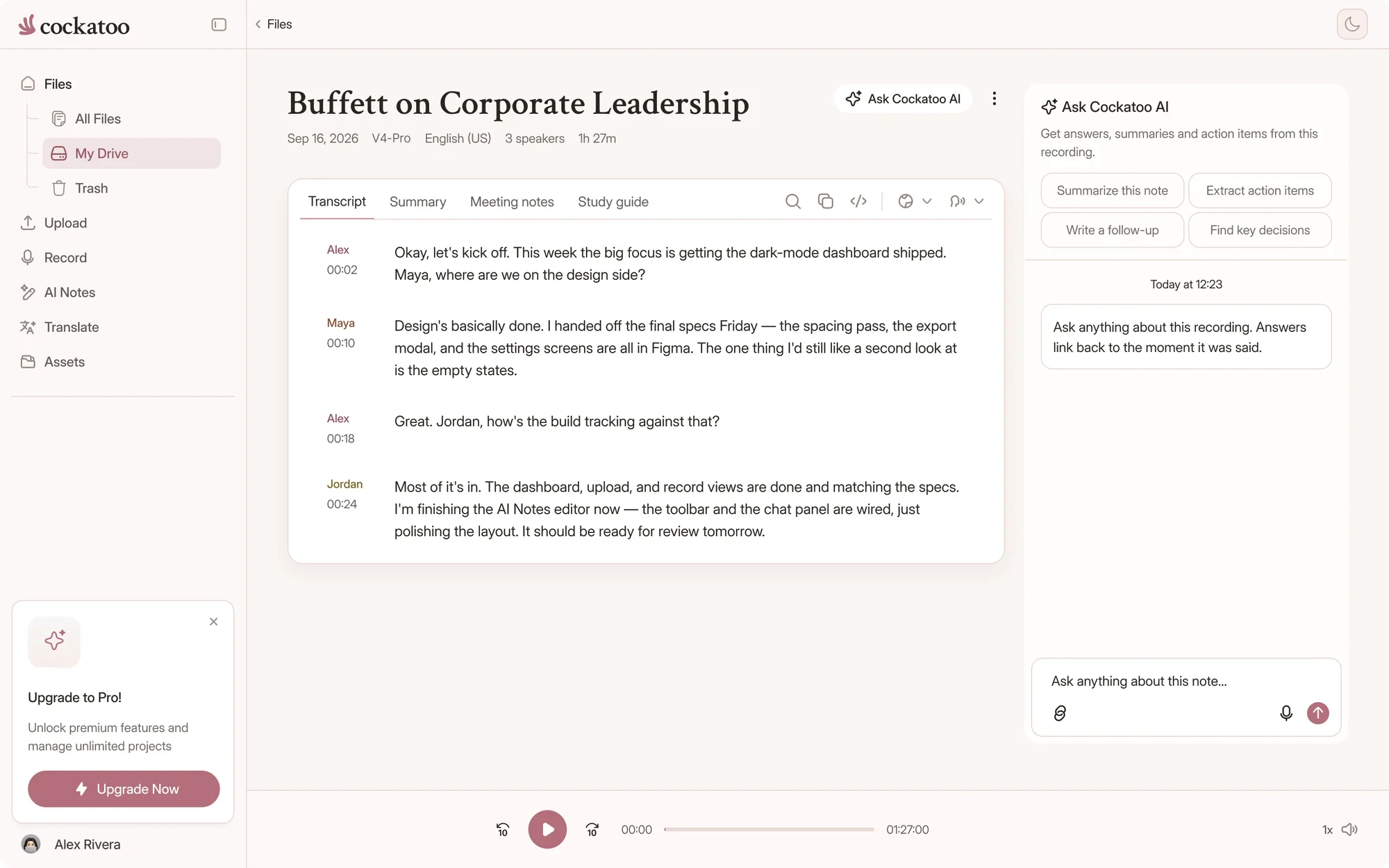
Speaker labels, timestamps, and punctuation are applied as the text is generated. You get back an editable transcript in DOCX, PDF, TXT or SRT subtitle format, ready to use without retyping a word.

Manual transcription of the same file takes most of a working day.
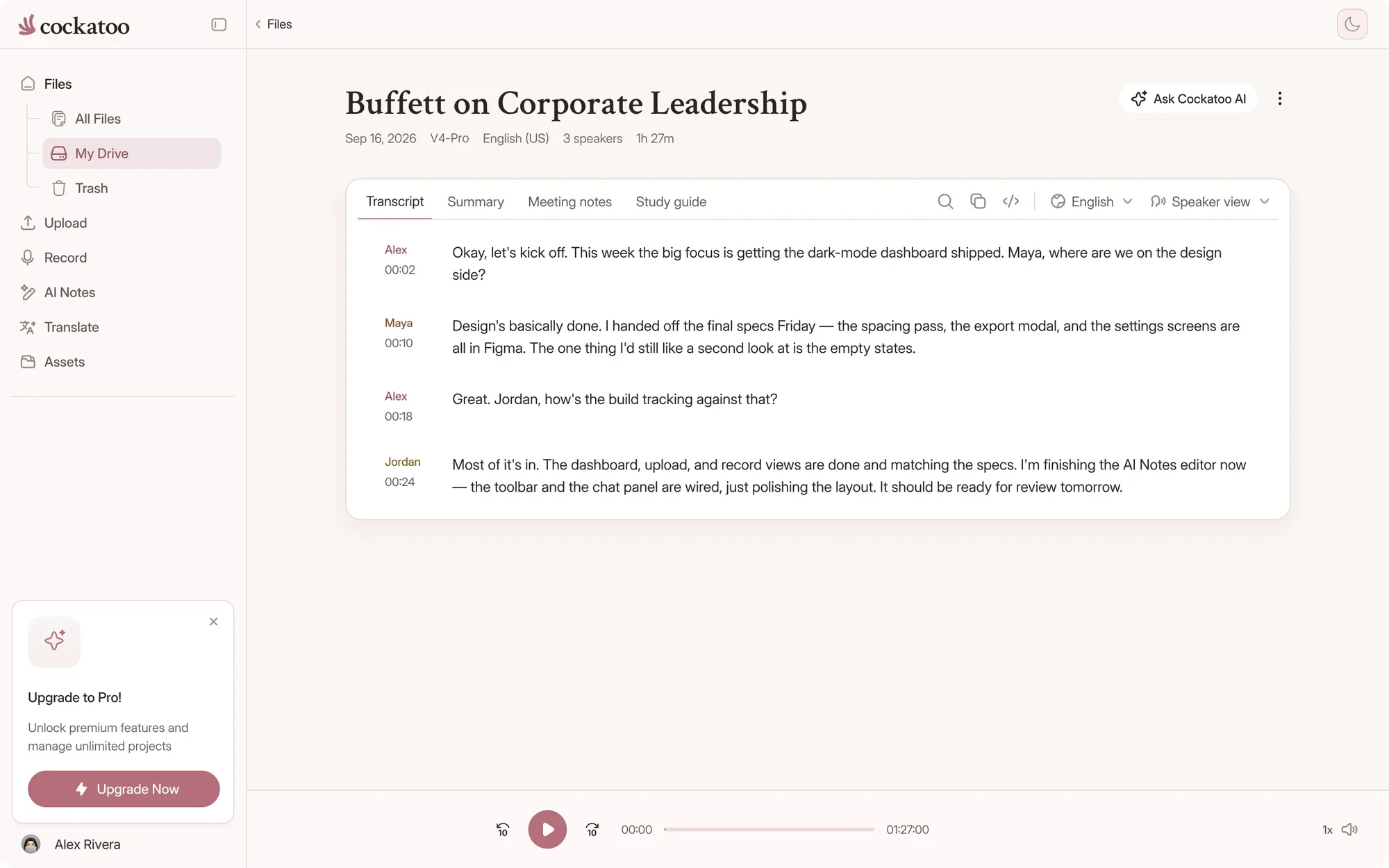
Cockatoo transcript editor with speaker labels and timestamps
Three steps, no software

How It Works

  1. Upload Your Video File

    Drop any video file into Cockatoo: MP4, WEBM, MOV, AVI, MKV and 14 other formats work without conversion.

    No setup, no plugins, no software to install. The entire process runs in your browser, and your video stays on your machine until you choose to upload it.

  2. Automatic Audio Extraction and Transcription

    Cockatoo pulls the audio out of your video automatically, so you skip the manual export step. Transcription starts immediately, with speaker recognition, word-level timestamps, and punctuation applied as the text is generated.

  3. Edit and Export in Seconds

    The transcript opens in Cockatoo's in-browser editor. Fix names, adjust punctuation, or generate a one-click AI summary in Canvas without leaving the page.

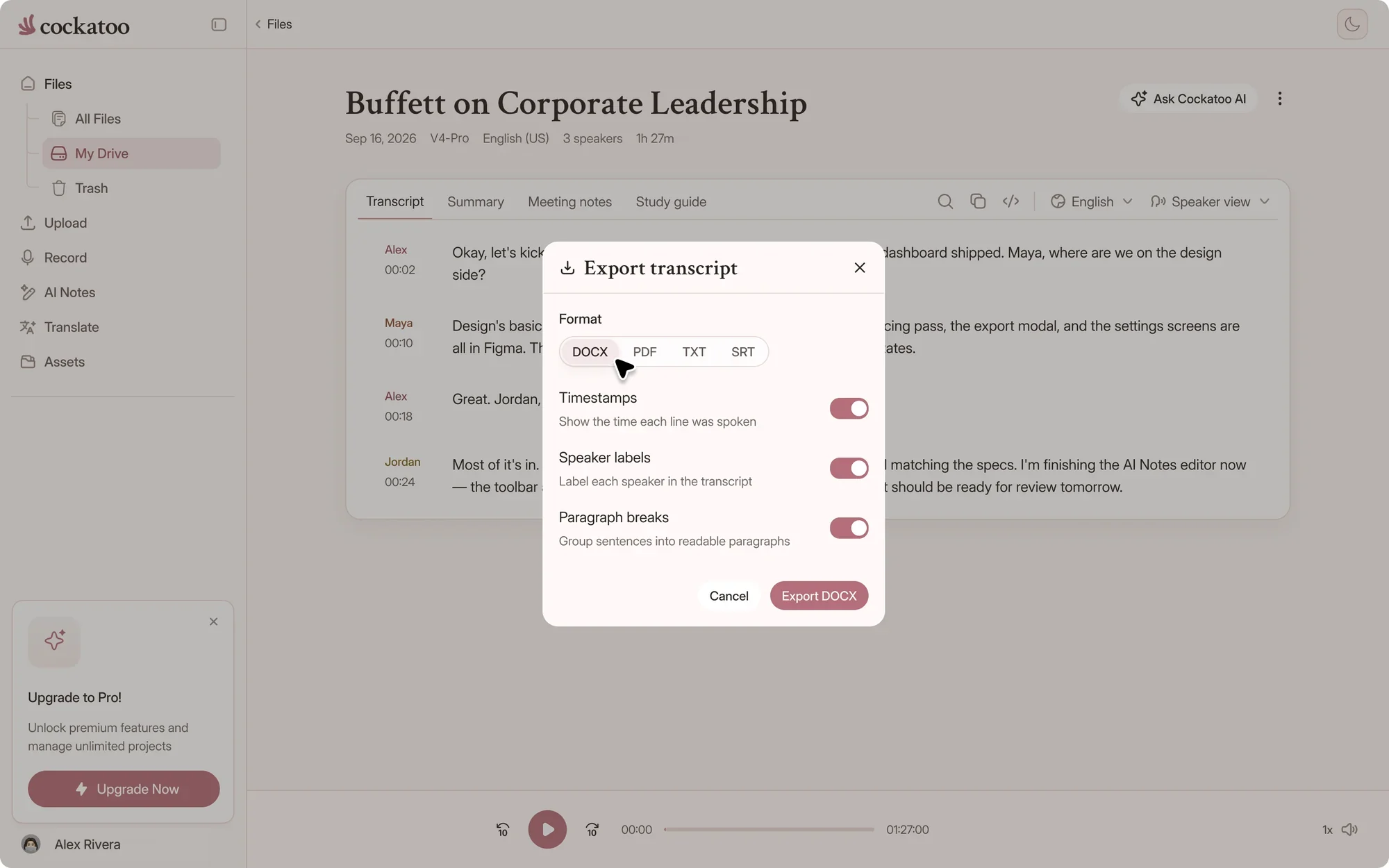
    Export to DOCX, PDF, TXT or SRT subtitle format with timestamps and speaker labels intact. One upload produces the Word doc, the SRT file, and the summary, all ready to download.

Built for video

Video transcription that’s fast, accurate, and easy to edit

interview-03.m4a Saved
00:12
Interviewer

So how did Bourdieu shape the way you read the fieldwork?

00:19
Participant

His idea of habitus gave me a vocabulary for what I was seeing in the classroom.

Fix a misheard name once

Correct names and terms in the browser editor while the video plays beside the text. Click any word to jump to that moment.

“Quick and very precise transcription. Since I transcribe a lot (podcasts, videos) I am very happy with the pricing package, too.”
LaraAustriaRead review

Trusted by leading teams for fast, accurate video-to-text transcription

Researchers, journalists, podcasters and video teams use Cockatoo to turn recordings into text. More of what they said is further down this page.

youtube.com/watch?v=seminar-week-4Import
  • Your device
  • YouTube
  • Google Drive
  • Dropbox
  • iCloud
  • Public file link

Paste a link instead of downloading

Paste a YouTube, Google Drive, Dropbox or iCloud link, or a public link to a video file, and Cockatoo imports it for you.

.docx.pdf.txt.srt.vtt.csv.json

Free exports on every plan

Every export from one upload

Download DOCX, PDF, TXT, SRT, VTT, CSV or JSON from the same transcript. All seven formats are free on every plan.

Use cases

When You Need It

One transcript, four jobs done. Pick yours.

Turn Interviews and Calls Into Quotable Text

Recorded a client interview, user research session, or internal call? Upload the video and get a transcript with speaker labels and timestamps, ready to quote or share.

Journalists, researchers, and consultants use Cockatoo to turn hours of recorded conversations into searchable, editable text without retyping a word.

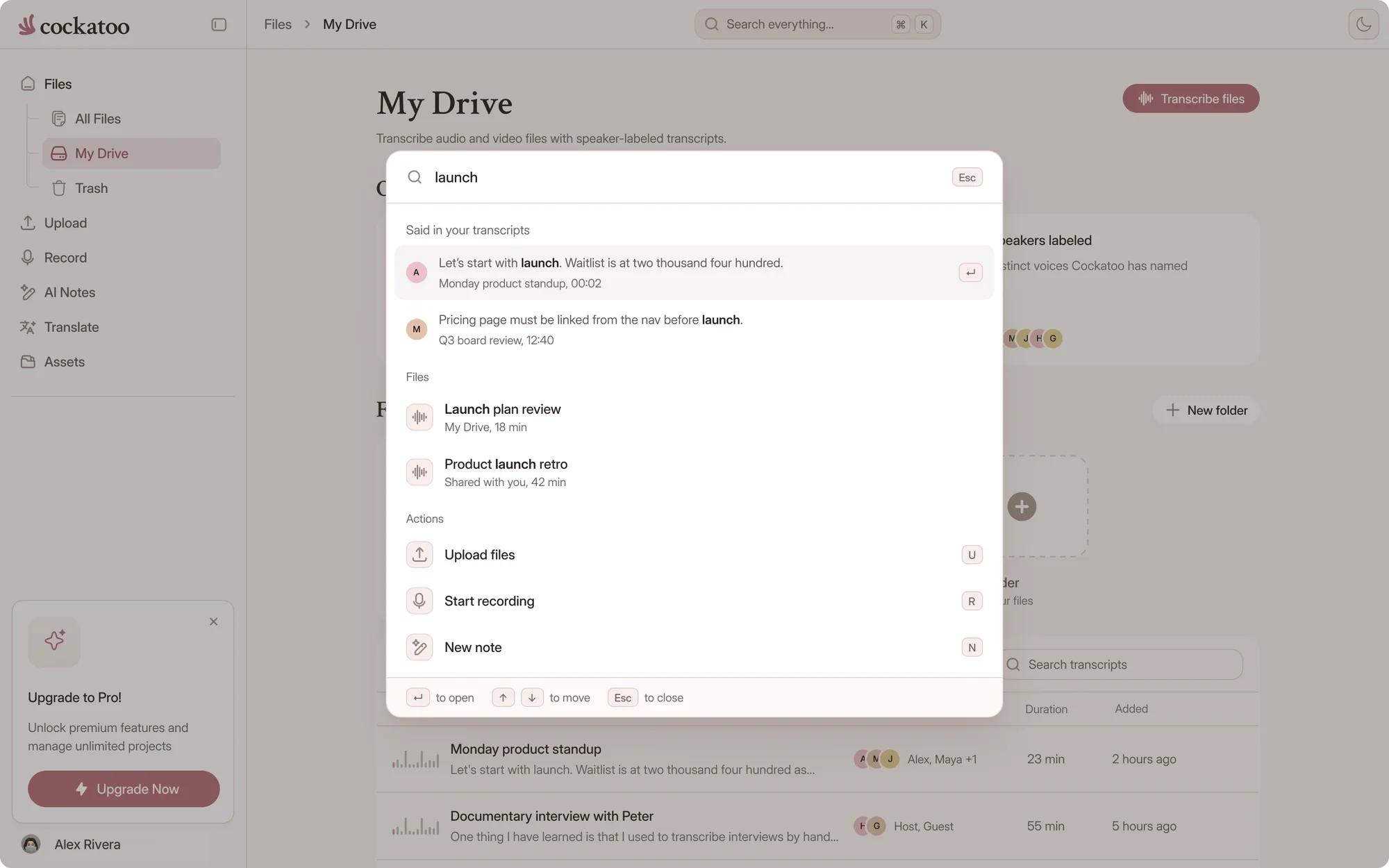
Asking Cockatoo a question about a transcript and getting a cited answer
Every format

Supported Video Formats

If it plays, it uploads. No converting first.

MP4, MOV, AVI, MKV and 15 More

Cockatoo accepts MP4, WEBM, MOV, AVI, MKV, MXF, TS, MTS, M2TS, VOB, 3GP, 3G2, M4V, MPEG, MPG, WMV, FLV, ASF and OGV. Upload any video file without converting it first.

The audio is extracted automatically, usually in your browser for large files, so large uploads stay reliable. Pro supports unlimited file length.

Audio Formats Work Too

Working from an audio file? Cockatoo handles MP3, WAV, M4A, FLAC, OGG, OPUS, AAC, WMA, AIFF and dozens of other audio formats. OPUS and OGG support means WhatsApp voice notes work directly.

youtube.com/watch?v=seminar-week-4Import
  • Your device
  • YouTube
  • Google Drive
  • Dropbox
  • iCloud
  • Public file link

One Upload, Every Export

A single transcript exports as DOCX, PDF, TXT, SRT, VTT, CSV or JSON. Download the Word doc for editing and the SRT file for your video from the same upload.

.docx.pdf.txt.srt.vtt.csv.json

Free exports on every plan

Fast and accurate

Accuracy and Speed

V4-Pro had the lowest error rate of the tested providers in 25 of 36 languages. Accuracy varies by language and recording quality, so check the benchmarks.

120xreal-time speed in V4-Flash, at most
~30 sfor a one-hour video in V4-Flash
~20xreal-time speed in V4-Pro, the most accurate mode
Cockatoo V4-Pro on FLEURSError rate · lower is better
  • English3.9% WER
  • Spanish1.0% WER
  • German2.4% WER
  • French7.8% WER
  • Japanese6.5% CER

Accuracy varies by language and recording quality. Updated October 27, 2026. Full results and method

Published Accuracy Tests for 36 Languages

Cockatoo publishes accuracy results for 36 individual languages on the same public benchmark researchers use to compare transcription engines, plus real-world recordings with background noise and accents.

Background noise, heavy accents, and crosstalk lower accuracy, but the in-browser editor makes fixes quick. Accuracy varies by language and recording quality.

Transcripts in Seconds, Not Hours

The fastest mode runs at up to 120x real-time, meaning a one-hour file finishes in about 30 seconds. V4-Pro, the highest-accuracy mode, runs at about 20x real-time, on paid plans and in weekly previews on Free.

interview-03.m4a Renamed everywhere
04:02
Dr. Okafor

Let's start with the sampling. Why twelve schools?

04:09
Maya

We wanted rural and urban sites in every region.

04:17
Dr. Okafor

And the consent forms went out before the first visit?

Speaker Labels and Timestamps Applied Automatically

Cockatoo recognizes speakers and labels each line of dialogue, with word-level timestamps applied as the transcript is generated. Rename speakers in the editor, and the change applies to every line instantly.

Export with timestamps in paragraph, sentence, or speaker-turn format, depending on how you plan to use the transcript. SRT subtitle files include timestamps synced to the spoken words.

“Cockatoo separated speakers and sentences, with timestamps, making it way easier to read.”
Heidi C.CanadaRead review
“It works fast and the quality and accuracy are spot on. Love the service!”
AlUnited StatesRead review
“I have tested several transcription services. This is by far the most accurate, especially taking the speed and price into consideration”
Frik V.South AfricaRead review
FAQ

Frequently asked questions

Quick answers about video transcription, files and privacy.

Visit the help center

Upload the video or paste a link, and Cockatoo returns an editable transcript in seconds. Free accounts get unlimited full-length transcripts in V4-Flash, with no daily limit.

Transcribe your first video

Get your full transcript free, with no daily limit. Try industry-leading accuracy with V4-Pro.

Start Transcribing Free