9 Best Offline AI Transcription Tools for Private Use 2026
Choosing a transcription tool is actually a data-custody decision. The label "offline" covers three very different architectures, and only one of them genuinely keeps your audio off someone else's server.
The common assumption among prosumer users at small businesses, often the one person responsible for turning a recording into text, is that choosing any tool labelled "offline" is enough to protect that audio, because offline automatically means the file never leaves the device. Every time you upload a recording to a cloud transcription server, that audio leaves your device without the explicit consent of every person who spoke on it. That is not a privacy preference.
It is a data-custody transfer, and for anyone handling sensitive recordings, the consequences are measurable and documented. Most people treat transcription software choices as a convenience question. The real question is who holds custody of the audio after you press upload.
See our transcription software for how this works in practice.
GDPR and HIPAA both require data-processing agreements and, in many cases, explicit subject consent before personal audio is handed to a third-party processor. A freelance journalist whose interviewee never agreed to have their voice processed by a US cloud provider has already created a legal exposure the moment the file uploads, regardless of whether a breach ever occurs. The risk is not hypothetical: consumer research consistently finds that roughly a third of adults have already experienced a data breach at a company they trusted to keep their data safe. Cloud transcription services receive audio as a normal part of their business model, and their terms of service, not your assumptions, govern what happens next.
The label "offline" is applied inconsistently across the market. Some tools run full model inference on-device. Others cache audio locally but sync to cloud servers when a connection is available.
A small number silently route difficult recordings to cloud APIs with no visible indicator to the user. Industry breach-detection research consistently finds that a large proportion of data exfiltration events are discovered only after data surfaces externally, on dark-web markets or in third-party alerts, rather than through internal monitoring, and that most organisations lack real-time visibility into whether sensitive data is leaving their environment at all. For a solo user, that visibility gap is total.
This guide is built around matching your data-custody requirement to the right architecture. The label "offline" covers at least three distinct technical architectures, only one of which keeps your audio off someone else's server.
Key takeaways
- Choosing an offline transcription tool is a data privacy decision first, the question isn't whether your internet is fast enough, it's whether your audio ever touches someone else's server.
- Many tools marketed as offline fall back to cloud inference when accuracy gets difficult, which means the privacy promise and the accuracy promise quietly stop traveling together at exactly the wrong moment.
- Every cloud transcription upload transfers your audio without explicit disclosure of who processes it, how long it's retained, or what it's used to train.
- On-device inference runs the entire model locally, so the audio file never leaves your hardware, but that guarantee only holds if the tool's pipeline is fully local at every step, not just the first one.
- Whisper model size is a hardware-matching problem, not an accuracy-maximizing one, running a model too large for your machine costs you more time per minute of audio than the accuracy gain is worth.
- Published Word Error Rate figures for offline transcription are calculated after Whisper's text normalizer strips punctuation and smooths non-standard forms, so the errors most damaging to real transcripts are systematically excluded from the benchmark.
- Cockatoo closes the gap by pairing AI transcription for audio and video with an AI Notes editor, document translation, and Cockatoo Drive, giving individuals and small teams a single workflow where accuracy and data control don't require separate tools.
What Offline AI Transcription Actually Means Technically
Most tools that call themselves offline still phone home at the moment that matters most: when your audio is being processed.
On-Device Inference - What the Model Is Actually Doing to Your Audio
Replaying a 45-minute meeting to locate a single action item is genuinely inefficient, and it is exactly the friction that makes offline transcription worth understanding properly.
Offline AI transcription, defined precisely, means the entire inference pipeline executes on local hardware with zero network calls at any stage. According to industry data analysis of OpenAI's Whisper, the model is an encoder-decoder transformer trained on 680,000 hours of multilingual audio, performing speech-to-text inference entirely on local CPU, GPU, or Apple Neural Engine with no data leaving the device. What actually happens during a transcription run: the audio waveform gets chunked into 30-second segments, each converted into a log-mel spectrogram, and the encoder maps that spectrogram into a vector representation the decoder uses to predict token sequences.
680,000
hours of audio Whisper trained on
Cockatoo's free tier lets you test this with no credit card, three files per day, up to 30 minutes each, so you can verify the behaviour on your own recordings before committing to anything. Once the transcript exists, Cockatoo's Canvas AI notes editor (included on every plan, free upward) is where the real efficiency gain lands: it is built to help you summarise a long recording down to what actually needs acting on, turning an audio file that would have taken 45 minutes to replay into a structured set of decisions in a fraction of the time.
How OpenAI's Whisper and Whisper.cpp Became the Engine Inside Almost Every Offline Tool
OpenAI released Whisper in September 2022 as open-source model weights on GitHub, free to download, run, and modify. It runs full local AI model inference on Apple Silicon using the Neural Engine, achieving real-time factors well below 1.0 on medium and large model variants, meaning a 10-minute recording finishes in under 10 minutes on a modern MacBook.
For longer recordings, Cockatoo's Pro plan removes the per-file length cap entirely. Multi-hour files are supported, with audio stripped in-browser before upload for reliable large uploads, so the architecture accommodates the kind of recordings where offline transcription provides the most value: the ones far too long to replay manually.
The Phone-Home Trap - Why "No Internet Required" Doesn't Always Mean What You Think
The "no internet required" label guarantees only that a tool can function without connectivity, not that it will never attempt network calls when a connection is present.
The audio that most needs privacy is exactly the audio that gets uploaded.
Cockatoo publishes per-language accuracy benchmarks on its benchmarks page; language support varies by transcription mode, so users can check real-world performance before uploading anything, putting the architecture choice between on-device speed and cloud-assisted accuracy in the user's hands rather than hiding it in fine print. Once you know that genuine offline transcription lives or dies on what local hardware can actually execute, the next question becomes practical: which Whisper model size can your specific machine run without turning a 10-minute recording into a 40-minute wait?
How to Select the Right Whisper Model Size for Your Hardware

The Five Whisper Tiers and What Each One Actually Costs Your Machine
Select the right Whisper model size by matching RAM and VRAM first. Tiny and Base models run on standard RAM with no dedicated GPU. They are viable on any machine but produce noticeably higher error rates on anything beyond clean, single-speaker audio, a limitation widely documented by practitioners running real-world comparisons. Small and Medium occupy the middle ground, offering meaningfully better accuracy while remaining workable on modest hardware. Turbo and Large-v3 deliver the highest accuracy but need at least 8 GB of GPU VRAM to run without thrashing system memory.
| Model | Approx. VRAM / RAM needed | Speed on CPU | Best for |
|---|---|---|---|
| Tiny | ~1 GB RAM, no GPU needed | Very fast | Quick notes, clean speech |
| Base | ~1 GB RAM, no GPU needed | Fast | Casual transcription, single speaker |
| Small | ~2 GB RAM or GPU | Moderate | Everyday recordings, most accents |
| Medium | ~5 GB RAM or GPU | Slower | Accented speech, multilingual audio |
| Turbo | ~6 GB VRAM recommended | Fast on GPU | High accuracy with speed on RTX hardware |
| Large-v3 | ~8 GB VRAM minimum | Slow on CPU | Technical, multilingual, noisy recordings |
According to the Tinrec Blog's March 2026 model comparison, attempting to run Large or Turbo without sufficient VRAM forces the CPU to compensate, producing slower-than-real-time output or out-of-memory failures and erasing any accuracy benefit.
Hardware-First Decision Rule, Match Your RAM and GPU Before You Pick a Model
The decision rule is simple: find your hardware ceiling first, then pick the largest model that fits under it. A 16 GB Apple M3 MacBook Pro can run Whisper Large-v3 cleanly because Apple Silicon offloads inference to the Neural Engine. A four-year-old Intel Core i5 with 8 GB of RAM has a real ceiling of Small or Medium at best.
On NVIDIA hardware, Turbo is often the smarter pick than Large-v3, delivering comparable accuracy at faster speeds on mid-range GPUs like the RTX 3060, so it is the default recommendation for most Windows laptops with a discrete GPU.
When to Step Up a Model Tier, Accuracy Differences That Affect Real Transcripts
The accuracy gap between tiers is real but context-dependent, as the Tinrec Blog's March 2026 analysis notes. For clean, single-speaker recordings in a quiet environment, Small frequently matches Medium in practice. The gap between Medium and Large-v3 becomes meaningful only when audio is technically dense, multilingual, or heavily accented.
For users whose hardware cannot sustain Medium reliably, Cockatoo's cloud-based transcription runs on its own infrastructure. The quality of the output is determined by the model and the audio, not by how much RAM the user's laptop has, a practical ceiling that offline tools cannot remove.
9 Best Offline AI Transcription Tools for Private Use Ranked by Platform
Nine tools, three platforms, one question that actually matters: whether your audio stays on your hardware at every step of the pipeline, including the steps that are easy to overlook.
The core claim this guide is built on is worth stating plainly before the tool comparisons begin: no single "offline" label reliably distinguishes tools that are architecturally private from those that are merely cloud-optional by default, because a tool can run its main model on-device while silently routing surrounding pipeline steps, punctuation restoration, diarization, translation, licensing pings, telemetry, externally. That means users evaluating tools for genuinely sensitive audio must audit each feature of the pipeline independently, not accept the top-level "offline" badge as a blanket privacy guarantee.
The "offline" label is doing a lot of work it was never designed to do. As Fraze's September comparison of MacWhisper documents, a tool can run its core inference model locally while routing optional features like cloud transcription, translation, and AI prompts through external servers. That distinction matters enormously for anyone handling interview recordings, legal notes, or sensitive audio files where the pipeline must be fully auditable. The tool's privacy guarantee only holds if every stage of the pipeline, including punctuation restoration, diarization, licensing pings, and telemetry, is verifiably local. Accepting the top-level "offline" badge as a blanket guarantee is the mistake that puts sensitive audio at risk.
The nine tools below are grouped by platform and ranked within each group by how cleanly they satisfy that stricter test.
1. MacWhisper - Best macOS-Native Offline AI Transcription for Non-Technical Users
MacWhisper earns the top macOS slot because its core inference runs locally by default, and its privacy policy confirms no data leaves the device beyond anonymous license checks. That said, Fraze's documentation is explicit: cloud transcription, DeepL translation, and AI prompt features do transmit data externally when enabled, so the privacy guarantee only holds if you leave those optional features off. The one-time purchase price sits around 64 to 65 euros with no recurring subscription, which removes the annual-renewal pressure that pushes users toward cloud tiers. Hardware caveat: the Parakeet model requires an M-series Mac, Qwen3-ASR requires macOS 26, and Medium or Large Whisper models need more than 8 GB RAM. Intel Mac users may find performance noticeably poor.
2. Whisper.cpp - Best Lightweight CLI Tool for macOS and Linux Power Users
Whisper.cpp compiles directly against Apple Silicon's Metal GPU layer, which means it runs the Large-v3 model at speeds that rival cloud APIs on a MacBook Pro M3, with zero network dependency at any stage. The tradeoff is setup time: you are building from source in a terminal, which takes 20 to 40 minutes the first time and assumes comfort with command-line tools. There are no optional cloud features to accidentally enable, which makes the phone-home risk essentially zero. Best for developers and researchers who want full model control and are willing to trade a GUI for an auditable, completely local inference path.
3. Wisper - Best Cross-Platform Offline Dictation Tool for Linux, Windows, and macOS
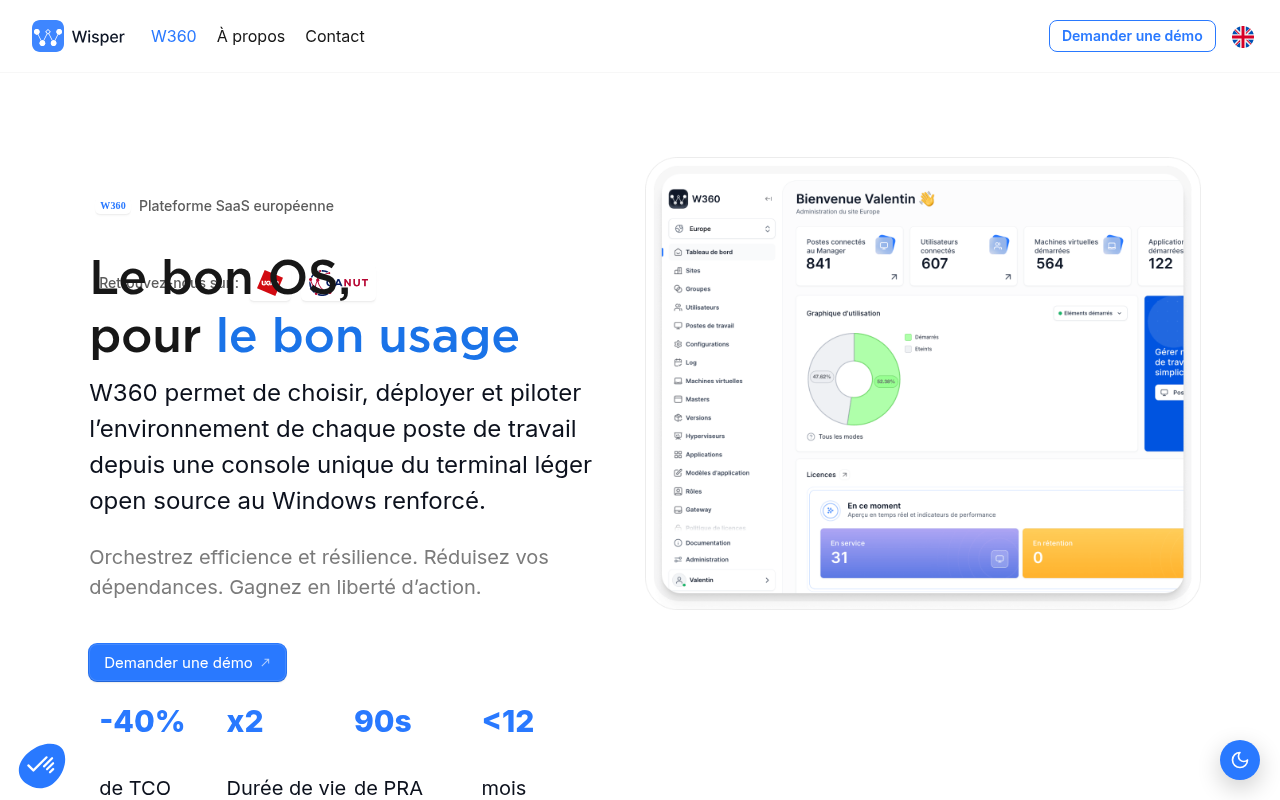
Wisper is a cross-platform desktop app that wraps Whisper inference in a GUI and supports Windows, macOS, and Linux from a single installer, which makes it the most practical choice for teams running mixed operating systems. Local inference runs fully on-device with no cloud fallback path in the standard configuration. The tradeoff relative to Faster-Whisper is raw speed: Wisper prioritizes accessibility over throughput, so it is not the right pick for batch-processing large file volumes. It is the right pick when the person doing the transcription is not a developer and needs something that works the same way across whatever laptop is in front of them.
4. Faster-Whisper (Windows/Linux) - Best GPU-Accelerated Offline Transcription for High-Volume Files
Faster-Whisper reimplements Whisper using CTranslate2, which delivers roughly 4 to 8 times faster inference than the original Python implementation on equivalent hardware, with lower VRAM consumption. That speed gain is the reason high-volume users, transcription pipelines, and anyone processing hours of audio per day choose it over the reference implementation. All inference runs locally; there is no cloud fallback in the core library. The setup requires Python and some familiarity with pip environments, which creates a friction point for non-technical users. Best when you have an Nvidia GPU, a Linux or Windows machine, and enough recordings that processing speed is the binding constraint.
5. mlx-whisper (Apple Silicon MCP Skill) - Best Privacy-First Transcription for Claude Code Workflows on Mac
Mlx-whisper uses Apple's MLX framework to run Whisper models natively on the M-series Neural Engine, and it exposes that capability as an MCP skill that Claude Code can call directly. Every inference step runs locally; there is no API handoff to a transcription service. This is a narrow but powerful fit: if your workflow already lives in Claude Code and you need transcription without leaving that environment or routing audio through a third-party service, mlx-whisper closes that gap cleanly. It is not a consumer app and requires Python environment setup, so it is out of scope for non-technical users.
6. Offline Privacy Transcription (iOS/watchOS App) - Best Mobile Offline AI Transcription for iPhone and Apple Watch
Offline Privacy Transcription runs entirely on-device on iPhone and Apple Watch, with no server upload at any stage. The watchOS integration is rare: it allows voice note capture on the watch with transcription that never leaves the device, which matters for field interviews or quick legal notes where pulling out a phone is impractical. The limitation is model size: on-device mobile inference uses compressed models that trade some accuracy for the memory constraints of a phone or watch. For clean audio in a quiet room, the accuracy is strong. For noisy environments or heavy accents, the gap widens.
7. Whisper-Standalone-Win - Best Plug-and-Play Offline Transcription for Windows Without Python
Whisper-Standalone-Win packages the Whisper model and all its dependencies into a single self-contained executable, so Windows users with no Python installation can run local transcription by double-clicking a file. That zero-dependency design is the key differentiator for small business users who cannot or prefer not to install developer toolchains: no Python, no package manager, no terminal required. The phone-home risk is low: the executable has no built-in cloud fallback. The practical constraint is GPU support; CUDA-enabled Nvidia cards accelerate processing significantly, but CPU-only transcription on older hardware is slow enough to frustrate users with long recordings.
8. Aiko - Best macOS and iOS Offline Transcription App for Simplicity and App Store Convenience
Aiko runs Whisper entirely on-device and is distributed through the Mac App Store and iOS App Store, which means Apple's sandboxing rules enforce what the privacy policy promises: the app cannot make arbitrary network calls without explicit user permission. That App Store sandboxing is the meaningful differentiator for regulated-use readers, because it shifts the verification burden from "trust the developer's policy" to "trust Apple's enforcement mechanism." Aiko is the right pick when you want a simple drag-and-drop interface, genuine local inference, and an auditable privacy guarantee without reading documentation. The limitation is model flexibility: you get what Aiko ships, not a menu of model sizes.
9. Vosk Offline Speech Recognition - Best Lightweight Cross-Platform Option for Low-Power Hardware and Linux Servers
Vosk's smallest models start at around 50 MB and run on hardware as constrained as a Raspberry Pi, which makes it the only tool on this list that works in genuinely air-gapped or low-power server environments. It supports more than 20 languages and requires no GPU. The phone-home risk is zero: Vosk is a library, not an app, and it makes no network calls.
The accuracy tradeoff is real: lightweight models on low-power hardware produce output that needs more cleanup than a Large Whisper model on a modern laptop. For practitioners running transcription pipelines on constrained infrastructure, that tradeoff is acceptable. For prosumers who want near-cloud accuracy on a single file, it is not.
The Workflow Gap After Transcription - What Offline Tools Don't Handle
Most prosumers on this list will reach the same point: a clean local transcript sitting in a text file with no obvious next step. Getting it into a document someone else can actually read, edit, or act on requires a second manual pass, and that copy-paste step quietly erases a lot of the time the local tool saved.
That friction is one of the most consistent pain points for people who rely on transcription as part of a real working day. When your goal is to stop manually writing notes during meetings or to capture thoughts before they disappear, the last thing you need is a second manual step between the transcript and a finished document. Offline tools do not solve that step, they just move where it happens.
Cockatoo addresses this gap directly. Once a file is transcribed, Cockatoo's Canvas AI notes editor opens immediately in the same session, letting you turn the raw transcript into structured, editable notes without switching apps or copying text. The interface and output are not English-only: Cockatoo supports multiple languages across its transcription modes, with per-language coverage detailed on its benchmarks page, which matters for users whose work spans more than one language. Cockatoo Drive then handles file handoff, so the finished document can be shared or transferred without a separate step.
On cost, the comparison is worth stating plainly. Tools like SpeechPulse carry one-time prices around $99, which is a meaningful barrier for individual users, particularly those outside regions where that price is routine. Cockatoo's Free tier costs nothing and requires no credit card: it covers 3 transcripts per day, up to 30 minutes each, with 2 GB of encrypted cloud storage and all export types.
Canvas is included on the Free tier. 99 USD per month billed annually during the current sale, with unlimited transcription on standard modes and no monthly hour cap. The Rambleproof dictation app cost comparison puts that pricing in useful context against the broader market.
Every tool on this list will give you a transcript. What none of them advertise on the label is how gracefully they handle the audio that doesn't cooperate: heavy accents, overlapping speakers, a room with bad acoustics. That's the gap the next section maps, along with the honest cases where a cloud-assisted tool is the pragmatic call rather than a privacy failure.
Related Reading
- Fireflies Vs Otter
- Descript Vs Otter
- Trint Vs Rev
- Happy Scribe Vs Rev
- Otter.ai Competitors
- Best Transcription App
Where Offline Transcription Accuracy Still Struggles and What To Do About It
Whisper's text normalizer strips punctuation, standardizes spelling, and smooths non-standard forms before the WER score is calculated, so the errors most likely to appear on accented or noisy audio are partially erased before measurement, as Benjamin Marie documented in The Kaitchup in August 2023.
"Users need offline transcription for high-stakes, recurring use cases (corporate meetings, law school, college lectures, family recordings), implying any accuracy failure in these contexts has real consequences."
— what we hear from professionals and students needing transcription

Where Large Whisper Models Actually Match the Cloud and Where They Don't
That benchmark picture is incomplete, however, because the same benchmark analysis found accuracy gaps widen measurably on heavy accents, non-standard dialects, and low-quality recordings where training data representation thins out.
The Cleanup-Pass Tax When Accuracy Gaps Cost More Time Than Transcribing by Hand
A transcript with a 10-15% word error rate on an hour-long recording can mean hundreds of wrong words scattered across the file. Those errors do not distribute evenly, they cluster around the audio conditions where the model already struggles, compounding the correction burden. A 60-minute file with persistent errors can easily consume more correction time than the transcription saved, erasing the tool's efficiency benefit entirely.
Three Mitigation Moves and When a Privacy-Controlled Cloud Tool Is the Honest Answer
- Run the largest model your hardware can sustain without thrashing RAM.
- Pre-process audio before transcription: normalize volume, reduce background noise with a tool like Audacity's noise-reduction filter, and trim silence. A cleaner input produces meaningfully better output from the same model.
- Spot-test on a representative 5-minute clip from your actual recording type before committing to a full file, so you know the real-world error rate before the cleanup tax hits.
When those steps still leave output unusable, the honest answer is a cloud tool with strong, auditable privacy controls. Cockatoo's published per-language accuracy benchmarks let you verify real-world performance on your specific audio type before you commit. Most tools in this category make bare accuracy claims with no underlying data, so the cleanup-pass tax described above only becomes visible after you have already invested time in the file.
Next steps
If your sensitive recordings keep ending up on servers you never agreed to, the path forward starts with treating "offline" as an architecture question, not a label. A tool that runs core inference locally while routing punctuation restoration, diarization, or licensing pings externally offers the same practical exposure as a hybrid cloud product, and the audio most likely to trigger that silent escalation is the audio professionals most need to protect. Start with our transcription software.
The hardware-first model-selection principle means that reaching for the largest Whisper variant without matching it to available VRAM can break the local workflow entirely, pushing users toward exactly the cloud fallback they were trying to avoid. The benchmark ceiling problem means published Word Error Rate figures are smoothed before measurement, so the accuracy gap between local and cloud widens on accented, noisy, or technically dense audio without appearing in any spec sheet. Together, they point to testing on your own representative audio before committing to any tool, offline or otherwise.
Start with transcription software that lets you upload a real file, including your hardest audio, on a free account with no credit card. If the output is clean enough to act on, you have validated the tool against your actual conditions before spending anything.
Frequently Asked Questions
Is offline transcription actually HIPAA-compliant, or do I still need to worry?
HIPAA requires data-processing agreements and, in many cases, explicit subject consent before personal audio is handed to a third-party processor, so the architecture matters enormously. A tool that runs full model inference locally with zero network calls at any stage satisfies the core requirement, audio never reaches a third-party server, whereas tools that silently fall back to cloud APIs for difficult audio or route post-processing steps like diarization externally create the exact exposure HIPAA is designed to prevent. The pipeline must be fully auditable at every stage, not just the main transcription step.
Does offline transcription actually work well on Apple Silicon Macs, or is it too slow to be practical?
Apple Silicon is one of the best platforms for local Whisper inference. Whisper.cpp runs full local AI model inference using Apple Silicon's Neural Engine and achieves real-time factors well below 1.0 on medium and large model variants, meaning a 10-minute recording finishes in under 10 minutes on a modern MacBook. A 16 GB Apple M3 MacBook Pro can run Whisper Large-v3 cleanly because Apple Silicon offloads inference to the Neural Engine.
How do I know which Whisper model size to actually install on my laptop?
Start with your hardware ceiling: find the largest model that fits under your available RAM or VRAM, then check whether its accuracy meets your needs. Tiny and Base run on standard RAM with no GPU but produce higher error rates on anything beyond clean, single-speaker audio; Small and Medium require modest GPU resources or a capable CPU; Large-v3 needs at least 8 GB of GPU VRAM. For most prosumers on capable hardware, Medium is the honest sweet spot, for users whose hardware can't sustain it, Cockatoo's cloud-based transcription runs on its own infrastructure so output quality is determined by the model and the audio, not by how much RAM your laptop has.
If a tool says "no internet required," does that mean my audio definitely stays on my device?
No, the "no internet required" label guarantees only that a tool can function without connectivity, not that it will never attempt network calls when a connection is present. Many tools silently fall back to cloud API calls when audio is noisy or accented, and post-processing steps like punctuation restoration, speaker diarization, and language detection are often handled server-side even when the core acoustic model runs locally. The verification step is to run a packet capture during a real-world noisy recording and check for any outbound connections to an API endpoint during transcription.
Is speaker separation (diarization) handled locally, or does it get sent to the cloud?
Speaker diarization is one of the post-processing stages that is often handled server-side even when the core acoustic model runs locally, the post explicitly calls it out alongside punctuation restoration and language detection as pipeline steps that can silently route data externally. Because the tool's privacy guarantee only holds if every stage of the pipeline is verifiably local, users handling sensitive audio need to audit diarization as an independent feature, not assume it is covered by the top-level "offline" badge.