Best Trint Alternatives in 2026 for Faster Transcription

Trint's real problem isn't accuracy. It's a seat-based pricing model built for newsrooms, not solo users. Here's how to find the exit without trading one bad model for another.
Trint is an AI transcription and collaboration platform built specifically for journalists, researchers, and media teams. Its edit-first workflow lets users correct transcripts inline while synced audio plays alongside, which works well inside a newsroom. But the common assumption is that any decent Trint alternative will have the same seat-based pricing structure as Trint, so switching only saves money if you find a cheaper per-seat rate, the model itself is fixed. That assumption is wrong, and it matters most for the solo freelancer or small-business employee who just needs a recording turned into text.
The platform's strengths are real: inline editing, audio-synced playback, and team collaboration tools that fit a newsroom's review-and-publish workflow. These matter most when a team of reporters shares transcripts, comments on them, and routes them for editorial review. The mismatch appears the moment a solo user arrives. A freelance journalist working alone, or a marketing coordinator who needs to transcribe recordings, does not need shared editorial workflows. They need a transcript, fast, at a price one person can justify.
Trint's pricing is structured on a per-seat, seat-minimum basis, which forces solo users and small teams to pay for seats they will never fill, with no self-serve single-seat or pay-as-you-go option available. Most buyers miss this entirely, assuming the problem is finding a more accurate tool and evaluating Trint on transcription quality. The pricing model was designed for newsroom headcounts, not for one person with a recording and a deadline.
No feature update changes that. According to Wisprs (2026), Trint advertises 99% accuracy but publishes no benchmark methodology or independent test data, leaving prospective buyers unable to verify the single most important claim before purchasing. The next section quantifies what that model costs a solo buyer over a year, and why the switching math is less risky than it looks.
Key takeaways
- Most 'Trint alternative' listicles recycle the same five tools ranked by affiliate value, not by whether the pricing model works for a single person transcribing 20-plus hours a month.
- Seat-based and per-audio-hour billing are structurally different cost models, and the gap between them only becomes painful when volume gets serious.
- Sonix wins for multilingual work across 40+ languages, Descript is a video editor first and a transcription tool second, Otter.ai owns live Zoom and Meet transcription, and Rev is the right call when a single wrong word has consequences.
- Flat-rate and genuinely unlimited are not the same thing, most budget-friendly plans cap out before a heavy solo user hits their stride.
- Running both your current tool and a candidate alternative simultaneously for one week, using four real files, is the lowest-risk way to validate accuracy before committing.
- Cockatoo closes the gap for solo users: upload any audio or video file, get an editable transcript with automatic punctuation, word-level timestamps, and speaker recognition that updates every line when you rename a speaker, accuracy backed by published per-language benchmarks across 30 languages, not a bare percentage claim.
Why Switching from Trint Feels Risky Even When You Know You Should

Search for Trint alternatives and you will find the same handful of names recycled across dozens of articles, each ranked by affiliate value rather than by whether the pricing model actually works for someone transcribing alone, on a budget, with files that run long and accents that run thick.
Rankfor.AI Open Research found in 2025 that most alternatives listicles substitute one tool for another without addressing the underlying pricing model, leaving users with a different brand but the same structural constraints: seat caps, hour caps, or both. The only criterion that actually changes the outcome is whether the tool runs its own inference or resells a third-party API, because that determines whether a flat unlimited plan is even economically possible.
Accuracy Claims Are Unverifiable Marketing Copy
AI transcription accuracy in real-world conditions lands between 85 and 95 percent, according to industry research. Vendor marketing claims frequently reach 99 percent, yet AI Open Research confirmed that no vendor publishes independently audited benchmarks, making apples-to-apples comparison impossible. The only honest accuracy evidence is a per-language benchmark against a named dataset. Cockatoo publishes per-language coverage on its benchmarks page so you can check your language before committing.
One underappreciated accuracy question is what happens after the transcript lands. A transcript that lives only inside a proprietary editor is harder to act on than one you can hand to a colleague. Cockatoo exports finished transcripts as PDF and DOCX files, formats a collaborator can open, mark up, and return without ever creating an account.
The Real Risk When Switching from Trint Is Your Content Type
AI Open Research identified that switching risk is material when an alternative has not been validated against the buyer's specific content: accented speech, non-English audio, long multi-hour recordings, or mixed-language files. Free tiers rarely help here; they typically cap uploads at 30 minutes per file, making them structurally unsuitable for professional workflows. Cockatoo's free tier sits inside that same structural constraint: three files per day, up to 30 minutes each, with lower processing priority than paid plans.
A 90-minute interview does not fit inside a free-tier test, so validating against your actual content requires a paid plan. Cockatoo's Pro plan removes the file-length ceiling entirely and supports the following export formats:
- DOCX
- PPTX
- XLSX
- TXT
The Best Trint Alternative for Multilingual Transcription and Translation

Sonix leads on breadth and workflow integration, yet its per-hour pricing creates a cost problem that follows high-volume users from Trint straight into their next tool.
Sonix Is the Strongest Multilingual Pick With One Structural Caveat
According to Capterra review data, Sonix supports transcription and translation across 40+ languages, with both capabilities available inside the same in-browser editor.
Sonix uses a usage-based pricing model that charges per hour of audio on pay-as-you-go, with subscription plans also available. That structure rewards infrequent, project-based work.
It punishes the solo user who transcribes regularly across multiple languages every week, because the per-hour meter runs the same whether the audio is in English or Mandarin. Trint's pricing carries the same flaw.
Where Sonix's Per-Hour Model Still Punishes the High-Volume Solo User
A user transcribing three hours of multilingual audio per week will see costs compound in a way that feels uncomfortably close to what drove them away from Trint in the first place.
A flat-rate tool changes the calculation entirely. Cockatoo's Pro plan offers unlimited transcription on standard modes with no monthly hour cap, so a high-volume solo user working across languages does not reintroduce the usage-based cost problem that made switching feel necessary.
For users who want to test before committing, Cockatoo's free tier requires no credit card and delivers a transcript on the first upload, with no setup, no onboarding call, and no waiting for a sales reply, removing a friction point that keeps many users stuck on tools they've outgrown.
Cockatoo also publishes per-language accuracy results across 30 languages on its FLEURS benchmarks page, giving multilingual users verifiable evidence rather than a bare percentage claim.
Adobe Premiere Integration and Speaker Diarization - Who Actually Benefits
The users who get the most from Sonix's specific feature set are video editors and researchers. Sonix's Adobe Premiere integration lets a video editor cut footage by editing the transcript directly inside their existing post-production workflow, rather than scrubbing through a timeline manually. Speaker diarization adds value for multi-speaker recordings: a researcher transcribing a panel discussion in a second language needs speaker turns labeled accurately, not just words on a page. Sonix delivers both in-browser, without requiring a separate tool.
Sonix earns its place for project-based multilingual work, but the next section covers the alternative built for podcast producers and video editors who need transcription as an editing interface, not just a text file.
The Best Trint Alternative for Podcast and Video Editing
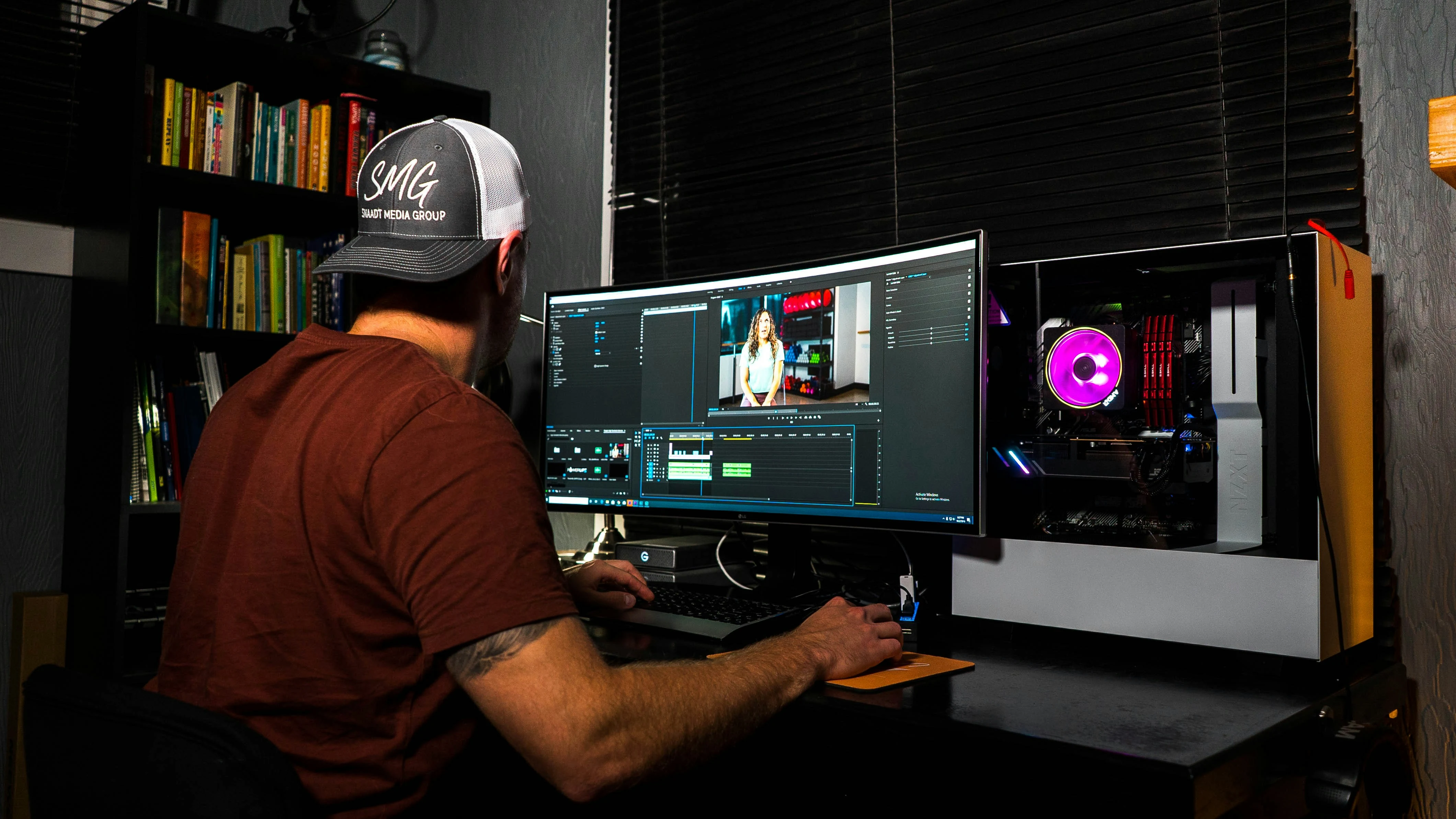
Descript is not a transcription tool. It is a non-linear video editor whose interface happens to be a transcript, and that distinction changes everything about whether it belongs in your workflow.
Descript Is the Right Answer If You Are Actually Editing the Media
For podcast producers and video creators, Descript does something no plain transcription tool can: deleting words in the transcript cuts the matching audio and video, a workflow mechanism documented by UseThisSI in their hands-on product review, and the result exports as an MP4 up to 4K on Creator and Business plans. That capability comes bundled with a pricing structure to match: according to UseThisSI, plans run from $16/month (Hobbyist, billed annually) to $65/month (Business, billed monthly), structured around individual usage tiers of media hours and AI credits rather than seats.
You are paying for production capacity.
Descript's AI overdub feature lets a content creator fix a mispronounced brand name without re-recording the episode, but learning that system takes time and attention. It is friction you did not sign up for if your goal is a clean, exportable text file.
When Descript Is Overkill
If your workflow ends at the transcript, Descript is an aircraft carrier for crossing a river. A solo operator who needs accurate, speaker-labeled text from an interview recording will use roughly 10 percent of what they are paying for.
If your workflow ends at the transcript, Descript is an aircraft carrier for crossing a river.
Creators who need broader content workflows, captioning a video for internal sharing, exporting subtitles for publication, or simply getting a fast, clean transcript without managing credits, find themselves paying for positioning that does not match their job to be done.
Cockatoo is built exactly for that gap. A transcript comes back on the first upload, no setup, no credit card required on the free tier, which gives you three files per day at up to 30 minutes each with 2 GB of encrypted cloud storage.
When a video needs published captions or shareable subtitles, Cockatoo handles that in the same pass: caption export is supported across all plans, so a finished video goes from upload to publish-ready without a second tool. The unlimited plan removes file and hour caps on standard transcription modes and adds 2 TB of storage, without the AI-credit ceiling that makes Descript's cost unpredictable for high-volume months.
The Best Trint Alternative for Live Meeting Transcription

A bot joining your Zoom call as a visible participant is a fundamentally different thing from uploading a recording and getting a transcript back, and that distinction should drive which tool you reach for.
Otter.ai Is the Clear Answer for Live Zoom, Meet, and Teams Transcription
Otter.ai is the dominant live-meeting transcription tool for Zoom, Google Meet, and Microsoft Teams, which ranked it first across native integration, slide capture, and real-time summary generation, making it the strongest option when a live, in-call presence is acceptable.
Otter.ai captures the visible slides and timestamps them alongside the spoken transcript, linking what was said to what was shown, a genuine workflow benefit for meetings that include deck reviews or status updates.
The Meeting-Bot Trade-Off, Why Otter.ai Joining as a Participant Matters for Confidential Calls
That visibility is also the tool's central limitation. Otter.ai offers a bot-free desktop recording option that captures meetings without any bot joining the call as a visible participant. For a sensitive client negotiation, a legal deposition, or a first call with a prospect who hasn't consented to recording, a visible bot is an immediate disqualifier.
The right question is not "which tool transcribes meetings best?" It is "does this meeting involve participants for whom a visible bot is unacceptable?" That single variable eliminates the category leader before any feature comparison begins.
For Pre-Recorded Files, Skip the Meeting Bot
It is worth noting that Otter.ai is not designed for uploading pre-recorded audio files to produce a clean transcript export, and users with existing recordings need a different solution entirely.
Cockatoo handles that file-upload layer directly: upload an interview, call, or meeting recording and receive a speaker-labeled, word-timestamped transcript exportable to PDF or Word, with no bot ever entering a call. For individuals, the Pro plan covers truly unlimited transcription on standard modes with no monthly hour cap, supports multi-hour files (audio is stripped in-browser before upload for reliable large uploads), and allows batch uploads of up to 20 files at once, useful when clearing a backlog in one session. Teams processing high volumes will find that combination of batch support and no hour cap particularly practical.
For anyone who wants to test the workflow before committing, Cockatoo's free tier requires no credit card, processes up to three files per day at up to 30 minutes each, and stores results in 2 GB of encrypted cloud storage until the user chooses to delete them.
Related Reading
- Fireflies Vs Otter
- Descript Vs Otter
- Trint Vs Rev
- Happy Scribe Vs Rev
- Otter.ai Competitors
- Best Transcription App
The Best Trint Alternative When Accuracy Cannot Be Left to AI Alone
A deposition transcript submitted to a court has no margin for error, and that reality defines exactly where human transcription earns its place.
Rev Is the Answer When a Single Wrong Word Has Consequences
Rev is the go-to human transcription service for legal, published, or compliance-sensitive content. According to TechShark's review of Rev, Rev delivers 99% verified accuracy through its human transcription tier, priced at $1.99 per minute. That positioning is a use-case gate. A legal assistant preparing a verbatim deposition, or a documentary producer needing broadcast-quality captions, is buying the elimination of an entire error category, which changes the calculus entirely.
The $1.99-Per-Minute Rule - When Human Review Pays for Itself and When It Doesn't
At $1.99 per minute, a 60-minute file costs approximately $120. TechShark's analysis frames this clearly: cost-effective for occasional high-stakes files, prohibitive at volume. That boundary is worth taking seriously before committing to a workflow built around human review.
As VoxScriber (2026) notes, human transcription is necessary where 100% verification is required, but often overkill for standard business operations. That distinction matters especially for users who have grown frustrated with tools that pile on AI features at the expense of the core workflow they actually need: getting a clean transcript into a Word or PDF file that a colleague, attorney, or editor can open and revise immediately.
For those files, Cockatoo's Pro plan removes the per-minute math entirely. Transcription on standard modes is truly unlimited with no monthly hour cap, and every transcript exports directly to PDF, DOCX, TXT, or SRT, formats a collaborator can edit without any account of their own. Tools such as Fireflies are built around meeting capture and AI summaries, but if a file genuinely requires a human reviewer, a published caption set, or a legal verbatim record, Rev earns its rate. For the broader volume of recordings that don't, Cockatoo's Pro plan at $11.99 USD/mo billed annually handles them without a per-file cost decision every time you hit record.
Human transcription solves the accuracy ceiling but introduces a cost ceiling that makes high-volume work economically impossible, so matching the tool to the stakes of each file remains the most practical approach.
The Best Trint Alternative for Budget-Friendly High-Volume Transcription
For a solo admin transcribing 20-plus hours of recorded interviews every month, the billing model matters more than the brand name.
"Trint-like subscription services charge for full minutes even when you only need basic transcription, making them cost-inefficient for high-volume use cases."
— what we hear from high-volume transcription users
TurboScribe Is the Clearest Budget Pick for High-Volume Flat-Rate Transcription
For high-volume transcription at a predictable monthly cost, TurboScribe is the most straightforward budget option, offering unlimited transcription starting at $10/month when billed annually ($120/year); the monthly billing rate is $20/month, not $10/month, with no per-hour billing. TurboScribe claims 99.8% accuracy across its service but publishes no benchmark data to support that figure. A bare percentage with no per-language breakdown, no methodology, and no test corpus tells you nothing about performance on accented speech, non-English recordings, or two-hour interviews with overlapping voices.
Why Most Unlimited Plans Cap Out and How In-House Inference Avoids That Ceiling
At scale, that becomes unsustainable, so the fine print quietly installs a ceiling, sometimes 720 hours per month, or throttles output above a threshold.
Cockatoo's in-house transcription engine means one more hour of audio does not trigger a third-party invoice. That difference in economics is why standard-mode transcription on Cockatoo carries no monthly hour cap. At $29.99 per month, that is a sustainable price rather than a promotional ceiling waiting to collapse.
Benchmarks Over Marketing - How to Verify Accuracy Claims Before You Commit
Cockatoo publishes per-language accuracy results across 30 languages using the FLEURS benchmark dataset, so you can check performance for your specific language before uploading a single file.
Trint Alternative Pricing Compared So You Can Stop Guessing
Staring at a pricing page and trying to compare a $10/hour rate against a $25/month subscription is not an apples-to-apples exercise, because each model is built on a different unit of cost.
The Six Cost Models Behind the Price Tags
The real comparison is structural. Sonix charges per audio hour processed, so a busy week of interviews hits your card directly. Rev charges per minute on pay-as-you-go, but also offers a flat-minute subscription. Descript charges by usage tier with a monthly transcription cap. TurboScribe offers two tiers, a free plan (3 transcripts/day) and an Unlimited paid plan at $10/month (billed annually) or $20/month (billed monthly), and the paid plan's flat rate covers unlimited volume. Understanding those structural differences matters before any number on a pricing page makes sense.
A single high-volume week, ten hours of interview recordings, costs $100 on Sonix's $10/hour rate. That same volume costs roughly $50 on Rev's Essentials plan (which covers 5,000 minutes), $10/month on TurboScribe if billed annually ($20/month if billed monthly), and a fixed monthly rate on a flat-plan tool. The gap between those figures widens further once overages enter the picture.
Side-by-Side Pricing Tiers for the Main Alternatives
| Tool | Entry Paid Tier | Price | What's Included | Overage / Cap |
|---|---|---|---|---|
| Sonix | Core | $25/mo ($275/yr) | 5 transcription hours/mo | $10/extra hour |
| Rev | Essentials | $25.49/seat/mo (annual) | 5,000 AI minutes/mo | $0.25/min AI; $1.99/min human |
| Descript | Creator | $24/mo (annual) | 30 media hours/mo + 5hr bonus | Capped at tier |
| TurboScribe | Unlimited | $10/mo (annual) | Unlimited files, no hour cap | None stated |
| Otter.ai | Pro | $16.99/user/mo | 1,200 min/mo | Capped at tier |
| Trint | Starter | ~$80/seat/mo | 7-day trial, 3 files | Per-seat minimum |
Rev's Essentials plan, confirmed at $25.49/month billed annually, includes 5,000 AI minutes and layers in optional human transcription at $1.99 per minute for files where accuracy cannot be left to AI alone, making it one of the few plans that blends both modes under a single subscription.
Which Tools Let a Solo User Buy Without a Budget Approval
Trint's pricing structure is difficult to justify outside of specialist workflows; for general users who simply need to caption a video for publication or share transcripts internally, an ~$80/seat commitment is hard to absorb before a single file has been tested. That friction is exactly what sends most solo buyers searching in the first place. Rev, Sonix, Descript, TurboScribe, and Otter.ai all offer self-serve sign-up with no minimum seat purchase and no sales call required.
Cockatoo's Free tier is also fully self-serve, no credit card required, giving any solo user a no-risk entry point: three transcripts per day, up to 30 minutes each, with all export types allowed and files kept until the user deletes them. The Free tier also covers audio translation and 2 GB of encrypted cloud storage with 10 GB/month of transfers, broadening Cockatoo past transcription into a WeTransfer-style utility. When work grows beyond those daily limits, Cockatoo Pro moves to truly unlimited transcription, file translations, and transfers on standard modes with no monthly hour cap and no hard file length cap, so multi-hour recordings are supported without workarounds. Pro includes 2 TB of encrypted cloud storage with unlimited transfers and starts at $11.99/month billed annually, requiring no minimum seat count.
Among all the options in this comparison, Cockatoo's flat annual plan sidesteps volume calculations entirely: the cost is fixed regardless of usage, which is the only pricing structure that does not require you to predict how much you will transcribe before you commit.
How to Get Started with a Trint Alternative Without Losing Your Files

Switching transcription tools carries real risk when your archived files, export formats, and downstream workflows are on the line. The safest approach is running both tools side by side for a week using your actual difficult content, not clean test audio, so you can verify accuracy, speaker labels, and export compatibility before moving anything. The sub-sections below walk through exactly how to structure that process and what to look for at each step.
The Four-File Test Protocol That De-Risks Any Switch
Running both tools simultaneously for one week at zero cost is the safest way to switch transcription software. Most serious alternatives offer a free tier that accepts real uploads, so you can confirm accuracy on your actual content before committing a dollar or moving a single archived file.
Upload four files representing your hardest real-world conditions, not clean studio recordings. Start with your most difficult: a 20-minute interview with a strong regional accent. Add a long recording (45-plus minutes), a file with two or more speakers talking over each other, and one piece of mixed-language content if relevant. Check speaker labels, timestamp alignment, and whether proper nouns land correctly. If the tool handles those four files, it will handle everything easier. Testing with dummy audio tells you nothing useful.
After each test file, export in every format your downstream workflow uses. Open the DOCX in Word and check whether headings, speaker labels, and paragraph breaks survived. Drop the SRT into your video editor and confirm timecodes sync. A transcript that looks clean inside a web app but arrives as unformatted text in Word is not editor-ready. Cockatoo's free tier unlocks all export types, including PDF, DOCX, TXT, and SRT, so format compatibility is verifiable before upgrading.
A required sales call before you can upload a file is a product signal. It tells you the tool was built for a procurement team, not the one person who needs a transcript by Thursday. Industry research on free-trial design confirms that self-serve tools let users sign up and test without sales contact or organisational approval. If you hit a "request a demo" wall before your first upload, move on. The friction is the answer.
Next steps
If you have been paying Trint's per-seat minimum for a solo workflow, the path forward starts with matching your pricing model to your actual volume pattern, not your preferred brand name. Start with our transcription software.
The pricing architecture audit in the comparison section showed that tools reselling third-party APIs must pass per-hour costs on, making seat minimums structurally inevitable rather than a vendor quirk you can negotiate away. The flat-rate accuracy audit added a second layer: a genuinely unlimited plan only delivers its full value when it is backed by published per-language benchmarks rather than a bare percentage claim, because committing to a paid plan before confirming accuracy on your specific audio is the real switching risk. Together, those two findings point to one action: test a tool that runs its own inference, publishes verifiable accuracy data, and lets you upload a real file before entering a credit card number.
Start with transcription software built on in-house inference, no seat minimum, and a free tier that unlocks all export formats on the first upload. Upload your hardest file, the one with the accent or the crosstalk, export it to DOCX or SRT, and confirm it survives the format conversion before you move a single archived file from Trint.
Frequently Asked Questions
I only need to transcribe a few files a week, do I really need to pay for a full seat-based plan?
No. The post's core argument is that seat-based pricing like Trint's was designed for newsroom headcounts, not for one person with a recording and a deadline. Cockatoo's Pro plan is a self-serve individual plan with no minimum seat commitment, which is structurally different from tools built around team-first architectures.
Can I export my finished transcript into a format a colleague can open without creating an account?
Yes. Cockatoo exports finished transcripts as PDF and DOCX files, formats a collaborator can open, mark up, and return without ever creating an account. The post specifically calls this out as a workflow detail that matters more than marketing accuracy percentages.
My recordings are several hours long, will a free tier actually let me test whether a tool works for my audio?
Almost certainly not. The post notes that free tiers across transcription tools typically cap uploads at 30 minutes per file, meaning a 90-minute interview simply does not fit inside a free-tier test. Cockatoo's Pro plan removes the file-length ceiling entirely, supporting multi-hour files with no hard cap.
How can I verify a transcription tool's accuracy for my specific language before committing to a paid plan?
Look for per-language benchmark data against a named dataset rather than a bare percentage claim. Cockatoo publishes per-language accuracy results across 30 languages on its FLEURS benchmarks page, so you can confirm coverage for your specific language before spending money.
Is Trint a good fit if I work in journalism or on an editorial team?
Trint was built for exactly that context. The post acknowledges its real strengths, inline editing, audio-synced playback, and team collaboration tools, fit a newsroom's review-and-publish workflow where a team of reporters shares transcripts, comments on them, and routes them for editorial review. The mismatch only appears for solo users or small teams who don't need shared editorial workflows.