Descript vs Otter vs Grain: Which Tool Wins in 2026?

Comparing Descript and Otter feature by feature will give you a winner. It just won't be the right tool for your job. Here is why the comparison frame breaks before you start.
AI will not surface a clear winner for your transcription workflow. The comparison frame itself is broken before you type the first feature into a spreadsheet. As broader industry trends make clear, all three tools "transcribe audio, but the output each one optimises for differs substantially," meaning "they rarely compete for the same buyer or use case." That is not a minor caveat. It is the entire argument. See our transcription software for how this works in practice.
Descript - Text-Driven Audio and Video Editing Descript's transcription engine powers a text-based video timeline: you edit the words, and the video cuts follow. Descript and the tool under comparison share AI transcription the same way a food truck and a restaurant share kitchens: the overlap is real, but structural, not functional. The three tools covered in this section differ by design:
- Descript is a text-driven audio and video editor built around files you already have.
- The meeting-capture tool is a live-meeting documentation system built around calls that haven't happened yet.
- Cockatoo is a transcription tool built for the solo or small-business user who needs a clean, editable transcript from a recording.
Buyers who land on a feature checklist are scoring tools on criteria irrelevant to at least one of them, a verdict that is technically accurate and practically useless. What most teams report acknowledges directly that framing these two tools as a head-to-head comparison "misrepresents both tools' positioning," and that "the 'winner' depends entirely on whether the buyer's primary need is video editing or meeting documentation."
The Meeting-Capture Tool - Live Call Documentation The meeting-capture tool's engine logs a live call the moment it ends, via a bot that joins your calendar invite automatically. Most comparison articles never state that condition; they score both tools on accuracy, pricing, and export formats, then declare a winner by total points, leaving the buyer more uncertain than before. Before any feature table makes sense, you need to know what job each tool was actually hired to do.
Cockatoo - Transcription for the Solo Small-Business User If you are the one person at a small business who needs to turn a recording into a clean, editable transcript, tools like Cockatoo exist precisely because neither product in this comparison was built with your job in mind.
Key takeaways
- Descript and Otter share AI transcription the way a food truck and a restaurant share a kitchen, the output looks similar, but the products are structurally different tools built for different jobs.
- Otter's meeting bot is the product, not a feature: the entire platform is designed around live calendar capture, which makes it a poor fit the moment your audio already exists as a file.
- Descript is a video and audio editor that happens to produce a transcript, buyers who only need the transcript are paying for a recording studio they will never use.
- Grain is built for sales teams clipping calls into CRM workflows; it belongs in a different category from the other two, not in the same comparison row.
- Accuracy percentages on comparison pages are unverifiable marketing figures, none of the three tools publishes per-language benchmark data against a fixed standard, so the numbers cannot be compared.
- All three tools price for team-based, live-capture workflows; solo users uploading finished audio files subsidise meeting bots, clip libraries, and collaboration seats they will never open.
- Cockatoo closes the gap: upload any audio or video file and get an editable transcript back with word-level timestamps, automatic punctuation, and speaker recognition where renaming one line updates every instance, accuracy evidence is published per language on a benchmarks page, not stated as a bare percentage.
What Descript Otter and Grain Actually Do Before You Compare Anything Else
Descript and Otter.ai both put a transcript on your screen at some point, which is exactly why they look interchangeable and exactly why so many buyers end up with the wrong one. The actual product each tool delivers, the thing it was designed to hand you at the end of a session, is different in every case, and that difference has nothing to do with accuracy scores or pricing tiers.
Descript, Media Production Suite That Transcribes to Edit
Transcription in Descript exists to serve the editing workflow, not to produce standalone transcripts. You upload a recording, Descript transcribes it, and that transcript becomes a text-based timeline.
When the deliverable you need is a clean, editable transcript, a PDF a client can mark up, or a DOCX a colleague can revise, a dedicated transcription tool is the more direct path. Cockatoo's Pro plan, for example, exports finished transcripts directly to PDF, DOCX, TXT, and SRT with no video-editing layer in between. Its free tier lets anyone test that workflow with three files a day at no cost and no credit card required.
Otter.ai, Automated Meeting Assistant
The transcript you receive is a record of a live event, structured around meeting moments, action items, and searchable team knowledge. The primary output is a meeting intelligence log, not a portable text file.
Grain, Meeting Highlight Reel Tool
The tool is built for sales and customer-success teams who want to capture and share specific moments from recorded meetings. You record a call, Grain indexes it, and you pull a 90-second highlight to send to a prospect or drop into a Slack channel.
What This Means If Your Deliverable Is Text
- Build a video (Descript)
- Join a future meeting (Otter.ai)
- Clip a highlight (Grain)
How Live Meeting Integration Splits Descript and Otter Into Different Categories
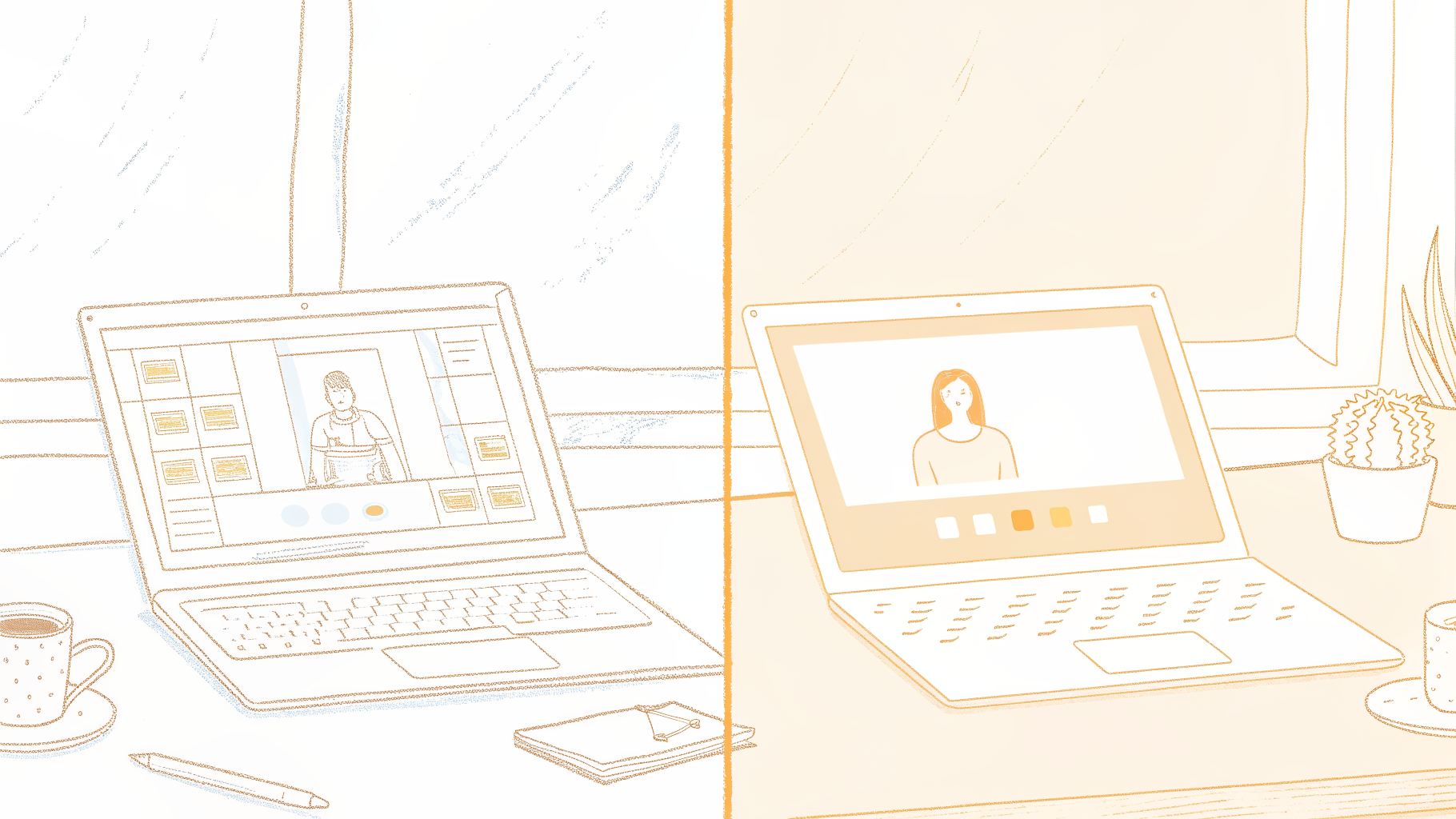
Image: AI bot auto-joining a live video call versus manually uploading a recorded meeting file
Otter's Bot Is the Product, Not a Feature Bolted On
Otter.ai explicitly offers bot-free recording options via its desktop app and Chrome extension as alternatives to the AI Notetaker bot, so live meeting capture via bot is one flexible option rather than the singular core product function.
Descript Has No Auto-Join Bot, and That Is a Hard Stop, Not a Trade-Off
Descript does not have an auto-join bot for Zoom, Google Meet, or Teams, and that gap is where a tool like Cockatoo fits a different but real workflow: if you already have the recording, an interview file, a voice memo, a Zoom export you downloaded, Cockatoo turns that audio or video into accurate text without any retyping.
Why the Bot Question Is a Binary Filter, Not a Preference Slider
Otter's meeting-bot architecture and Descript's text-based video timeline are built for mutually exclusive jobs. The real decision point is "do I live inside scheduled meetings or inside recorded media files?", and the answer makes one tool structurally irrelevant before a single feature is evaluated.
For that recorded-file workflow, Cockatoo's free tier lets you try the process with no credit card required, three files a day, up to 30 minutes each, so you can verify accuracy on your own material before committing to anything.
Where the workflow extends beyond transcription, say, a recorded call that needs to be summarised in a document and then sent to a colleague in another language, Cockatoo's document translation handles PDF, DOCX, PPTX, XLSX, and TXT files, so the transcript you produce doesn't have to stay in the language it was spoken in.
Feature Comparison - What Descript Otter and Grain Actually Give You Beyond Transcription
A feature table opens this comparison badly: a checkmark for "voice cloning" and a checkmark for "meeting summary" carry identical visual weight, even though one belongs to a recording studio and the other belongs to a team collaboration platform.
Descript's Editing Layer Is a Full Post-Production Suite
Descript's core editing paradigm is text-based: you edit audio and video by modifying the auto-generated transcript, and every deletion or cut is reflected directly in the media timeline in real time. Descript bundles multitrack timeline editing, Studio Sound for one-click background noise removal, AI filler-word removal, screen recording, green screen effects, and Overdub voice cloning, which lets you correct a spoken line by typing the replacement text and generating synthetic speech in the original speaker's voice. That scope makes it a post-production environment rather than a transcription tool with extras.
Otter's Post-Meeting Layer Is Built for Collaboration
Otter's post-transcription layer produces searchable meeting logs, AI-generated summaries, action item lists, and comment threads that teammates can annotate, a collaboration output, not an audio or video editing output. The finished artifact is a shared document, not a media file.
Grain's Editing Capability Stops at the Highlight Clip
Grain's editing layer is limited to tagging moments during a meeting recording and exporting short video clips from those tagged segments. Full timeline editing, noise removal, and voice correction are outside its scope entirely.
The File Each Tool Actually Outputs
That gap is precisely where Cockatoo is architected differently, prioritizing clean transcript and caption delivery across a wide range of file types and storage tiers. Free users get three transcripts per day, files stored in 2 GB of encrypted cloud storage until they choose to delete them, and video captioning and subtitle export included.
For individuals who need more volume, the Pro plan removes any monthly hour cap on standard transcription modes, supports multi-hour files, allows batch uploads of up to 20 files at once, and adds 2 TB of storage. Both tiers output the same core file formats, keeping the upgrade path straightforward.
Transcription Accuracy and Language Support Where All Three Tools Show Their Limits
Image: Three darts missing a target bullseye, representing unverifiable transcription accuracy claims
Why "95% Accurate" Is an Unverifiable Claim for Descript, Otter, and Grain
Otter reports an accuracy range of 85-95% and Descript claims up to 95% on clear audio, but neither discloses a test corpus, speaker profile, acoustic environment, or domain vocabulary.
That gap is sharpest in real B2B workflows: Otter's accuracy drops noticeably on poor audio or phone-call-quality connections, making it unreliable for exactly the remote and speakerphone-based sales calls that generate the most transcription demand.
Otter's English Optimisation and Descript's 30-Language Claim - What the Numbers Don't Tell You
Otter is optimised primarily for English, which limits its usefulness for multilingual teams.
The One Tool in This Comparison That Publishes Auditable Per-Language Benchmarks
Unlike Otter, Descript, and Grain, Cockatoo takes a different approach. Cockatoo's public benchmarks page publishes per-language FLEURS results alongside real-world accuracy data across 30 languages, so a buyer transcribing Spanish customer calls or French interviews can check expected accuracy before uploading a single file. The FLEURS benchmark evaluates transcription across a standardised multilingual corpus with consistent test conditions, making results comparable across languages rather than collapsed into a single headline figure, giving buyers a level of pre-purchase confidence the other tools in this comparison do not offer.
Related Reading
- Fireflies Vs Otter
- Descript Vs Otter
- Trint Vs Rev
- Happy Scribe Vs Rev
- Otter.ai Competitors
- Best Transcription App
Pricing and Free Plans for Descript Otter and Grain Including the Hidden Cost Traps
Pricing pages for these tools are designed to sell a specific buyer, and if you are not that buyer, the monthly number tells you almost nothing useful.
Image: Solo worker confronts confusing pricing tiers with hidden lock icons on screen
Pricing Structures Encode the Wrong Buyer, and Solo Users Pay for It
The hidden cost is not a price-per-hour comparison; it is that the solo admin uploading recorded files hits a hard wall on the free tier, then pays to unlock a video production suite or a meeting bot that was never relevant to their workflow.
Descript's $16/Month Individual Plan Is Built for Video Producers, Not Solo Transcribers
Descript's free plan restricts transcription hours and watermarks exports, a deliberate design choice, not an oversight. The $16/month individual plan bundles:
- a video production suite
- multitrack timeline editing
- publishing tools
Cockatoo's Pro plan is the self-serve alternative built for exactly this buyer. At $11.99/month billed annually, marked "Most Popular" on the pricing page, it includes truly unlimited transcription on standard modes with no monthly hour cap, and exports directly to PDF, DOCX, TXT, and SRT.
Otter's $8.33/Month Pro Price Looks Cheap Until You See What It's Counting
Otter's Pro plan runs approximately $8.33/month billed annually, but that price is built around meeting bot infrastructure most solo file-upload users never touch. Paying $8.33/month to access a meeting bot you never schedule is a quiet subsidy most buyers don't notice until the bill renews.
Cockatoo's free tier takes a different structural position: it is a self-serve tier that requires no credit card and allows three transcripts per day, every day, not as a lifetime total, with all export types available, including PDF and DOCX.
Grain Has No Meaningful Pricing Path for the Solo File-Upload User
Solo buyers who have done this math often land on file-based transcription software built around the individual uploading recordings, where pricing recovers transcription infrastructure and nothing else.
Which Tool Wins for Your Workflow and When None of the Three Is the Right Answer
Each of these tools was purpose-built for a specific context: Descript was built for creators who need to edit audio and video alongside their transcript; Otter was built for meeting teams who want searchable, shareable call records; Grain was built for sales organizations that need clips and CRM data in the same motion. That specificity is a strength for users who fit the mold, but it creates a real gap for those who don't.
"No single tool fits all healthcare workflows, live dictation, pre-recorded file-based dictation, and custom API integrations each require a different tool, making the 'right answer' highly context-dependent."
— what we hear from healthcare IT professionals
Image: Forking decision paths matching workflow types to transcription tool icons, one path unserved
| Your primary job | Your recordings come from | You need to output | Best fit |
|---|---|---|---|
| Publish a podcast or video | Files you already have | Edited audio/video file | Descript |
| Capture recurring team meetings | Live scheduled calls (Zoom/Meet/Teams) | Searchable meeting log + action items | Otter.ai |
| Share sales-call moments | Live or recorded sales calls | Short shareable video clip | Grain |
| Transcribe a folder of recordings | Any uploaded audio/video file | Clean text (PDF, DOCX, TXT, SRT) | Purpose-built file transcription tool (e.g. Cockatoo) |
Pricing also reflects these narrow design intentions. According to NoteTakerCost's review, Otter's Pro plan costs $8.33 per month billed yearly and covers 10 hours of transcription per month, a ceiling that matters more than it might first appear.
The Buyer Profile None of the Three Tools Were Designed For
The person this comparison consistently leaves without a good answer is the solo operator at a small business: one person, a folder of recorded interviews or calls, and a need for clean, editable text to hand off. For that user, the structural limits of each platform become the story.
NoteTakerCost's review documents that Otter.ai's free tier allows only three lifetime file imports, making it structurally unsuitable for any file-based workflow. Descript and Grain present similar friction, since neither was designed to take a folder of audio files and return a folder of clean text documents. This is the gap that Cockatoo transcription was built to fill, with no per-seat pricing to justify.
On a meeting-bot platform, "unlimited" typically refers to the number of meetings the bot can join, not the ability to upload hundreds of hours of pre-recorded audio. NoteTakerCost's analysis confirms that Otter.ai's Pro plan caps transcription at 10 hours per month regardless of how the plan is marketed. Cockatoo Pro runs on its own in-house transcription engine rather than resold third-party APIs, which is what makes a genuinely uncapped file-upload tier viable at an individual price point.
Related Reading
- Happy Scribe Alternatives
- Sonix Alternatives
- Turboscribe Alternatives
- Trint Alternatives
- Trint Vs Otter
Next steps
If your search for a transcription tool has left you paying for a video production suite or a meeting bot you never opened, the path forward starts with matching the tool to the job, not the feature count. Comparing Descript and Otter on accuracy rows and pricing tiers produces no actionable winner because, as the architecture section showed, the two tools were built for mutually exclusive jobs: one starts with a file you already have, the other starts with a meeting that hasn't happened yet. Start with our transcription software.
Descript buries its transcript inside a text-based video timeline, which means every export decision routes through a production interface built for creators. Otter caps lifetime file imports at three on its free tier, structurally excluding file-upload workflows before a buyer reaches a pricing page. Together, those two design decisions point to the same conclusion: neither tool was architected for the solo user who needs to upload a recording and get clean, portable text back in minutes, with no surrounding product category to navigate.
Start with transcription software built around that job. Upload a file, receive an editable transcript with speaker labels, and export it as a PDF, DOCX, TXT, or SRT with no video editor and no bot to configure. The free tier requires no credit card and returns a transcript on the first upload, so you can verify accuracy on your own audio before spending anything.
Frequently Asked Questions
Can I use Descript or Otter.ai to get a clean Word or PDF transcript from a recording I already have?
Neither tool is built for that job. Descript wraps transcription inside a video-editing suite whose default output is a produced media file, while Otter.ai is architected around live meeting capture via a bot that joins scheduled calls. Cockatoo is built around the upload-and-get-text workflow and exports finished transcripts directly to PDF, DOCX, TXT, and SRT from the very first file.
What does Descript actually output, is the transcript the main deliverable?
No. Descript's core output is an edited video or audio file; the transcript is the editing interface, not the deliverable. You edit words in the transcript and the corresponding audio or video cuts follow, so the tool is a media production suite, not a transcription service.
Which export formats are supported for getting a transcript out of these tools?
Descript's default output is a produced media file, Otter.ai outputs a meeting summary and searchable log, and Grain outputs a highlight clip, none of those defaults is an editable Word document or clean text file. Cockatoo exports directly to PDF, DOCX, TXT, and SRT, with those options available from the very first file on the free tier.