
Can I Get a Transcript of a Phone Call? Yes, Here's How

Your carrier never recorded the call. Here is what you can actually retrieve, what the law requires before you hit record, and how to get a transcript in under a minute.
No audio. That is the short answer. The common assumption is that phone carriers record calls and can produce a transcript if you ask, the same way they can produce a bill or call log, but this is not how the system works.
According to iPleaders' legal analysis of call data records, telecom companies store Call Detail Records (CDRs) for billing and network management, not to capture the content of communications. A CDR is closer to a receipt than a recording: it confirms a transaction took place, lists the parties and the timestamp, and records the duration. It carries nothing about what was exchanged.

Carriers retain this metadata for operational and legal compliance reasons, typically around 18 months, but the audio is never captured or stored at any point in the process.
18 months
How long carriers keep call metadata
No transcript exists to retrieve. See our voice transcription app for how this works in practice.
When authorities or individuals seek information about a specific call, what can legally be extracted is the CDR log, not a word-for-word account of what was said. Filing a formal request, escalating to a supervisor, or obtaining a subpoena returns the same result: a PDF showing the date, time, duration, and phone numbers involved. The conversation itself was never written down because it was never recorded. This is a structural limitation, not a bureaucratic one. The Electronic Communications Privacy Act (ECPA) prohibits carriers from intercepting and storing call content without consent, so the absence of a transcript is not a policy choice a carrier can override.
The practical path forward is recording future calls and uploading the audio to a voice transcription app, which returns editable text in under a minute with no formal request required. Before you upload anything, though, you need a recording, and depending on your state or country, recording without the other person's knowledge can create a legal problem bigger than the one you were trying to solve. The next section covers exactly what you need to know before you press record.
Key takeaways
- Phone carriers store call detail records, timestamps, duration, numbers dialled, but discard the audio in real time, so no carrier can hand you a transcript no matter how you ask.
- Recording a call legally comes down to one question: how many parties need to consent? One-party consent states let you record your own calls without telling the other person; all-party consent states require everyone on the line to agree first.
- The entire transcript workflow, record, upload, export, sits with you, not your carrier or your employer's IT department. There is no institutional fallback if you skip the recording step.
- A ten-minute call typically returns a full transcript in well under a minute with a modern AI transcription tool, making the upload-to-text step the shortest part of the process, not the longest.
- Transcribing calls has a measurable business case: workplace miscommunication costs businesses an average of $12,506 per employee per year, and a searchable text record of a call removes one of the most common sources of that loss.
- Cockatoo closes the loop: drag an.mp3,.m4a, or.wav into the browser, and you get back a punctuated, speaker-labelled transcript with word-level timestamps, accuracy backed by published tests across 30 languages on real-world recordings with background noise and accents.
What Legal Requirements Apply Before You Record a Phone Call
Whether one-party or all-party consent applies to your call determines everything that follows, including whether you can legally use a tool like Cockatoo to capture and transcribe it.
One-Party vs. All-Party Consent - The Only Legal Distinction That Matters
A related blind spot is just as common: most people selecting a call recording app don't check whether that app, or their recording method, complies with local law before they hit record.
Under one-party consent laws, the person doing the recording counts as the consenting party, so no disclosure is needed. Under all-party (two-party) consent laws, every participant must agree before the call can be recorded, a distinction that holds across the market wherever these statutes apply. Roughly 11 to 12 US states require all-party consent, including California, Illinois, and Florida. Federal law under § 2511 is one-party consent, but stricter state law overrides it. When callers are in different states, the stricter standard generally controls, so a call between a Texas business owner and a California client falls under California's all-party rule.
11 to 12
US states requiring all-party consent
It's also worth noting that a phone's technical recording behaviour, whether it emits a beep notification or records silently, is entirely separate from what the law requires.
The Universal Safe-Harbor Rule - Disclose Before You Record
Saying "I'm recording this call" before you start satisfies both one-party and all-party consent requirements simultaneously, removing legal exposure in every US state and covering most international frameworks, including GDPR-governed calls in Europe.
Why Recording Laws Are a One-Time Check, Not a Reason to Abandon Transcription
Once that disclosure habit is in place, a legally captured recording feeds directly into Cockatoo's upload workflow. Rather than replaying a long call to find the two or three things that actually need acting on, Cockatoo's transcription lets you read, search, and edit the conversation, distilling a full recording down to what genuinely requires a follow-up. And because Cockatoo supports transcription in the caller's own language rather than forcing everything through English, multilingual calls don't require a separate translation step before the transcript becomes useful. Cockatoo's free tier, no credit card required, handles up to 3 recordings per day at up to 30 minutes each, which covers the majority of business and personal calls, so the workflow is accessible from day one without a paid commitment.
How to Record a Phone Call So You Can Transcribe It Later
The recording step is the one part of the transcript workflow that only you can do, and this points to a broader truth worth naming explicitly: because carriers log that a call happened but discard the audio in real time, the entire transcription pipeline (record, upload, export) is something individuals must own end-to-end, with no institutional fallback.
The file you save during the call is the only raw material that makes transcription possible, and most people already have a recording option built into the app they dial from every day.

Android Already Has It on Google Pixel and Samsung Galaxy
Google Pixel devices include a built-in call recording option inside the Phone app, no third-party download required. Samsung Galaxy phones running One UI 3.0 or later include the same capability under Phone settings, where you can enable automatic recording for all calls or trigger it manually per call. Output is an M4A file saved to the Voice Recorder folder in internal storage.
It is worth noting that Android 15 and later significantly restricts the APIs third-party apps can use to access call audio, making it nearly impossible for non-OEM developers to build reliable recording solutions on modern Android devices.
iPhones Got Native Call Recording in iOS 18
iOS 18 introduced native call recording directly inside the iPhone Phone app, available on iPhone XS and later (MacRumors). After the call ends, iOS 18 generates a transcript stored locally and saves the audio inside the Phone app's call history.
If You Dial From a VoIP Platform, the Record Button Is Already There
Zoom Phone, Google Voice, Microsoft Teams, and Dialpad all include a one-tap record button inside their call interfaces. Zoom Phone exports recordings as MP4 or M4A files to cloud storage.
Google Voice saves calls as MP3 files accessible from the web dashboard. Microsoft Teams stores recordings in OneDrive or SharePoint depending on account type. MP3 and WAV files from these platforms are universally accepted by transcription tools without any conversion step, making VoIP recording the lowest-friction path for anyone who already dials from one of these apps.
Once the call ends and the audio file is saved, whether an M4A from your iPhone, a WAV from Google Pixel, or an MP3 from Zoom Phone, the transcription step can begin immediately. A voice transcription app like Cockatoo accepts all of these formats directly, turning the file in your downloads folder into an editable, shareable transcript in seconds. If the recording also needs published captions or subtitles, say, for an internal training video or a client-facing recording, Cockatoo handles video captioning and subtitle export as well, so the same file that produced your transcript can go straight to publication without a second tool.
Free accounts can get started with no credit card required, processing up to 3 files per day at up to 30 minutes each, with all export types included. Pro upgrades that to truly unlimited transcription on the default modes with no monthly hour cap, supporting multi-hour files and batch uploads of up to 20 files at a time.
How to Transcribe a Recorded Phone Call With an AI Tool

If You Already Have a Recording, You Are Closer Than You Think
If you have a recording file (.mp3,.m4a, or.wav), you can upload it directly to an AI transcription service and get editable text back in seconds. According to Our Code World (July 2026), AI-powered transcription platforms have reduced the entire workflow to three steps:
- Record the audio.
- Upload the file.
- Export the resulting transcript.
That matters more than it sounds, and it points to something worth naming directly: what people imagine as a formal, days-long institutional process, contacting a carrier, filing a request, waiting for records, now has a functional private equivalent that takes under a minute and requires no third party at all.
Cockatoo's free tier gives you three transcripts per day at up to 30 minutes each with no credit card required, enough to process a typical call immediately. When recordings run longer, or when you need to process a batch without counting files, Cockatoo Pro removes the per-file length cap entirely, supports multi-hour recordings, and lets you upload up to 20 files at once, so a full day of call recordings can clear in a single session rather than a rationed trickle.
Why Phone Call Audio Is Harder to Transcribe Than a Studio Recording
Phone calls are recorded in mono at low bitrates, often between 8 and 16 kbps, compared to studio recordings that typically run at 128 kbps or higher in stereo. Tools trained on real-world audio, including noisy, single-channel recordings typical of mobile and VoIP calls, handle compressed phone audio far better than tools benchmarked only on clean studio files.
Cockatoo's transcription modes cover a broad range of languages, and per-language accuracy figures are published on its benchmarks page so you can verify coverage for your specific language before committing to a workflow, rather than discovering gaps after the fact.
The Upload-to-Transcript Workflow Step by Step
For a 45-minute call, this takes under ten seconds. Because Cockatoo strips audio in-browser before upload, even large multi-hour files transfer reliably without stalling.
The output arrives punctuated and formatted automatically, with speaker turns labelled by default. Scan the transcript for any proper nouns or industry terms the model flagged incorrectly, make edits inline using Canvas, Cockatoo's built-in AI notes editor, then export to the format you need.
As Our Code World (July 2026) confirms, leading platforms support PDF, DOCX, TXT, and SRT export; Cockatoo covers all four, giving you a portable document ready for a legal file, shared folder, or client record the moment you click download.
Getting the file into AudioScribe or a tool like Cockatoo immediately after a session ends, while the complete recording is confirmed safe on disk, removes any dependency on the recording app staying alive in the background.
Related Reading
- How To Transcribe Youtube Video
- Best Transcription Software For Qualitative Research
- Market Research Transcription
- Qualitative Research Transcription
- Business Transcription
- Podcast Transcription Software
- Automatic Video Transcription Software
- Meeting Transcription And Summary Ai Tools
- Best Lecture Transcription App
- Best Medical Transcription Software
- Best Closed Captioning Software
- Best Transcription App For Iphone
- Zoom Ai Transcription
- Best Transcription Software For Interviews
Best Apps for Phone Call Transcription and When to Use Each
Phone call audio is a distinct technical problem. Compressed codecs, single-channel mono, and crosstalk between speakers create conditions that expose the gap between tools built for studio-quality recordings and tools that actually handle real-world call audio. Before you pick based on star ratings, the first question to ask is whether a tool accepts a saved file or requires a live session.
"AI transcription apps used during phone calls cannot guarantee confidentiality, raising serious concerns about where sensitive data ends up."
— what we hear from privacy-conscious professionals
That distinction matters more than any feature list. As AIpresso notes, some AI transcription tools are designed as live-call notetakers that join an active session, not as processors of pre-recorded audio. If you already have a recording, a live-join bot cannot help you at all. The decision about which tool to use is partly a function of when in the timeline you decided you needed a transcript.
Here is how the main options compare for someone working from a saved phone call recording.
1. Cockatoo - Best Upload-Based AI Transcription for Recorded Phone Calls
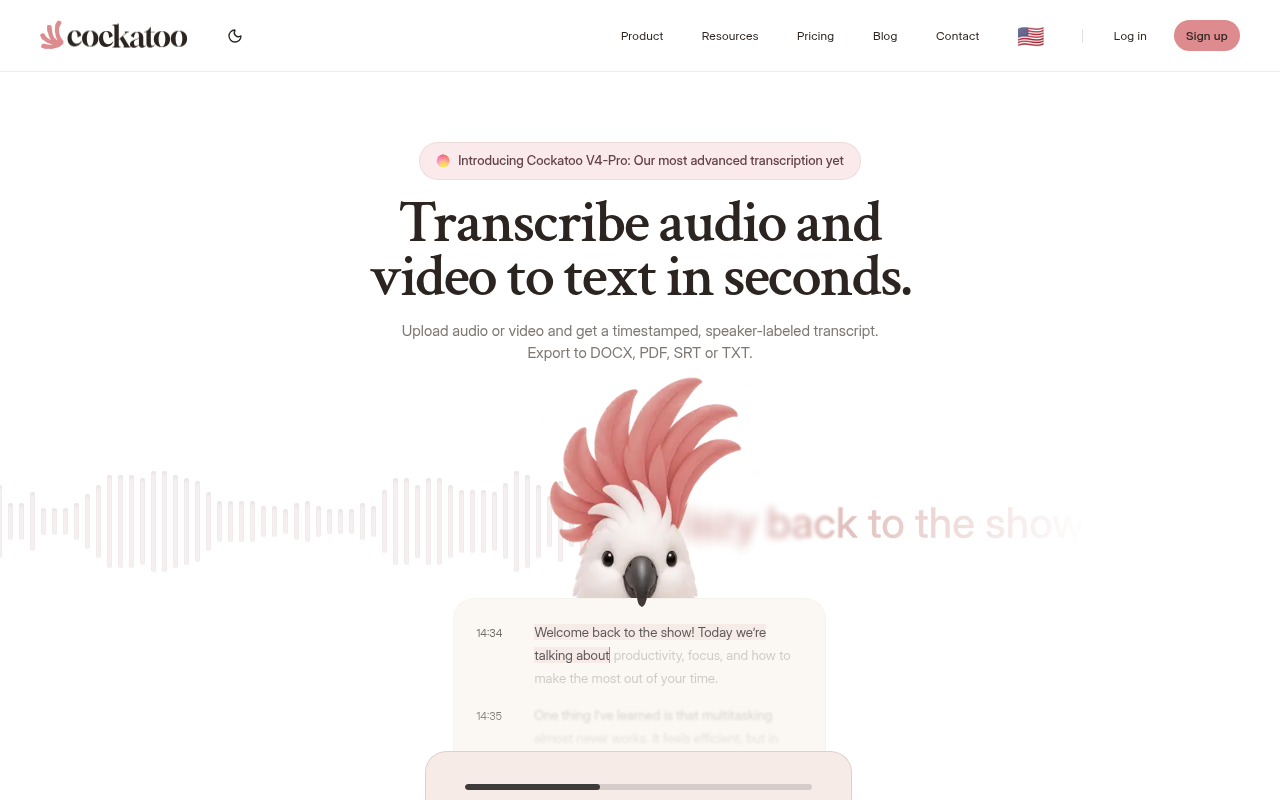
Drag in any saved call file and Cockatoo returns punctuated, speaker-labelled text with no setup, no bot invite, and no credit card required on the free tier. The turnaround is not theoretical: a transcript comes back on the first upload, in minutes, with nothing to configure beforehand. Under the hood, Cockatoo runs two distinct transcription modes:
- A fastest mode optimised for speed
- A highest-accuracy mode for recordings where precision matters most
This means you can match the engine to the difficulty of your audio rather than accepting a one-size-fits-all result.
One real pain for anyone transcribing calls across diverse teams or international clients is that transcription accuracy drops significantly for non-native accents. This is the default reality of many business phone calls. Cockatoo's accuracy evidence is published openly on its benchmarks page, run against publicly recognised test sets that cover a wide range of languages and real-world audio conditions, so you can verify per-language coverage before committing to a workflow rather than discovering the gap after the fact.
For teams, the free tier supports up to 3 files per day with no credit card, 2 GB of encrypted cloud storage, and all export types, a genuine starting point for occasional use. When call volume grows, the Pro plan removes hour caps entirely on standard modes, supports multi-hour files (audio is stripped in-browser before upload for reliable large uploads), and adds bulk export across PDF, DOCX, TXT, and SRT formats, all useful when a backlog of recorded calls needs processing in one sitting. Pro is priced at $11.99 USD/month billed annually during the current sale, or $29.99 USD/month on the monthly rate. Teams of three or more can move to the Team plan at $20.97 USD/month billed annually, which adds shared transcript editing, centralised billing, and 2 TB of encrypted storage per person.
The trade-off is that Cockatoo is an upload-based tool only; if you need a bot to join a live call automatically, that feature is not available yet.
2. Otter.ai - Best Live-Call AI Notetaker for Meetings You Haven't Recorded Yet
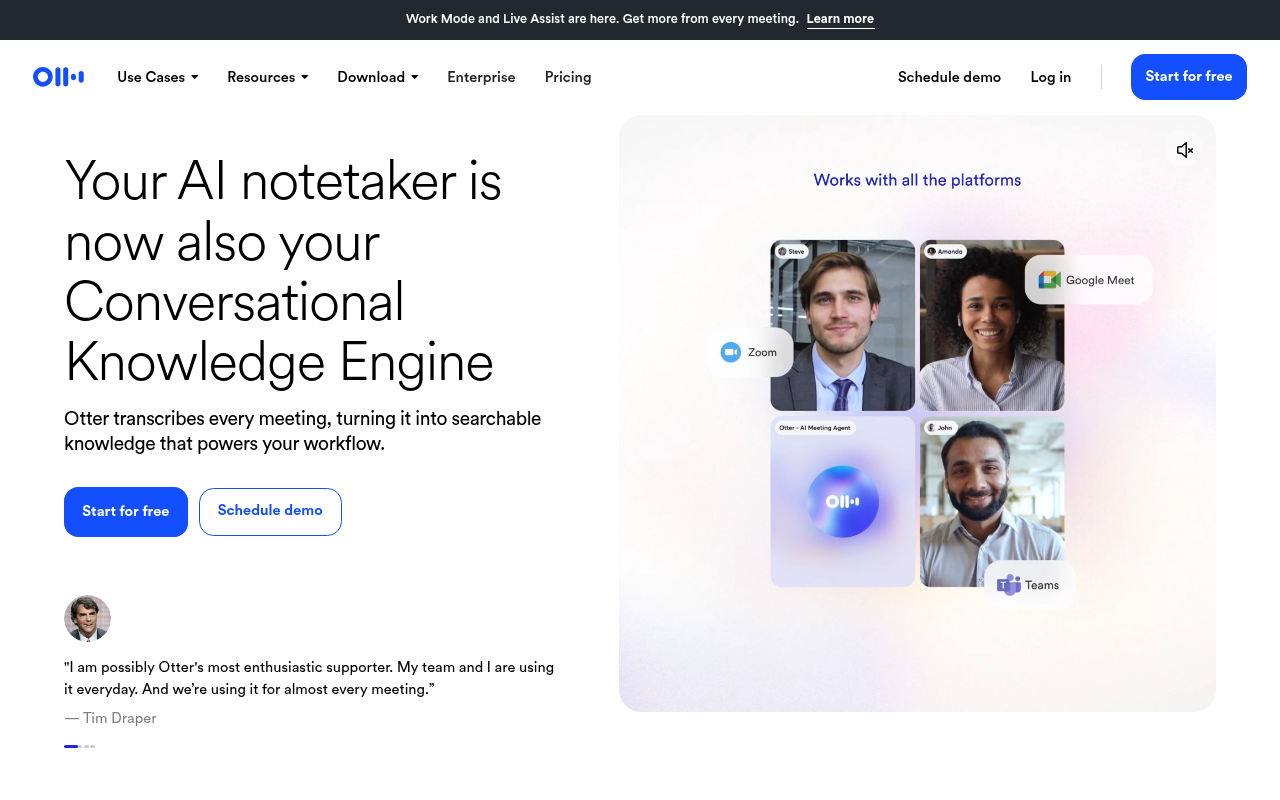
Otter.ai is best known as a live-call notetaker that joins an active Zoom, Teams, or Google Meet session and captures the conversation in real time; that is its core design and where it genuinely shines. It also accepts file uploads, though its strongest differentiation is the meeting-bot workflow. If your primary need is uploading a saved.m4a from a mobile call rather than inviting a bot to a scheduled meeting, Cockatoo's upload-first interface is built around that exact starting point.
A practical concern worth naming directly: accuracy for non-native speakers and diverse accents is an area where live-join tools can struggle, and AI After 40 documents this limitation in its review of Otter.ai. For teams whose calls regularly involve speakers from different language backgrounds, verifying accuracy on a sample file before committing to a workflow is the only reliable test.
3. OpenAI Whisper (Self-Hosted) - Best Open-Source Option for Privacy-Sensitive Call Audio
Whisper is the strongest option when data cannot leave your own machine, which matters for legal recordings or confidential client calls. This is a genuine concern worth taking seriously: AI transcription tools that process audio on external servers cannot guarantee where that data ends up or how it is stored, and for sensitive conversations, legal consultations, HR calls, and client negotiations, that is a material risk. Self-hosting Whisper eliminates the upload entirely.
The real barrier is setup: running Whisper locally at useful speed requires a dedicated GPU, and configuring the Python environment is a recurring pain point for non-developers. If your concern is data residency and you have the technical capacity, self-hosting solves it; if you want a result in under a minute without touching a terminal, it does not.
4. Rev - Best Upload-Based Transcription When Human Review Is Required
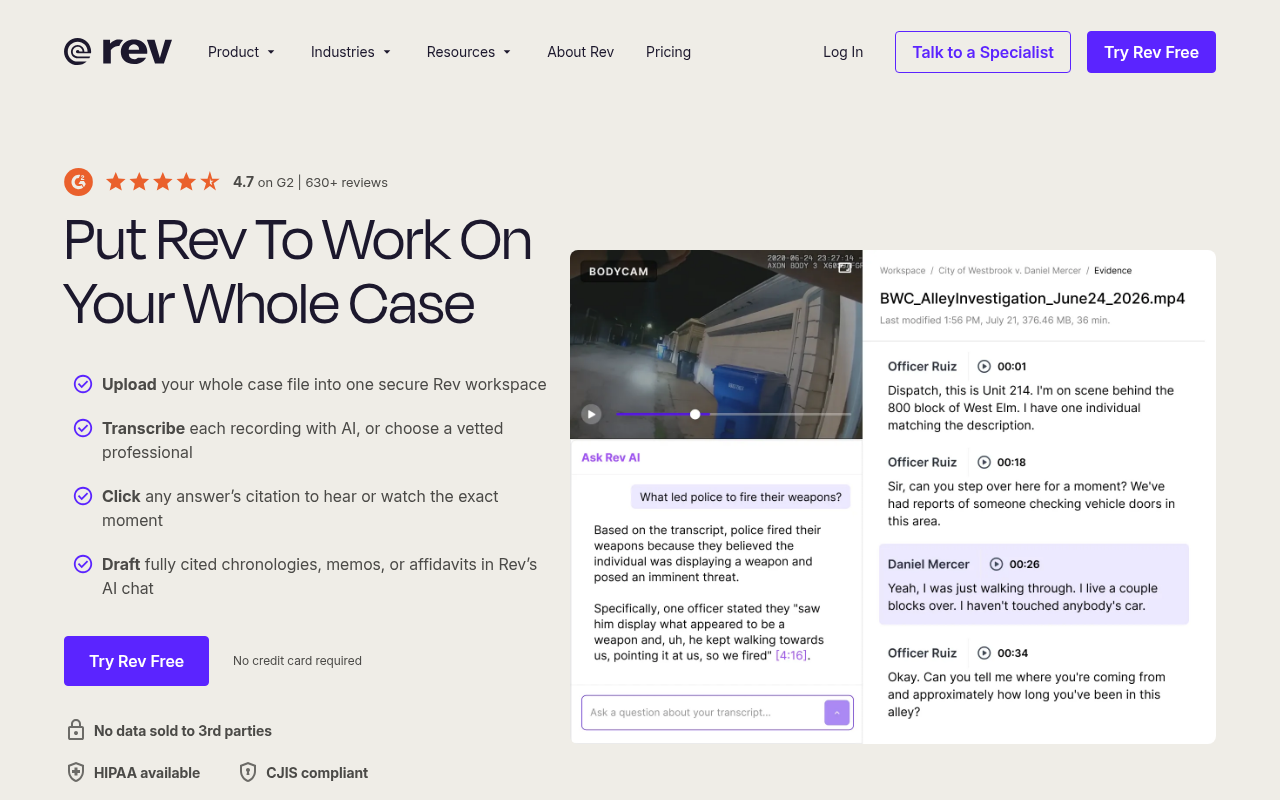
Rev is no longer primarily an upload-based transcription tool; it is a full Investigative Intelligence Platform with multi-file evidence analysis, AI-powered drafting, image analysis, and document editing tools built for legal and law-enforcement workflows, in addition to its AI and human transcription tiers. The trade-off is cost and time. Human review costs more per minute and takes longer than AI-only processing. For clean phone audio, the human tier is usually unnecessary; for difficult recordings where accuracy errors carry real consequences, it is worth the premium.
5. Free vs. Paid Transcription - What You Actually Get at Each Tier
Free tiers across most tools impose either a minute cap or a file count limit, and the gap in output quality between free and paid is often less about the model and more about features like speaker labelling, export formats, and processing priority. Cockatoo's free tier, no credit card, 3 files per day up to 30 minutes each, all export types, 2 GB encrypted storage, covers occasional use without friction. Files are kept until you delete them, and document translation is included for PDF, DOCX, PPTX, XLSX, and TXT files (with a 1-page limit and watermark on the free tier).
For anyone transcribing call recordings regularly, the free tier's daily file limit becomes the bottleneck before the accuracy does. Pro removes that ceiling, unlimited transcription on standard modes, 20-file upload batches, no hard file length cap, so the workflow scales with the workload. The honest check: if you are spending time reformatting, correcting output, or rationing which calls are worth transcribing, the "free" option is costing you more than a subscription would.
Knowing which tool fits your situation is half the job. The other half is knowing exactly how fast the process actually runs end to end. The next section walks through the full workflow in real time so you can see the gap between "complicated process" and what it actually takes.
Benefits Of Transcribing Phone Calls
Workplace miscommunication costs businesses an average of $12,506 per employee per year, across the market. A transcript of a phone call directly cuts into that number. It turns a fading memory into a fixed, searchable record that anyone on the team can read, quote, or forward.
The false sense of security is worth naming plainly: the belief that someone else holds a backup of your call is exactly what stops people from recording in the first place. Legally and technically, if you did not record the call, no transcript can exist. Treat every important call as if it is the only record that will ever exist, because it is.
Here is what a written transcript actually delivers.
1. Permanent, Searchable Record of Every Conversation

Audio cannot be searched. Text can. A transcript converts a one-time call into a permanent file you can query by keyword weeks or months later. For anyone managing client relationships, that compounds fast: one search surfaces every time a contact mentioned a specific price, deadline, or complaint. Most beneficial when call volume is moderate to high and the same topics recur across different conversations.
2. Improved Accuracy in Dispute Resolution and Legal Compliance
Workplace miscommunication costs businesses an average of $12,506 per employee per year, a figure that holds up consistently across broader industry trends. Exact words with timestamps are the difference between a resolved invoice and a written-off one. Memory is reconstructive; a transcript is fixed. Most beneficial when calls cover pricing, scope, or delivery terms.
3. Faster Team Onboarding Through Real Call Examples

A new hire can read ten transcripts of real client calls in the time it takes to shadow two live ones. The pacing is theirs, the context is genuine, and the language is exactly what your customers use, not a role-play approximation. Exposure to real conversations accelerates competence faster than structured training alone.
4. Enhanced Accessibility for Deaf and Hard-of-Hearing Participants

A transcript of a recorded call satisfies that obligation without scheduling interpreters or depending on real-time captions that struggle with compressed phone audio. For remote teams especially, this shifts accessibility from a reactive accommodation into a standard part of how calls are documented.
5. Actionable Insights Extracted from Customer Conversations at Scale

Patterns in how customers describe their problems only become visible when you can read across calls rather than recall them individually. A small team with even moderate call volume can pull recurring objections, exact phrases, and unanswered questions from a transcript archive without a dedicated analyst or an expensive research platform. That is voice-of-customer intelligence that previously required significant budget to surface.
Next steps
If the call you needed a record of is already gone, the carrier was never going to help you. CDRs log that a call happened; they carry nothing about what was said. The only path to a transcript has always run through a recording you made yourself. Start with our voice transcription app.
That reality cuts two ways. The fact that carriers discard audio in real time means no institutional fallback exists, so the recording decision belongs entirely to the person on the call. And the fact that what felt like a formal, days-long retrieval process now collapses into a three-step self-serve action means the gap between "I have a file" and "I have usable text" is now the shortest part of the workflow. Those two things together make the next step obvious: get the recording, then get the transcript.
Start with Cockatoo. Drag in your saved call file, and a punctuated, speaker-labelled transcript comes back in under a minute, no account setup or credit card required on the free tier.
Frequently Asked Questions
Can my cell phone provider give me a written record of what was said on a call?
No. Phone carriers store Call Detail Records (CDRs) that show the date, time, duration, and numbers involved, but the audio is never captured or stored at any point. Because the conversation was never recorded, there is no transcript for a carrier to retrieve, even with a formal request or subpoena.
If I already have a recording, how do I turn it into written text?
Upload the file, .mp3,.m4a, or.wav, directly to an AI transcription tool like Cockatoo, set the number of speakers if you want speaker labelling, and the transcript comes back punctuated and formatted in well under two minutes for a typical call. You can then review, edit inline, and export to PDF, DOCX, TXT, or SRT without any additional tools.
Do I have to tell someone before I record a phone call?
It depends on where each caller is located. Around 11 to 12 US states, including California, Illinois, and Florida, require all-party consent, meaning everyone on the call must agree before you record. The safest habit regardless of state is to say "I'm recording this call" before you start, which satisfies both one-party and all-party consent requirements simultaneously.
Why is transcribing a phone call harder than transcribing a podcast or studio recording?
Phone calls are recorded in mono at low bitrates, often between 8 and 16 kbps, compared to studio recordings that typically run at 128 kbps or higher in stereo. That compression strips out the acoustic detail many transcription engines rely on to separate words cleanly, and accuracy drops further when background noise, a speakerphone, or a weak signal is involved. Tools trained on real-world, noisy, single-channel audio handle compressed phone recordings far better than those benchmarked only on clean studio files.
Can I search and manage my call transcripts after they're created?
Yes. Once Cockatoo processes your recording, the transcript is stored in encrypted cloud storage and remains accessible after you close the tab, no re-uploading or re-processing required. Because the output is editable text rather than audio, you can read, search, and edit the conversation directly, and export it as a portable document to a legal file or shared folder.