Transcription Accuracy Rates Are Misleading You in 2026

Vendors publish accuracy figures without disclosing what they measured. Here is what WER actually calculates, why clean-audio benchmarks flatter every tool, and what that headline number costs you on a real recording.
The common assumption is that if a tool advertises a high accuracy rate, the output should be reliable enough to use with only minor edits; the headline number is a meaningful quality signal. Vendor accuracy claims are everywhere. None of these tell you what the number actually measured, or whether that measurement has anything to do with your recording.
The core issue is definitional. The same metric, measured under different conditions, produces wildly different results, and no rule requires vendors to tell you which conditions they used.
See our transcription software for how this works in practice.
Word Error Rate (WER) is the standard metric behind every accuracy figure in the transcription industry. According to the Association for Computational Linguistics' 2018 e-WER paper, WER is calculated by counting substitutions, deletions, and insertions relative to the total number of words in a reference transcript. Modern AI systems can achieve 2 to 5 percent WER on clean, studio-quality audio, translating to 95 to 98 percent accuracy. The catch is buried in "clean, studio-quality": single speaker, near-microphone, low background noise, controlled environment. Most people transcribing a real interview, client call, or recorded meeting are not working with those conditions.
The same ACL research makes clear that WER requires a reference transcript, and vendors choose which audio produces that transcript. A vendor can run their model against a clean, single-speaker studio recording, report a 2 percent WER, and publish "98% accurate" on their homepage. That number is not false.
It is measuring something that has nothing to do with your noisy conference room or your interviewee's regional accent. Two vendors can both claim high accuracy while their tools perform completely differently on real audio, because they benchmarked against completely different conditions. There is no obligation to disclose the audio type, speaker profile, noise level, or domain.
No industry-wide standard governs how transcription accuracy must be measured or reported. Because WER is computed against a chosen reference under chosen conditions, a single headline figure reported without methodology disclosure cannot be meaningfully interpreted as a quality signal for real-world use. The only number worth trusting is one benchmarked on real audio, published per language, so you can check it against your own recording type before you commit.
Key takeaways
- "99% accurate" is a marketing claim, not a measurement, vendors almost never disclose what audio they tested on, which makes the number impossible to verify or trust.
- Word Error Rate is calculated on clean, studio-recorded speech by default, meaning every vendor's headline figure is benchmarked on conditions that bear no resemblance to a real interview, meeting, or field recording.
- Accents, background noise, multiple speakers, and domain-specific vocabulary are not edge cases, they are the default reality for most transcription work, and they are exactly what vendor benchmarks exclude.
- Accuracy requirements are not a single bar: a 95% rate that works fine for a personal voice note would be catastrophically insufficient for legal, medical, or compliance transcription.
- AI transcription on clean, single-speaker audio now approaches human-level accuracy, the gap widens sharply the moment audio quality degrades, which is when the choice between AI and human actually matters.
- The highest-leverage accuracy improvement happens before you hit record: microphone placement and room acoustics give any transcription engine a better signal to work with than post-processing ever can.
- The only benchmark worth trusting names the test set, specifies the language and accent, and lets you replicate it on your own audio, any claim that doesn't meet that bar should be ignored.
- Cockatoo lets you run that real-world test yourself: upload your own audio or video, get AI transcription back fast, and verify accuracy against the recordings you actually need to process, no sales call, no curated demo file.
How Word Error Rate Is Calculated and Why Clean-Audio Benchmarks Flatter Every Vendor
That figure comes directly from the Word Error Rate formula, and once you see the arithmetic, the gap between a vendor's headline number and your actual transcript becomes impossible to ignore.

The WER Formula Decoded - What Substitutions, Deletions, and Insertions Actually Cost You
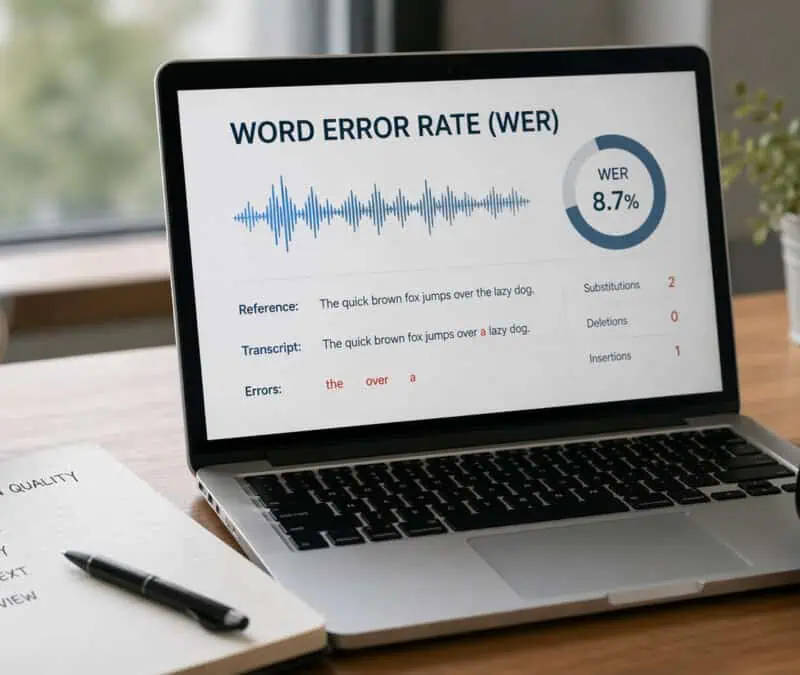
Word Error Rate is calculated as (S + D + I) / N, where S counts substituted words, D counts deleted words, I counts inserted words, and N is the total word count in the reference transcript. Each error type carries equal weight in the formula, so a dropped word costs exactly as much as a wrong one.
A 5% WER does not mean one error neatly every 20 words. It means five errors somewhere inside every 100 words, piling up around accented speech, overlapping voices, and domain-specific terms, and those clusters tend to land precisely where meaning is most concentrated.
Why Modern AI Scores 2 to 5 Percent WER on Clean Audio, and What That Recording Actually Sounds Like
Modern speech recognition systems achieve WER as low as 2 to 5% on clean, studio-quality audio, benchmarks that require single-speaker, low-noise, near-microphone recordings. Those figures come from datasets like LibriSpeech: single speaker, professional microphone, no background noise, no interruptions, no accent variation, no code-switching. As Allmaz's glossary on Word Error Rate notes, most general-purpose engines are not trained on real-world conversational patterns, which means headline figures derived from clean, in-domain audio do not predict performance on the recordings most users actually produce.
95 Percent Accurate Already Means 25 Wrong Words Per 500-Word Transcript, Before Real-World Audio Makes It Worse
25
Wrong words in a 500-word transcript at 95% accuracy
A 500-word meeting transcript contains roughly 25 errors at 95% accuracy, enough to misname a client, corrupt a figure, or drop a key action item entirely. On actual recordings with background noise, accents, or multiple speakers, accuracy routinely falls into the 85 to 92% range. At 85%, that same transcript carries 75 errors: not a transcript you edit, but one you rewrite.
That scale of correction demands a workflow built around easy export and handoff. Cockatoo's DOCX and PDF exports exist for that purpose; the person who recorded the meeting does not have to be the person who cleans up the transcript. Free-tier users get up to three transcripts per day, each up to 30 minutes, with all export types available and files kept until they choose to delete them.
The Factors That Actually Destroy Transcription Accuracy on Real Recordings
Real recordings break transcription tools in ways that vendor benchmarks never reveal. The conditions that inflate error rates are not edge cases; they are the default reality for anyone transcribing an interview, a call recording, or a panel discussion. Understanding which variables trigger accuracy collapse is the difference between uploading a file with confidence and spending two hours fixing a transcript that came back as near-gibberish.
1. Background Noise, Room Echo, and Poor Mic Placement - The Four Recording Variables That Benchmarks Never Test
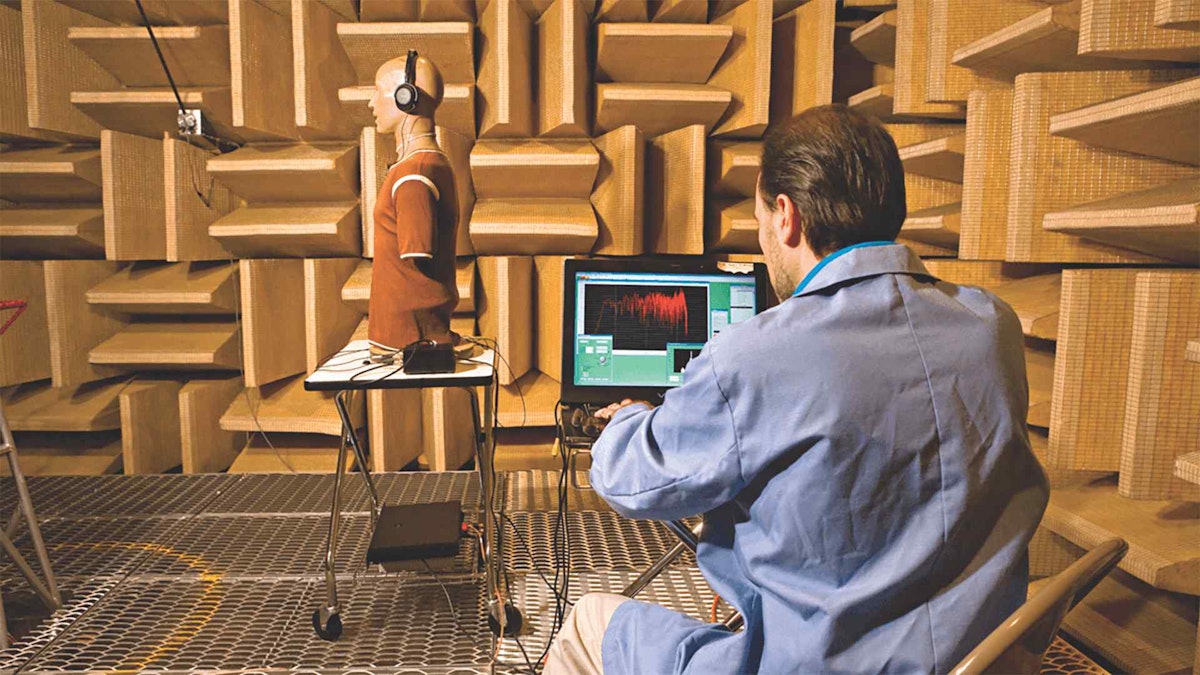
Signal-to-noise ratio is the single most powerful predictor of transcription accuracy, and it collapses fast. Research published in Speech Communication shows that word error rate can climb from under 5% on clean audio to above 30% when signal-to-noise ratio drops below 10 dB, a level that describes an ordinary office with an air conditioner running or a phone call taken in a kitchen. Room echo compounds this further: reflected sound smears consonants together, and the model receives two copies of each phoneme at slightly different times, causing deletion errors that no amount of post-processing can fully recover.
Mic placement is the variable most people underestimate. A laptop microphone recording a speaker two meters away in an untreated room is a fundamentally different signal class from the close-mic, anechoic inputs that benchmarks use.
This is where mode selection matters in practice. Cockatoo's V4 transcription modes are designed so that users can match processing approach to their actual recording conditions. V4 is the fourth major release of Cockatoo's in-house transcription engine since 2023, launched June 2026: V4-Fast (~120x real-time) and V4-Thinking (~25x real-time median), with V4-Pro arriving October 2026. A mode selector lets users stay on a prior mode when a new release changes output style, the same way LLM products version their models.
V4-Thinking and V4-Pro carry a weekly usage limit shown in Settings; standard modes stay unlimited. Pro plan users get truly unlimited transcription on standard modes with no monthly hour cap, and V4-Thinking and V4-Pro carry a weekly usage limit shown in Settings, with unlimited modes remaining available when that limit is hit.
2. Non-Native Accents and Regional Dialect Variation - Why Substitution Errors Spike Outside Majority-Accent Corpora

Transcription accuracy on non-native English speech differs substantially from the headline figure. Industry research found that five leading ASR systems produced error rates for Black American English speakers that were twice as high as for white American English speakers, and accent-related disparities for non-native speakers run wider still. The failure mode is substitution errors: words that sound plausible in context but are wrong, so they survive a casual read and corrupt the record silently.
Industry research found that five leading ASR systems produced error rates for Black American English speakers that were twice as high as for white American English speakers, and accent-related disparities for non-native speakers run wider still.
An interview recorded in a coffee shop with two non-native English speakers will commonly return accuracy in the high 70s from a tool advertising 99%. The gap is a structural consequence of training corpora weighted toward majority-accent, studio-recorded speech. Language support across Cockatoo's transcription modes varies by mode, and per-language coverage figures are published on Cockatoo's benchmarks page, the right place to check before committing a specialist recording to any single mode.
Once an accurate transcript is in hand, getting it into a format a colleague can actually open and edit is the next friction point. Cockatoo exports to PDF and DOCX directly, so a transcript lands as a Word or PDF file that someone else can edit without any conversion step, a detail that sounds minor until you have tried to extract a plain-text file into a formatted document under deadline.
3. Speaker Diarization Error Rate (DER) - The Hidden Accuracy Layer Vendors Almost Never Publish
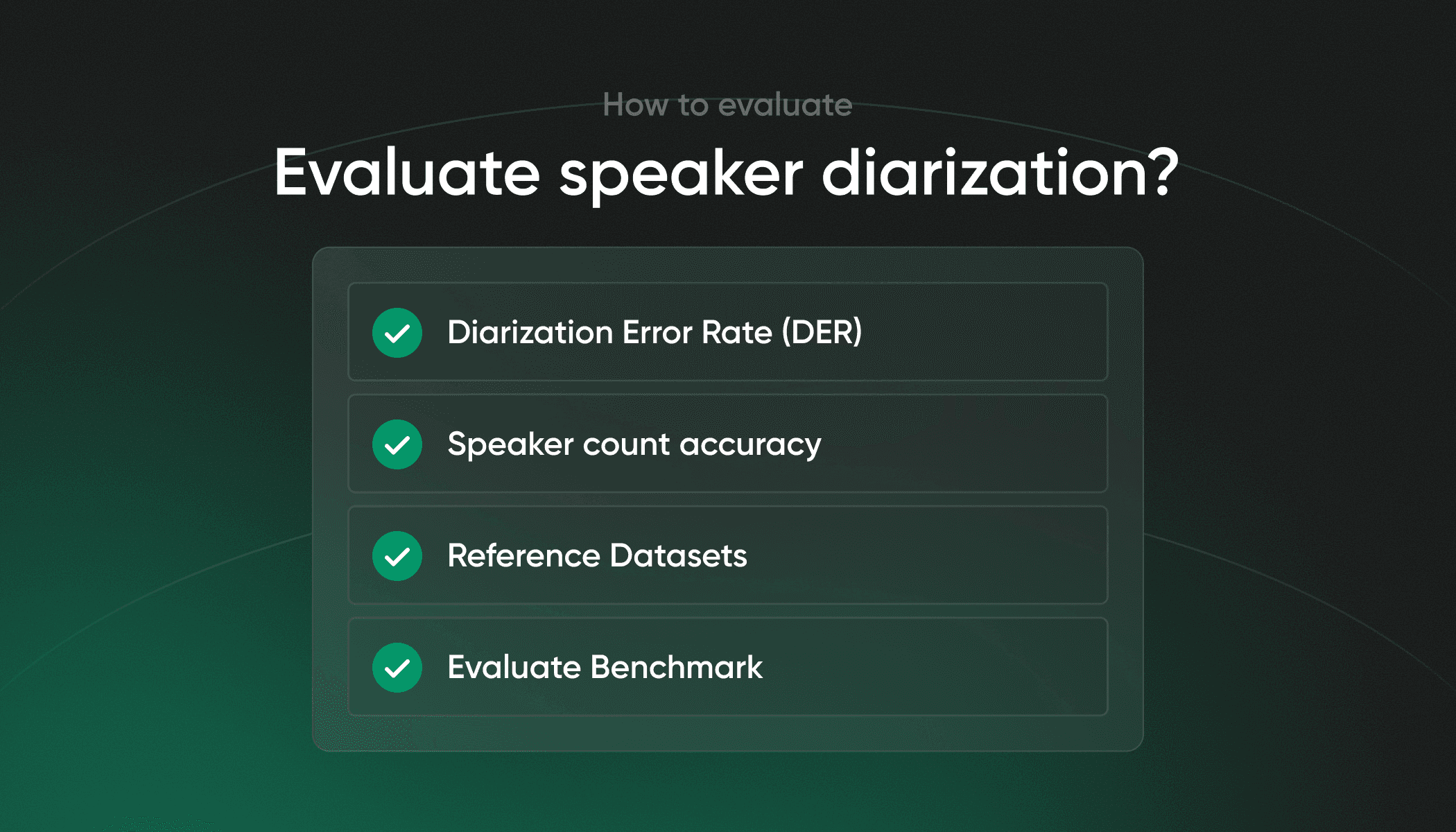
Diarization Error Rate (DER) measures how accurately a system assigns each word to the correct speaker. It is calculated as the sum of missed speech, false alarms, and speaker confusion, divided by total reference speech time. Industry benchmarks on multi-speaker meeting recordings from sources such as the NIST Rich Transcription evaluations show DER figures of 15-30% on overlapping or telephone-quality audio, meaning that in a four-person panel, up to three words in ten may be assigned to the wrong speaker.
Vendors almost never publish DER alongside WER. The result is that a transcript can look accurate on a per-word basis while being structurally unusable: sentences split mid-thought across the wrong speakers, action items attributed to the wrong person, and a cleanup burden that researchers in qualitative interview work consistently describe as worse than retyping from scratch.
4. Non-Linear Audio Quality Collapse - Why Accuracy Doesn't Degrade Smoothly and Some Files Need a Full Rewrite
Accuracy does not slide downward smoothly as conditions worsen. It holds, then breaks.
Research on ASR robustness shows a threshold effect: models maintain near-benchmark accuracy until signal degradation crosses a critical point, at which the acoustic model loses its footing and error rate spikes sharply rather than climbing in proportion to the added noise. The practical consequence is that a file that sounds "a bit rough" to a human ear may sit just past that threshold, returning a transcript that needs a full rewrite rather than light editing. Most solo transcribers only discover this after they have already uploaded, waited, and opened the result.
Cockatoo's Pro plan removes the file length ceiling entirely. There is no hard file length or size cap, and multi-hour files are supported. Upload any audio or video file and get an editable transcript back. Speaker recognition with a settable speaker count; renaming a speaker updates every line.
Word-level timestamps, with paragraph, sentence, and speaker-turn export options; punctuation and capitalisation applied automatically. Clean-verbatim style by default; no noise reduction is applied to uploads. Accuracy evidence lives on the published benchmarks page (per-language FLEURS + real-world results for 30 languages) rather than a bare percentage.
V4-Pro adds a dynamic custom vocabulary that remembers edits across transcripts, and a true-verbatim setting that keeps ums and false starts. That matters here because longer recordings, which are statistically more likely to contain variable acoustic conditions throughout, are the files most likely to hit the non-linear collapse point partway through. Being able to upload without truncating the file means the model sees the full context rather than a clipped version that may start or end mid-sentence.
5. Overlapping Speech and Crosstalk - How Simultaneous Voices Destroy Signal Integrity at the Source

When two speakers talk at the same time, the problem is not a software limitation. It is a physics problem. The microphone receives a single mixed waveform, and no model can perfectly separate two voices that occupy the same frequency space at the same moment. A panel recording with four overlapping voices where diarization splits sentences mid-thought across the wrong speakers fails because the signal integrity was destroyed at the source.
Crosstalk in call recordings and video conferences is especially damaging because compression codecs used in those pipelines further degrade the overlapping segments, leaving the model with an already-degraded input before accuracy factors affecting transcription even come into play.
For video recordings with overlapping speech, the downstream need is often a published caption or subtitle file rather than a transcript for editing. Cockatoo supports video captioning and subtitle export, and PDF, DOCX, TXT, SRT; bulk export is supported on the Pro plan, so the corrected output can be delivered directly to the video rather than requiring a separate conversion.
6. Domain-Specific Vocabulary and Technical Jargon - The Lexical Gap That Inflates Word Error Rate on Specialist Recordings
General-purpose ASR models are optimized for everyday vocabulary and struggle with medical, legal, scientific, or industry-specific terminology. When a speaker uses domain jargon, the model substitutes the nearest phonetically similar common word, producing errors that are harder to catch on review because they read as plausible. For professionals transcribing specialist content, this lexical gap is a consistent and underreported driver of transcription accuracy loss that clean-audio WER scores completely obscure.
What Good Transcription Accuracy Actually Looks Like Across Different Use Cases
Accuracy requirements are not a single bar. The threshold that makes a personal voice note perfectly usable would get a compliance officer fired. The accuracy level a transcription tool must actually deliver scales with how catastrophically a single wrong word can cascade downstream, so the vendor's headline figure is actively misleading for some users.
One underappreciated trap: standard Word Error Rate metrics can lie by omission. A tool that silently drops crosstalk, skipping over overlapping speakers rather than attempting to transcribe them, will post a lower WER than a tool that tries and occasionally mangles those exchanges. The first tool looks more accurate on paper while delivering less of your actual meeting.
1. 80-90% Accuracy - The Acceptable Floor for Casual Notes and Personal Dictation
Casual notes and personal dictation tolerate 80-90% accuracy because the cost of a missed word is low and correction is fast. A grocery list with two garbled items is a minor annoyance. Practitioners who use voice-to-text for personal knowledge management consistently find that fixing a few errors per paragraph does not erase the time saved on capture. The real limit here is cognitive load, not precision.
Even at this tier, a subtle reliability problem trips up many users: an initial period of high performance followed by an unexplained drop in accuracy. When that happens, the instinct is to assume the audio quality changed, when the real cause is often that the mode or processing path shifted. Cockatoo's benchmarks page publishes per-language coverage by transcription mode so you can verify which mode fits your audio type before committing to a workflow, rather than discovering the mismatch after the drop.
2. 95%+ Accuracy - The Minimum Standard for Business Meetings, Podcasts, and Media Captions
Business meetings, podcast transcripts, and video captions sit in a different tier. A 4% word error rate sounds small until it mangles a client's name, drops a budget figure, or misattributes an action item to the wrong person. A marketing team captioning social videos can tolerate a 4% WER; a team producing a compliance training video cannot. At this tier, proper nouns and numbers are the first casualties of degraded accuracy, and those are exactly the words that drive decisions.
The correction workflow matters as much as the initial accuracy. Cockatoo's Canvas (AI notes editor) is built for exactly this pass: once the AI transcript is in, Canvas lets you catch misread names and fix action item assignments without reprocessing the file. For meeting recordings specifically, the summarisation layer compounds the value. Rather than re-reading a full hour to verify every action item, you can work from a summary of what actually needs acting on, then drop into Canvas only for the targeted corrections. That two-step workflow keeps business-tier accuracy achievable without paying a human transcriptionist on every file.
For teams captioning video content, encrypted cloud storage and large-file transfer are bundled into the subscription: 2 GB and 10 GB/month of transfers on Free, 2 TB and unlimited transfers on Pro, 2 TB per person on Team. This broadens Cockatoo past transcription into a WeTransfer-style utility.
3. 99%+ Accuracy - The Non-Negotiable Threshold for Legal, Medical, and Compliance Transcription
Legal, medical, and compliance transcription require 99%+ accuracy with no meaningful exceptions. A single transposed or misheard word can alter meaning, introduce liability, or cause a transcript to fail a regulatory audit. Industry research puts it plainly: a single inaccurate word can alter the meaning of a diagnosis, treatment plan, or medication instruction. At this tier, most AI tools cannot guarantee the threshold on real-world audio, and the gap between a vendor's headline number and actual field performance is where liability lives.

The WER measurement problem is sharpest here. If a tool silently omits a specialist's crosstalk during a multi-clinician discussion, the resulting transcript may score well on error rate while missing clinically significant content entirely, a worse outcome than a transcript that attempted the passage and flagged uncertainty. Knowing how a tool handles overlapping speech, not just its aggregate accuracy score, is essential before trusting it on high-stakes recordings.
4. Human Transcription at 99%+: The Benchmark AI Must Be Measured Against
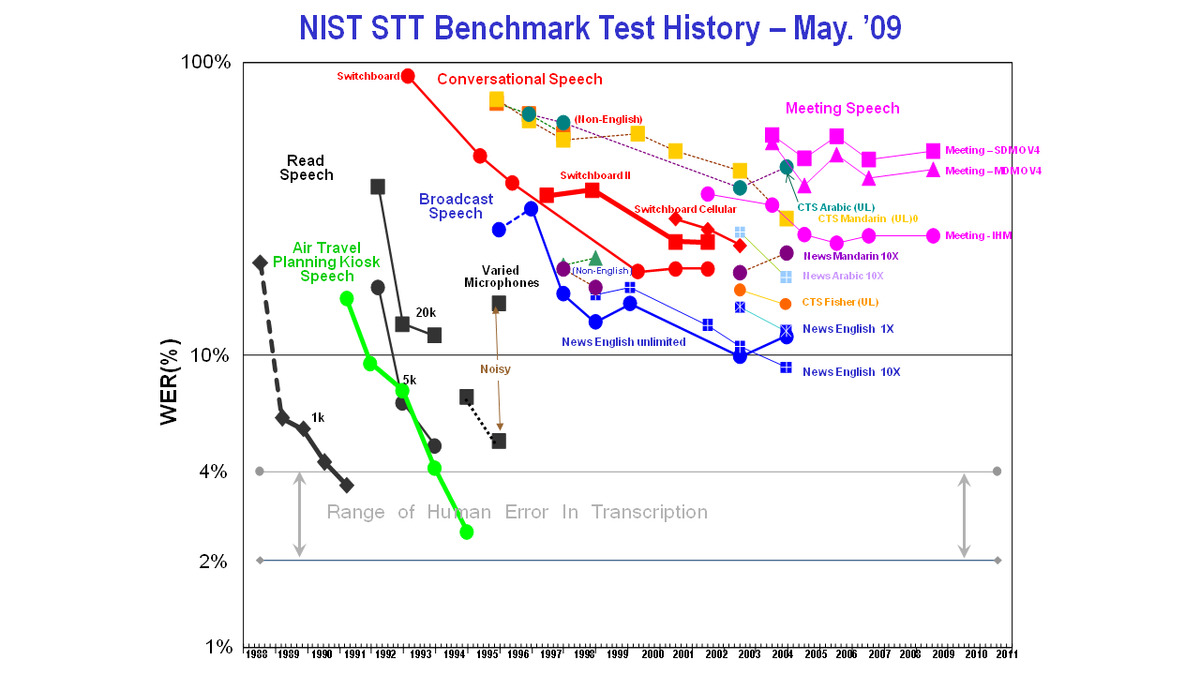
Skilled human transcriptionists consistently achieve 99%+ accuracy because they re-listen, infer context, and adapt to accents in ways a statistical model cannot. That is the benchmark AI is measured against, and on clean studio audio the gap has narrowed significantly. On accented, noisy, or multi-speaker recordings, the gap widens in ways users cannot predict in advance. Human transcription is the right call when the recording is genuinely high-stakes and audio conditions are poor; it is overkill for a first-draft business meeting summary.
The practical question for most prosumers and small businesses is whether the tool they are evaluating is benchmarked on audio that resembles their actual recordings. Cockatoo addresses the middle tier directly: AI output works immediately for casual notes and meeting drafts, and the Canvas (AI notes editor) handles the business-tier correction pass, getting names, numbers, and action items right without a human transcriptionist on every file. The summarisation capability means long recordings can be condensed to what actually needs acting on, so the correction pass is scoped and fast rather than open-ended.
Users can verify this entire workflow against their own files using the free plan, three transcripts per day, up to 30 minutes each, no credit card required, with Canvas included, before committing to a paid tier. Pro removes the daily cap entirely, with truly unlimited transcription on standard modes and no hard file-length limit, making it practical to run multi-hour recordings through the same AI-plus-Canvas workflow at scale.
Knowing your threshold is only half the equation. The harder question is whether any AI tool, including the ones quoting 99% on their homepage, actually clears that bar on the accented, noisy, domain-specific audio sitting in your recordings folder. That is exactly what the next section measures.
Related Reading
- Best Transcription Software
- Turboscribe Pricing
- Local AI Transcription
- How To Transcribe A Video
- Multilingual Transcription
- Offline AI Transcription
How AI Transcription Accuracy Compares to Human Transcription on the Audio You Actually Have
The choice between AI and human transcription looks like a quality debate, but it is really a conditions debate.

On Clean Audio AI Nearly Matches Human Transcriptionists
According to VexaScribe's benchmark analysis, top AI engines match or exceed the average human transcriber at roughly 4-5% WER on clean, single-speaker English recordings. A 60-minute interview returning at 3% WER takes about 15 minutes to review, and the performance spread between the best and worst major AI engines sits at roughly 3-5 WER points.
One underappreciated implication: on clean video material, a lecture, a product demo, a recorded webinar, AI accuracy is high enough that Cockatoo can generate publish-ready captions and subtitle exports in minutes.
The Gap Widens on Real-World Audio Because Humans Infer While AI Guesses
On real-world recordings, the picture shifts. VexaScribe's analysis found that on meetings, phone calls, and accented speech, AI trails skilled human transcriptionists by 2-5% WER. An AI model pattern-matches against training data, and when the audio falls outside that distribution, accuracy drops steeply and unpredictably, whereas human transcriptionists infer meaning from context. Human production of a transcript does not make it accurate; it makes it authored, with all the selective attention and inference that implies.
Correction Time Is the Hidden Cost That Erases AI's Speed Advantage on Difficult Audio
A 60-minute interview with two non-native speakers and audible background noise can return from AI at 14% WER.
Cockatoo's Canvas AI notes editor is built for exactly this: rather than line-editing a long transcript word by word, you use it to summarise the recording down to what actually needs acting on.
How to Improve Transcription Accuracy Before You Upload a Single File
A recording made in a noisy room hands every transcription engine a problem it cannot fully solve. The tool receives what the microphone captured; it cannot reconstruct speech information that was never cleanly recorded in the first place. That is why the single highest-leverage accuracy improvement available to any user is a hardware and environment decision made before recording, not a software setting toggled at upload.
Most people assume the fix is a better tool. The real fix is better source audio. Here are six concrete steps that move the needle.
1. Upgrade Your Microphone Before You Touch Any Software Setting
The Journal of Electrical and Electronic Engineering confirms that cardioid microphones outperform omnidirectional designs in noisy environments by attenuating sounds arriving from the sides and rear, preserving the voice signal in front. A $50 USB condenser mic pointed directly at the speaker gives any transcription engine a cleaner signal than a laptop mic ever can. Spending money on a higher subscription tier while recording on built-in hardware optimizes the wrong end of the pipeline.
2. Record in a Quiet Room to Eliminate the Largest Accuracy Killer

An air conditioner, a street outside, or a running fan compounds into errors across a full recording. Close doors, turn off anything that hums, and record away from windows. The quieter the room, the more speech information the microphone captures, and the less the engine has to guess.
3. Mute Notifications and Silence Devices Before Every Recording Session
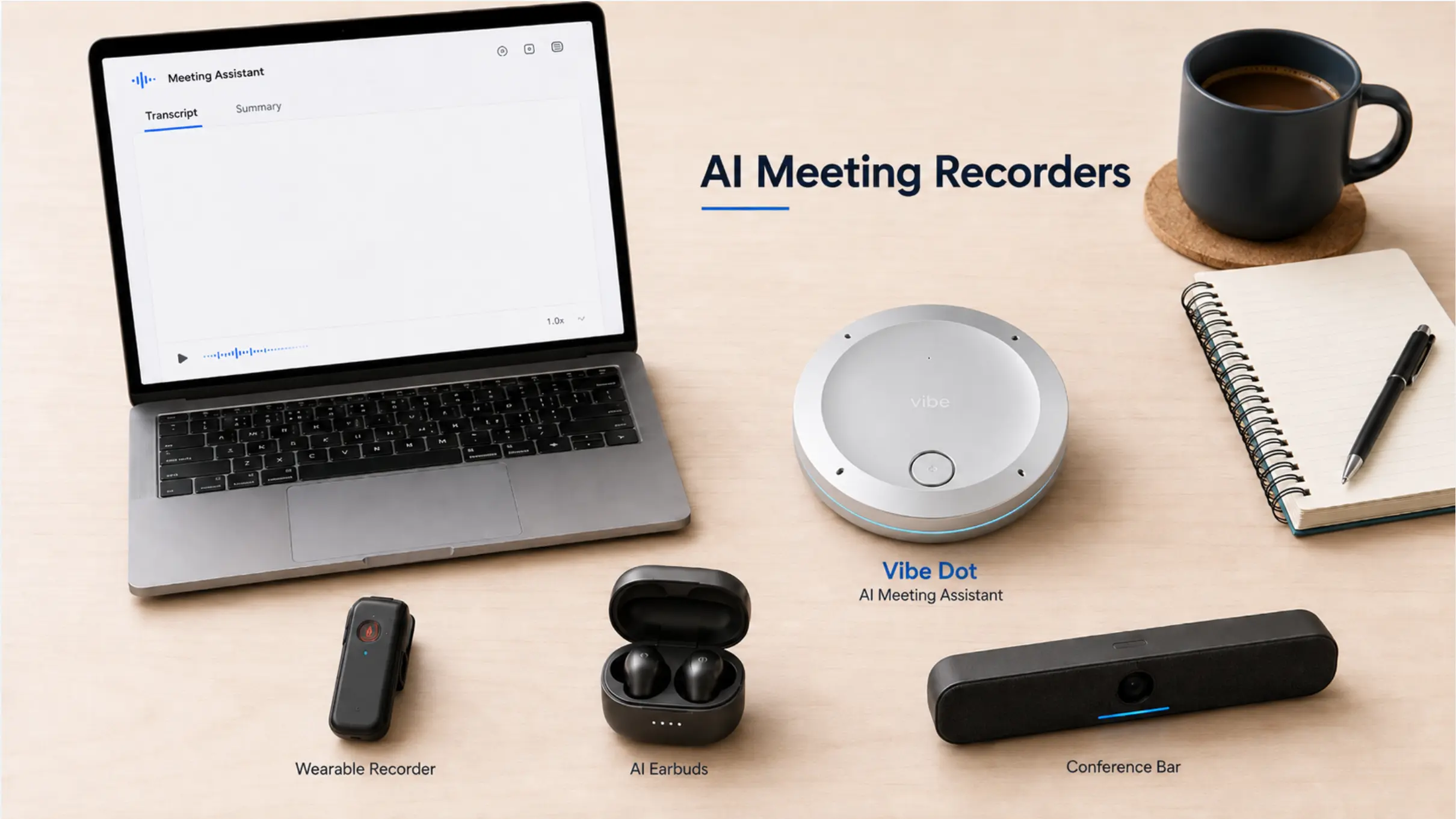
Notification chimes are short, but their impact is disproportionate. A single alert sound overlapping a spoken word can corrupt that word entirely, because the engine loses its confidence anchor at exactly that moment and the surrounding words often suffer too. Put phones on silent, close browser tabs that auto-play audio, and disable system sounds on every computer in the room before you press record. This costs thirty seconds of setup and routinely saves minutes of correction.
4. Avoid Phone Speakers and Built-In Laptop Microphones for Any Serious Recording
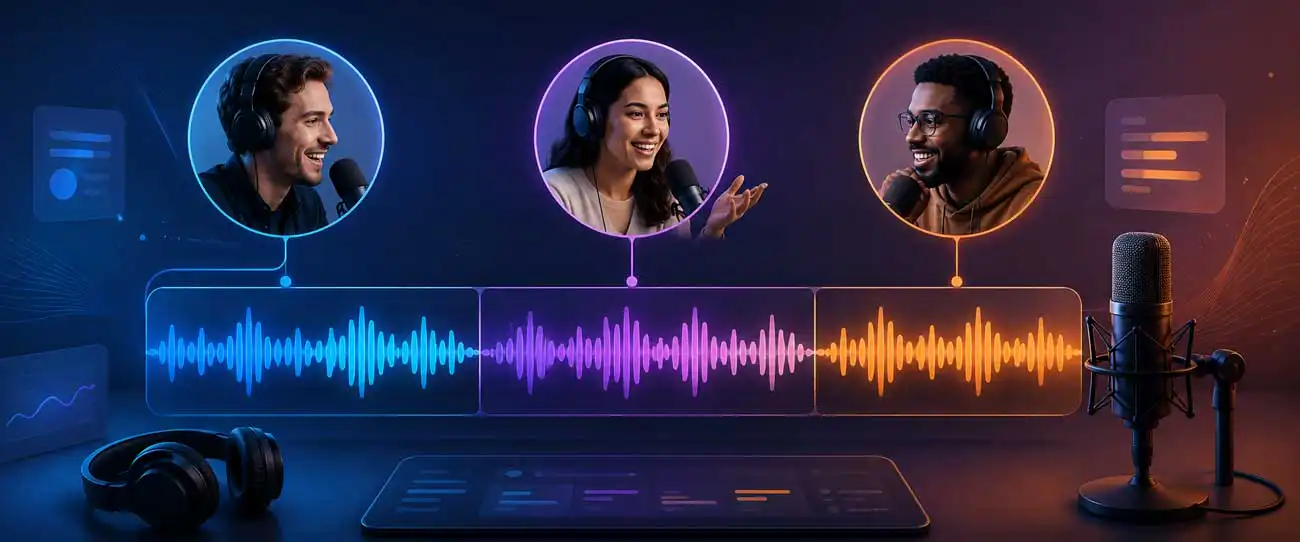
Phone call audio processed through a narrow-band codec captures a compressed frequency range that strips out acoustic detail the engine relies on to distinguish similar-sounding words. Built-in laptop microphones share the same problem: they are omnidirectional and positioned far from the speaker's mouth, so they capture the room as readily as the voice. Both are acceptable for casual notes where minor errors are low-stakes. For any recording where names, figures, or decisions matter, neither is a reliable capture device.
5. Set Accuracy Expectations Before Accepting Field Recordings or Phone Call Audio
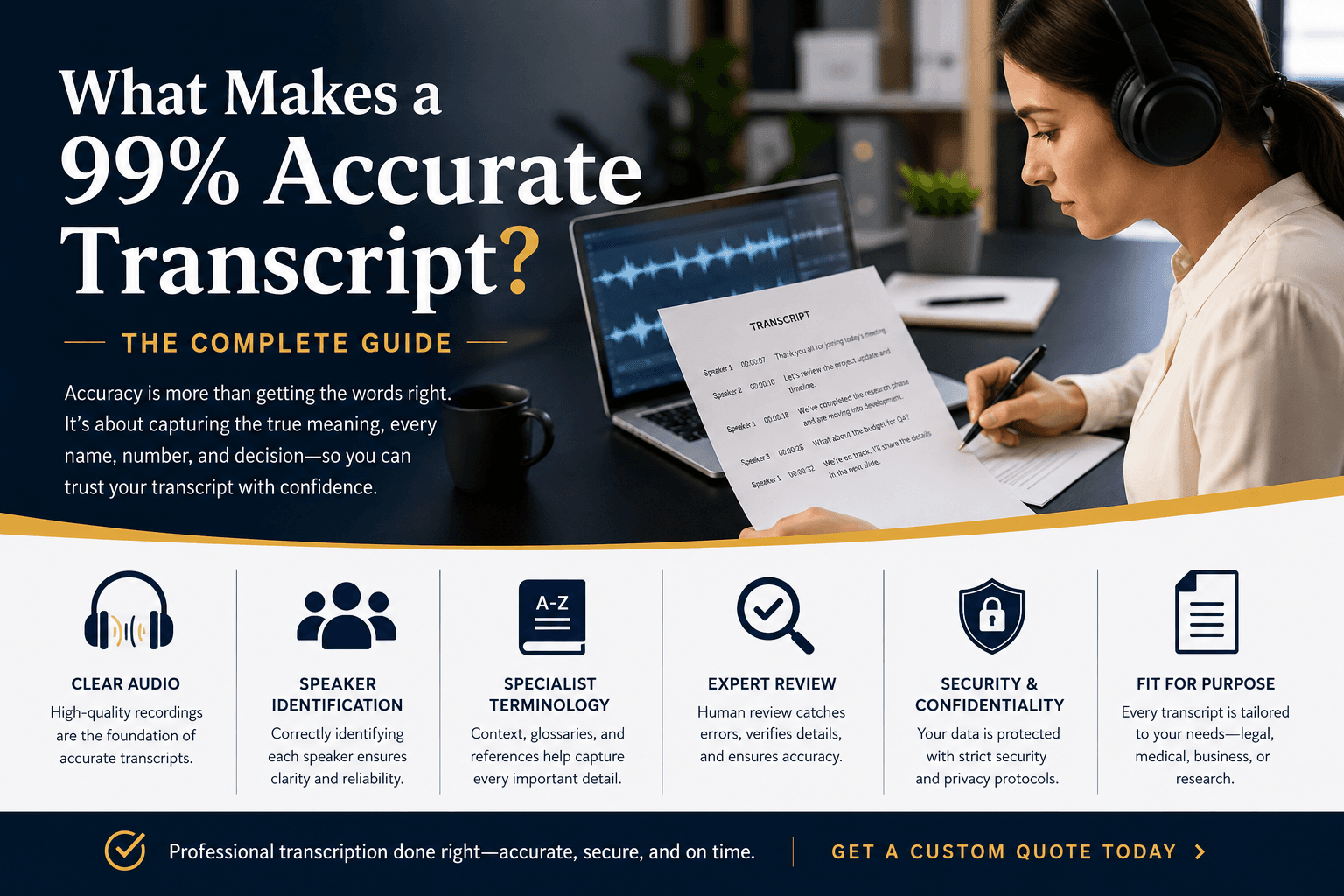
If someone sends you a recording they made on a phone in a busy café, the accuracy ceiling is already set before you upload it. No engine, and no amount of post-upload adjustment, recovers speech information that was never captured cleanly. Before accepting a file from a client or colleague, ask one question: was it recorded close to the speaker in a quiet space? If the answer is no, flag it upfront. Correcting a bad transcript takes far longer than resetting expectations before the work begins.
6. Audit Older and Archival Recordings for Quality Before Committing to Transcription
Legacy recordings carry artifacts, tape hiss, codec noise, bandwidth compression, that modern AI engines handle differently from human transcribers. A human re-listens and infers from context; an engine outputs its best statistical guess and moves on, so errors cluster silently around degraded passages. Before uploading an archival file, play back thirty seconds and listen for hiss, clipping, or echo. If the playback sounds rough to your ear, it will read worse in the transcript. Re-recording a short segment where possible, or flagging the degraded sections before upload, costs minutes and saves a full rewrite.
The Only Accuracy Number Worth Trusting Is One You Can Verify Yourself
Word Error Rate percentages published by vendors are typically measured against clean, studio-recorded English speech, conditions that bear little resemblance to the degraded, multilingual, or domain-specific audio most organizations actually work with. Meaningful benchmarks name the test set, specify the language and accent distribution, and break performance down by audio quality tier rather than collapsing everything into one optimistic average.
"Users cannot independently verify the '40% better accuracy' or 'much better accuracy' claims made by TranscribeX; there is no benchmark, test file, or methodology provided that anyone can replicate themselves."
— what we hear from transcription software users

The Google FLEURS benchmark covers real recorded speech across 102 languages in standardized conditions, making it a reproducible external reference any user can cross-check. FLEURS publishes language-specific evaluation splits, so a per-language word error rate on FLEURS is a verifiable claim, not a number the vendor selected under favorable conditions.
A model that performs well on majority-accent English can return significantly higher error rates on Indonesian, Assamese, or French without the headline number moving at all. Auditable accuracy requires three things together: a named benchmark (FLEURS qualifies), per-language breakdowns rather than a blended figure, and test audio that reflects real-world recording conditions.
Why the Accuracy-vs.-Affordability Tradeoff Is an API Reseller Problem, Not a Law of Physics
Accuracy improvements cost margin, so there is no structural incentive to invest in them.
Cockatoo runs its own in-house inference engine across 30 languages with per-language benchmarks tested on FLEURS and real-world audio. A solo operator transcribing 40 hours of interview audio per month would hit a competitor's "unlimited" ceiling in 18 months; on Cockatoo Pro there is no ceiling, a distinction verifiable by reviewing competitor fair-use policies directly against Cockatoo's published plan terms. One honest limitation: Cockatoo's in-house model covers a deliberate set of languages rather than every language.
How to Run a Five-Minute Verification Test Before You Subscribe to Anything
Count the errors against what was actually said. A vendor's benchmark on FLEURS tells you the floor; your own clip tells you the reality. An external benchmark plus a real-file trial together eliminate the information asymmetry a vendor's self-reported figure leaves in place.
Related Reading
- Best Transcription App
- Descript Vs Otter
- Fireflies Vs Otter
- Trint Vs Rev
- Happy Scribe Vs Rev
- Otter.AI Competitors
Next steps
If your recordings keep coming back with transcripts that take longer to fix than to retype, the path forward starts with recognizing that the headline accuracy figure was never measured on audio like yours. Start with our transcription software.
The audio quality impact on accuracy dwarfs any engine difference, and the gap between the best and worst AI tools on real-world recordings shrinks to 3 to 5 WER points, a margin that recording conditions alone can swing by a larger margin. That means choosing a "more accurate" tool without first testing it on your own files is optimizing the wrong variable. At the same time, a vendor who publishes per-language results on a standardized external dataset and lets you test on your own audio before paying has structurally removed the information asymmetry that makes accuracy claims unverifiable by design.
Those two conditions together, external benchmark plus real-file trial, are the only combination that lets you audit the claim rather than trust it. Together, they point to one obvious next step: run your own audio through a tool that publishes both.
Start with transcription software that publishes per-language FLEURS benchmarks and requires no credit card to test. Upload a real clip from your own recordings, compare the result against the published figures for your language, and you have the only accuracy number that ever transfers to production conditions.
Frequently Asked Questions
What does a 95% accuracy rate actually mean for my transcript in practice?
A 95% accuracy rate means roughly 25 errors in every 500-word transcript, enough to misname a client, corrupt a figure, or drop a key action item entirely. On real recordings with background noise, accents, or multiple speakers, accuracy routinely falls further, into the 85 to 92% range, where that same transcript can carry 75 errors and need a full rewrite rather than light editing.
Why do vendors advertise 98% or 99% accuracy when my transcripts come back full of mistakes?
Vendors benchmark their tools against clean, studio-quality, single-speaker audio, datasets like LibriSpeech with professional microphones, no background noise, and no accent variation, and are not required to disclose those test conditions. Your interview, call recording, or meeting recording almost certainly does not match those conditions, so the headline figure simply was not measured on audio like yours.
How bad does overlapping speech actually get for transcription tools?
When two speakers talk at the same time, the microphone captures a single mixed waveform that no model can perfectly separate, because the voices occupy the same frequency space simultaneously, it is a physics problem, not a software one. Beyond the word errors this causes, industry benchmarks on multi-speaker meeting recordings show Diarization Error Rates of 15-30% on overlapping or telephone-quality audio, meaning up to three words in ten may be assigned to the wrong speaker in a four-person panel.
Is Word Error Rate the same thing as the accuracy percentage shown on a vendor's homepage?
Yes, the accuracy percentage is just WER inverted. WER is calculated as (Substitutions + Deletions + Insertions) divided by the total word count in a reference transcript, so a 5% WER becomes a claimed 95% accuracy. Every error type counts equally in the formula, which means a deletion that drops the word "not" from "do not proceed" costs the same as a trivial spelling slip, and errors cluster around the hardest moments, accented speech, overlapping voices, and domain-specific terms, rather than spreading evenly across the transcript.
Does my recording have to get really bad before accuracy collapses, or does it slide gradually?
Accuracy does not slide downward smoothly, it holds near benchmark levels and then breaks sharply once signal degradation crosses a critical threshold. Research on ASR robustness shows this threshold effect means a file that sounds only "a bit rough" to a human ear may already be past the point where error rate spikes dramatically, returning a transcript that needs a full rewrite rather than light editing.