Trint Vs Rev: What Users Really Think in 2026

Most Trint vs Rev comparisons were written for editorial teams with budgets. If you are one person with one recording and a deadline, here is what those reviews never told you.
Searching "Trint vs Rev" returns dozens of comparison articles, all built on the same assumption: that you have a team, a recurring budget, and a procurement process. If you're one person who needs a recording turned into a clean Word file before the end of the day, those articles were never written for you. The Gap in Existing Comparisons That gap is where the real problem lives.
The articles that rank for this query score features that matter to editorial teams: live collaboration, Adobe Premiere integration, role-based permissions. A solo user at a small business needs none of that. See our transcription software for how this works in practice.

They need honest accuracy data for their specific audio and a price that does not require budget approval. Neither question gets answered, so the reader opens another tab. Both make broad accuracy claims, but no breakdown by language, accent, or audio condition appears anywhere in their public documentation. A user uploading a noisy interview recorded in a second language has no way to verify whether the claimed accuracy holds for their file.
Post-transcription cleanup on an inaccurate file can consume more time than typing the recording from scratch. Cockatoo publishes per-language FLEURS benchmarks covering 30 languages, making it the first option in this comparison where the accuracy claim can actually be checked before a buyer commits. Before you can judge which tool wins, you need to understand who each tool was actually built for, because the answer changes everything about how their features, pricing, and accuracy claims should be read.
Key takeaways
-
Trint and Rev were built for broadcast teams and enterprise legal workflows, solo users pay enterprise prices for features they will never open.
-
Neither platform publishes accuracy data broken down by language, audio quality, or speaker count, so the percentage on their marketing pages describes conditions that may not match your recording.
-
Rev's pay-as-you-go pricing sounds low until a long interview or a tight month makes the per-minute cost add up faster than a flat subscription would.
-
Trint's flat monthly fee only makes financial sense at a volume most individual users never reach, and the annual billing lock-in punishes anyone whose workload is irregular.
-
The second half of the transcription job, formatting, exporting, translating, publishing, is where both tools quietly hand the problem back to you.
-
Data-handling policies on both platforms sit in documentation users rarely read before uploading a confidential client call.
-
Cockatoo closes the gap: upload any audio or video file and get an editable transcript with speaker recognition, word-level timestamps, and automatic punctuation, and verify the accuracy claim yourself on its published benchmarks page, which breaks results down per language across 30 languages rather than printing a bare percentage.
What Trint and Rev Actually Offer and Who Each Tool Is Really Built For
The common assumption is that Trint and Rev are the two serious options for accurate transcription, so the decision is just which one fits your workflow. That framing, however, skips over a meaningful question: whether either tool was actually built for you.

Trint Is a Newsroom Tool Wearing a General Transcription Label
Trint is built for journalists and editorial teams. According to an industry data 2024 platform review, Trint's differentiating features include Story Builder, which lets journalists pull highlights and quotes from multiple interview files into a single rough script, Vocab Builder for custom terminology, and Trint Live for real-time transcription of press conferences and broadcast events. Those features reflect a newsroom context, and users outside that context will find they are paying for infrastructure that does not map to their work.
Trint is AI-only, with no human transcription tier at any price point. For a newsroom audience that needs turnaround in minutes, that is a genuine advantage, no routing delay, no queue. For a professional who needs guaranteed-accuracy output for a sensitive recording, the absence of a human-verified option is a real structural gap worth naming before choosing a plan.
Rev's Human Transcription Tier and Meeting Integrations Signal Its Real ICP
Rev's design choices point clearly toward legal, medical, and enterprise teams that cannot afford transcription errors. Softwr's 2024 analysis notes that Rev's human transcription service targets exactly those high-stakes professional environments, with integrations for Zoom and Microsoft Teams that assume a meeting-heavy, team-based workflow. That infrastructure is genuinely useful if you operate inside it, but it also signals who Rev is optimizing for. The trade-off is cost: at $1.50-$1.99 per minute, a one-hour interview runs $90-$120 before any subscription fee, a price point that makes sense when accuracy is non-negotiable, but that is hard to absorb routinely on a solo budget.
The Individual Prosumer Is an Afterthought in Both Product Roadmaps
Both tools are built around team contexts, which means their pricing tiers, feature sets, and support assumptions all reflect organizational buyers rather than individuals. As Softwr's review puts it directly, neither Trint nor Rev is structured around the prosumer reality of a single employee working without a team budget or IT approval process.
Two struggles come up again and again for people in this position:
-
The first is sitting through a long recording just to surface the two or three things that actually need acting on.
-
Trint's Story Builder was built for editorial teams assembling scripts, not for a solo professional who needs a concise summary of a supplier call.
-
The second is working across languages: when the interface, the transcript, and the output all need to be usable in something other than English, neither Trint nor Rev makes that feel like a first-class workflow.
Where Trint assumes a Story Builder workflow and Rev assumes a Zoom-connected team, Cockatoo is built around a single file and a deadline. That focus shapes the feature set in practical ways. Canvas, Cockatoo's AI notes editor, is included on every plan including the self-serve free tier, which means you can go straight from a raw transcript to a condensed, actionable summary without switching tools.
For files that cross a language boundary, Cockatoo translates PDF, DOCX, PPTX, XLSX, and TXT files between languages while keeping the document usable; scanned PDFs and photos are supported via OCR (formatting less precise). Translated PDFs come back as PDF, with an in-app preview before download. The free tier adds a watermark and a 1-page limit; paid plans have neither.
A glossary / do-not-translate list and side-by-side bilingual output are planned; translating into several languages at once is not yet supported. The current feature set already covers the core cross-language use case for most solo workflows.
For anyone who wants to test that workflow before committing, Cockatoo's free tier requires no credit card and covers three transcripts per day at up to 30 minutes each, with all export types available and files kept until you delete them.
Transcription Accuracy and Reliability Neither Platform Wants You to Benchmark
When a platform prints "95%+ accuracy" on its marketing page with no test conditions, no language breakdown, and no audio quality threshold attached, that number describes an ideal that may have nothing to do with your recording, your speakers, or your language.

Rev's Accuracy Claims - AI vs. Human
Rev's AI transcription is claimed at 95%+ for automated speech recognition, with human transcription claimed at 99%+, but no per-language breakdown or independent benchmark is published to verify either figure. According to Zygris's 2025 tool profile, Rev states 95%+ AI accuracy but publishes no methodology alongside that claim.
Trint's Accuracy Range and Error Count Math
In QuizMitra's 2026 analysis, 85% accuracy on a 60-minute recording means a user may spend more time correcting errors than they would have spent typing the transcript from scratch. A typical hour of speech contains a substantial volume of words, and at 85% accuracy, a meaningful share of those words are wrong.
The 90% ceiling also assumes favorable conditions.
85%
accuracy means hours of error correction
The Missing Benchmark Is the Signal
The absence of per-language accuracy data is not an oversight; it is information. Industry research confirms that neither Trint nor Rev publishes per-language accuracy benchmarks, meaning buyers cannot make a data-driven accuracy comparison on the dimension that matters most. Research on word error rate across accented and non-native English speech consistently shows that AI transcription accuracy degrades significantly outside a model's training conditions, conditions neither platform discloses.
The absence of per-language accuracy data is not an oversight; it is information.
Pros and cons at a glance
| ✓ Pros | ✗ Cons |
|---|---|
| Human transcription claimed at 99%+ accuracy | No per-language breakdown or independent benchmark published |
| Human transcriptionists listen back and flag unclear audio | AI 95%+ claim has no disclosed test conditions or methodology |
| Human tier offers judgment automated models cannot replicate | Buyers with noisy audio or non-English files cannot verify applicability |
| Right call for high-stakes verbatim requirements | Hidden correction cost when file doesn't match ideal conditions |
For buyers who want to verify accuracy for their specific language before making any commitment, Cockatoo takes a different approach: a transcript comes back on the first upload, with no setup and no credit card required. The free tier, genuinely free with no credit card at sign-up, lets you run up to 3 files per day and see real results on your own audio before you spend a dollar. Cockatoo also publishes FLEURS-based per-language benchmarks so you can check coverage for your language in advance, not after the fact; §6 covers that data in full.
Pricing and Plan Limitations That Punish Solo Users Most
At $0.25 per minute for AI transcription and $1.50 to $1.99 per minute for human transcription, Rev's pay-as-you-go model looks like the flexible, low-commitment option for a solo user with occasional needs, but the real cost picture is more complicated once volume becomes unpredictable.

What Rev and Trint Actually Charge in 2026
Rev charges $0.25 per minute for AI transcription on a pay-as-you-go basis, working out to $15 per hour of audio (Speecho). Human transcription runs $1.50 to $1.99 per minute (Zygris). Rev's subscription entry point is $29.99 per month, which includes a free tier with limited monthly AI transcription minutes. Trint's starter plan sits at approximately $52 per month on annual billing, with file and minute caps a busy solo user can hit faster than expected.
| Plan | Price | Model | Free tier |
|---|---|---|---|
| Rev pay-as-you-go | $0.25/min AI; $1.50-$1.99/min human | Per minute | Limited monthly AI minutes |
| Rev subscription | $29.99/month | Flat monthly | Included in free tier |
| Trint starter | See current pricing page (annual billing) | Per seat, flat | Trial only, no ongoing free plan |
$1.50-$1.99
per minute for human transcription
Why the Per-Minute Model Punishes Irregular Users
Solo users with irregular transcription needs, freelance journalists covering multiple interviews in a given week, independent researchers with uneven project flow, are the exact profile per-minute pricing punishes most. Their volume is low on average but unpredictable in practice. A solo investigative journalist who hits three press conferences in one week and two in the next has no newsroom budget to absorb the compounding cost, and no team plan to spread it across. They pay for every minute of difficult audio twice: once in time, and once at that same figure to $1.99 per minute when the AI output is not clean enough to use (Zygris).
Key takeaway: Zygris's analysis notes the model "can be economical for low-volume users but becomes cost-unpredictable at scale." For a freelancer covering multiple interviews in a busy month, that unpredictability is a real bill, not a theoretical risk.
A solo user paying $29.99 per month can still find that human transcription, the accurate tier for difficult audio, costs extra per minute on top of the subscription fee. The flat rate does not flatten all the costs, and for a solo user with a heavy or uneven month, the two pricing layers can compound quickly.
The Seat-Count Assumption Baked Into Trint's Pricing
Trint's pricing makes structural sense for a newsroom where three or four people share a seat and use editorial workflow features like Story Builder daily. At Trint's per-seat monthly rate for one person, the math only works if you produce enough volume to justify it and use enough team-oriented features to make the premium worthwhile. Most solo users are paying for tools they will never open.
That gap is exactly where Cockatoo's transcription software takes a different position. Its free tier requires no credit card and lets a user transcribe up to three files per day, with exports to PDF, DOCX, TXT, SRT, and more, so a solo user can get a transcript into a Word or PDF file that someone else can edit without spending anything.
When volume grows, Cockatoo's Pro plan is built for one person: truly unlimited transcription on standard modes with no monthly hour cap, bulk export, and support for multi-hour files, all at a reduced annual rate compared to Rev's that same figure per month subscription entry point.
Speed, Workflow Integration and the Second Half of the Job Both Tools Leave Unfinished
That second half of the job is where most solo users quietly lose an hour they didn't budget for, and where per-minute pricing from services like Rev starts to compound into a real cost burden the moment your episodes run long.
"AI transcription tools (like Rev) deliver a fast first draft but leave the critical 'second half' of the job, verification, certification, and legal validation, entirely to the user, with no guardrails or warnings at point of use."
--- what we hear from legal and compliance professionals

Turnaround Time by Plan Tier
Rev's AI transcription runs close to real-time for most files; its human transcription carries a multi-hour-to-multi-day turnaround window that can stretch when demand is high. Trint's AI pipeline requires an explicit "Wait For Transcript" step before any downstream action can begin, a workflow pause that must be managed, not assumed away. For a solo user with a same-day deadline, the practical difference between Rev AI and Rev human is measured in half a workday.
Trint's Live Collaboration vs Rev's Share-and-Done Model
Trint provides live multi-user editing, quote-finding tools, and rough-cut features built for editorial teams. Rev's share-and-done model is less impressive on paper but more honest about what a solo user actually needs.
The Second Half of the Job
The core problem with both tools is architectural, not incidental: each one hands the user a text file and stops, treating transcription as the finished product when it is actually only the first half of the job. Because translation, reformatting, export, and filing are all left entirely to the user, the workflow gap is built into the design itself, not a missing feature that a future update might close. Trint treats translation as a separate, explicitly distinct action that must be triggered after transcription completes, not bundled into delivery. Export, filing, and caption-burning are all additional steps the user must initiate, in most cases on a second tool.
That assembly tax, opening a new tab, reformatting the file, finding a translator, compounds across a working week without ever appearing on a software invoice. It hits hardest when the output needs to cross a language boundary: a PDF, DOCX, PPTX, XLSX, or TXT file destined for a non-English reader, or a video that needs published captions in a second language. That is precisely the gap Cockatoo is designed to close.
Cockatoo keeps transcription, AI notes editing via Canvas, and export to Word, PDF, SRT, and TXT inside a single session, so the assembly tax never accrues in the first place.
Security and Data Protection Policies Users Rarely Check Before Uploading
Both Trint and Rev process audio on remote servers, and the policies governing what happens next sit in documentation that Insight7's April 2025 review describes as features users must actively seek out rather than defaults surfaced at the point of upload.

Pros and cons at a glance
| ✓ Pros | ✗ Cons |
|---|---|
| Automatic file deletion option available after processing | Automatic file deletion is not switched on by default |
| SOC 2 and GDPR certifications available | Users unaware of settings may leave audio on servers indefinitely |
| , | Deletion timeline requires reading documentation most users skip |
| , | Whether audio is used in model training requires reading policy docs |
| , | No IT team standing between the record button and the upload button |
That gap in default transparency has real consequences. According to the Utterly Blog's analysis of cloud transcription privacy, solo users and small-business employees routinely upload sensitive recordings without checking retention periods, encryption standards, or deletion rights.
Key takeaway: SOC 2 and GDPR certifications are designed to satisfy procurement teams, and the practical exposure for a solo user is higher than for a large enterprise because no legal review sits between them and the upload button.
Whether uploaded audio is used in model training is a question worth asking of any cloud transcription provider. Insight7's April 2025 review notes that the answer typically requires reading policy documentation most users skip, making it worth checking each platform's current privacy page directly before uploading sensitive files.
Cockatoo's published data handling policy addresses this directly, stating that support engineers access customer files only with explicit user permission, a commitment verified in Cockatoo's public privacy documentation, the kind of plain-language answer that Trint and Rev, according to that same review, make users actively seek out rather than surfacing at the point of upload. Every file is held in encrypted cloud storage and files remain in the account until the user chooses to delete them, rather than disappearing on a platform-defined schedule the user never agreed to. For anyone who wants to test that privacy posture before committing, Cockatoo's free tier requires no credit card: a transcript comes back on the first upload, with no setup, so the experience of how data is handled is verifiable before any payment decision is made.
Related Reading
-
Fireflies Vs Otter
-
Descript Vs Otter
-
Happy Scribe Vs Rev
-
Otter.ai Competitors
-
Best Transcription App
What the Best Trint Alternatives Get Right That Trint and Rev Both Miss
Most buyers comparing transcription tools never match the use case Trint and Rev were actually built for. Both platforms were designed around high-budget, high-volume workflows, broadcast media, legal discovery, and enterprise compliance, and the pricing, contract structures, and feature priorities reflect that origin. A tool designed from the ground up for the solo user, with a transparent per-language accuracy benchmark and a complete post-transcription workflow bundled in, is a better structural fit for the buyer this comparison article is actually written for.
1. Cockatoo - Truly Unlimited Transcription at $9.99/Month on Proprietary Infrastructure
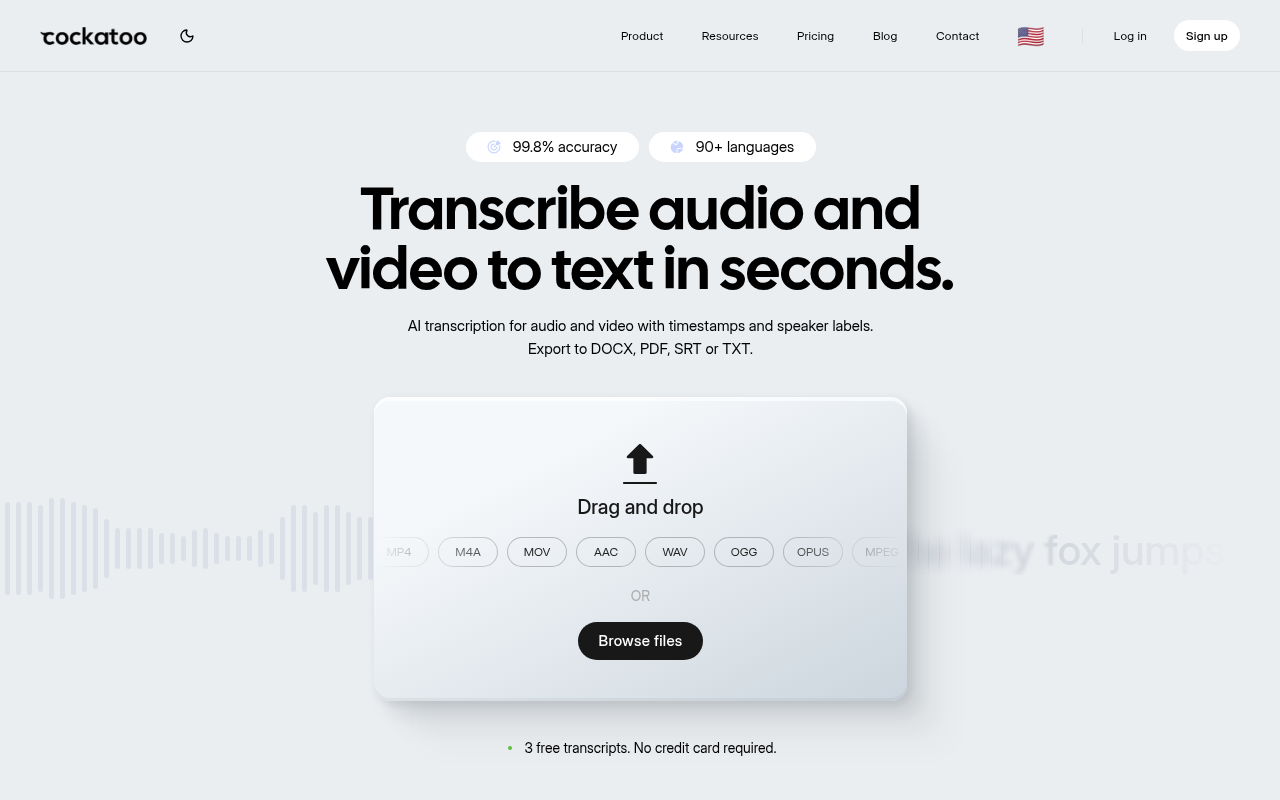
Cockatoo is the contrarian pick in any Trint vs Rev comparison: a single Pro plan at $9.99/month (annual) built on in-house inference infrastructure, not resold API calls, meaning there are no hidden throttles. Where competitors cap 'unlimited' tiers at 720 hours/month, Cockatoo can legitimately handle over a million hours on one plan. The real tradeoff is brand recognition; it lacks the enterprise sales motion of Trint or Rev.
2. Published Per-Language Accuracy Benchmarks Across 30 Languages (FLEURS + Real-World)
Neither Trint nor Rev publishes a per-language breakdown of their accuracy claims. Rev states "95%+ accuracy" and Trint lands somewhere in the 85-90% range, but neither shows you the methodology, the languages tested, or what happens with accented speech or noisy audio. That matters enormously if your recordings are not clean studio English.
Cockatoo's benchmarks page publishes per-language accuracy results across 30 languages using both FLEURS, the standard multilingual evaluation dataset, and real-world internal recordings. FLEURS is the credible standard here because it covers diverse speakers and acoustic conditions rather than curated clean audio. You can check the specific language you need before you pay anything.
3. One-Tool Workflow - Transcription, AI Translation, Diarization, and Multi-Format Export Included
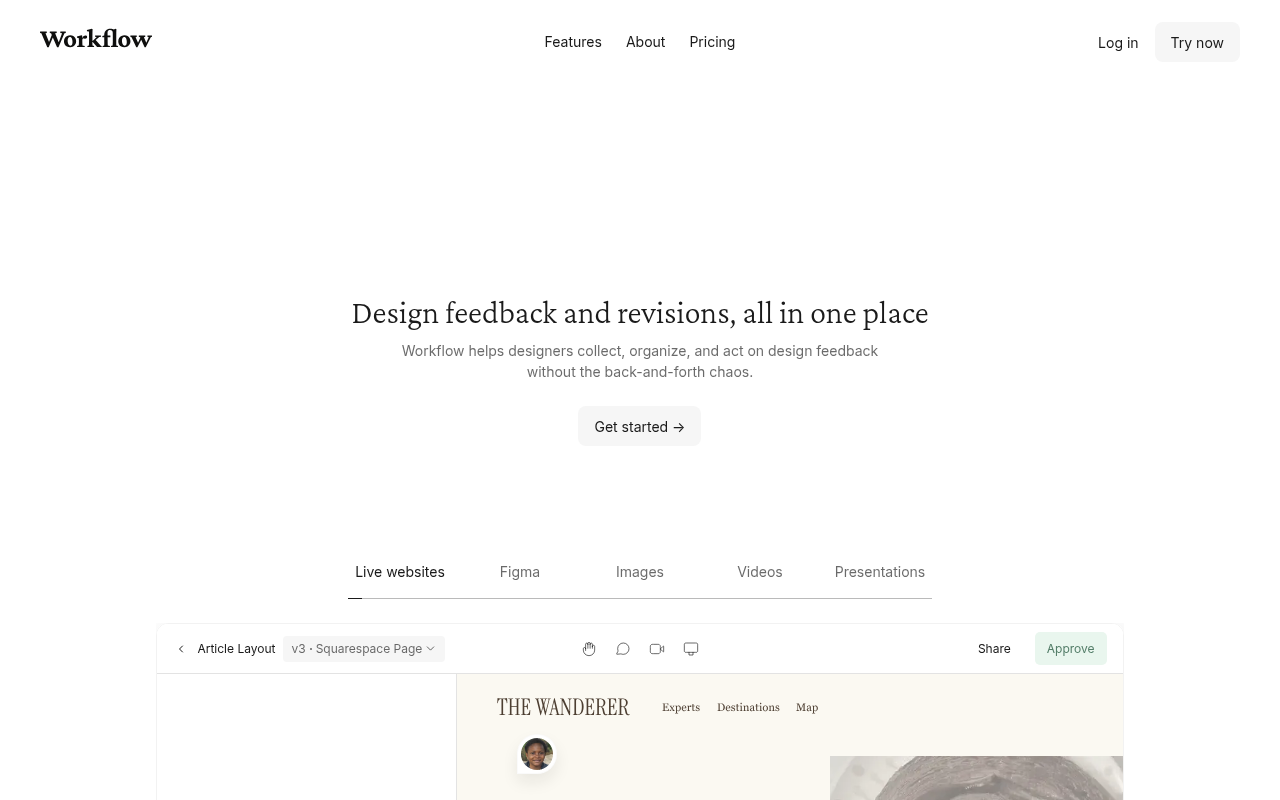
Anyone who has cleaned up a transcript knows the job does not end when the text arrives. You still need speaker labels, timestamps, an export format your colleague can open, and sometimes a translation. On most platforms, that second half of the job means a second tool and a second invoice.
Cockatoo bundles AI document translation, speaker diarization, word-level timestamps, and export in PDF, DOCX, TXT, and SRT formats into the same plan, with no add-on pricing. The in-browser transcript editor lets you rename a speaker once and update every line instantly, a workflow step that reduces post-transcription cleanup time compared with tools that require per-line edits. That is the complete workflow, not a feature checklist for a team tier.
4. Individual-First Pricing That Scales Without Punishing Solo Users or Small Teams
Trint and Rev both structure pricing around seats or per-minute consumption that penalizes high-volume individual users, a researcher transcribing 200 hours of interviews, or a subtitler working across a full documentary series. Cockatoo's $9.99/month Pro plan is designed for exactly this profile: one person, unlimited volume, no overage anxiety. The limitation is that it lacks the team-management dashboards and role-based permissions that make Trint viable for larger editorial organizations.
Related Reading
-
Happy Scribe Alternatives
-
Sonix Alternatives
-
Turboscribe Alternatives
-
Trint Alternatives
-
Trint Vs Otter
Next steps
If your recordings don't match the clean studio English that Trint and Rev optimized for, and your budget doesn't match the team-tier pricing both platforms were built around, the path forward starts with choosing a tool whose accuracy claims you can actually verify before paying anything. Start with our transcription software.
Neither Trint nor Rev publishes per-language accuracy breakdowns, which means a buyer with accented speech or noisy audio accepts a marketing figure as a proxy for real-world performance and absorbs the correction cost when it falls short. And because both platforms are structurally priced for teams, a solo user ends up paying for seat-based economics or unpredictable per-minute rates that compound the moment volume grows. Those two gaps point to the same next step: test accuracy on your own audio, in your own language, before any subscription decision is made.
Start with transcription software that publishes per-language FLEURS benchmarks across 30 languages and lets you run three files a day on the free tier, no credit card required. You get a real result on your actual audio before you spend anything.
Frequently Asked Questions
Why do people switch away from Trint?
Solo users and small teams often find they're paying for features they never open, Story Builder, Trint Live, Adobe Premiere integration, that were built for newsrooms and editorial workflows, not for an individual who just needs a clean transcript of a single recording. The lack of an ongoing free plan and no human transcription tier at any price point are also real gaps for anyone who needs guaranteed-accuracy output for sensitive audio.
Does Trint support live event transcription?
Yes, Trint includes a feature called Trint Live, which is designed for real-time transcription of press conferences and broadcast events. The post notes this is a genuine advantage for newsroom users who need turnaround in minutes, though it is one of several features that solo professionals working from recorded files will likely never use.
Can I verify a transcription tool's accuracy for my language before paying?
Neither Trint nor Rev publishes per-language accuracy benchmarks, so buyers with non-English audio, accented speakers, or noisy recordings have no way to verify whether either platform's claimed accuracy applies to their files. Cockatoo publishes per-language FLEURS-based benchmarks covering 30 languages and offers a free tier, no credit card required, so you can run up to three files per day on your own audio before spending anything.
What should I look for in a Trint or Rev alternative?
The post points to three things that most comparison articles overlook: verifiable per-language accuracy data (not just a headline percentage with no test conditions), pricing that doesn't assume a team budget or seat-count, and a workflow that doesn't require editorial features you'll never use. An ongoing free tier that lets you test on your own audio before committing is also worth prioritizing, since a marketing accuracy claim may not reflect performance on your specific recording conditions.
Is Rev's pay-as-you-go model actually cheaper for occasional use?
It depends on how irregular your volume is. At $0.25 per minute for AI transcription and $1.50-$1.99 per minute for human transcription, the cost becomes unpredictable for anyone with a busy stretch, a solo journalist covering three press conferences in one week, for example, pays for every minute of difficult audio twice: once in time spent correcting errors, and once at the human-tier rate when the AI output isn't clean enough to use.