
What Is Voicemail Transcription and How Does It Work

Your carrier's built-in transcription is quietly losing you leads. Here's exactly how voicemail-to-text works, where it breaks down, and how to fix it.
Every voicemail your small business receives is already a survivor. But across the market, fewer than 3% of callers sent to voicemail actually leave a message, so the person who did bother to record one genuinely wants to reach you. That makes every transcribed word disproportionately valuable. A voice transcription app that gets those words wrong is a lead-loss mechanism running quietly in the background every day.
A voice transcription app that gets those words wrong is not a minor inconvenience; it is a lead-loss mechanism running quietly in the background every day. See our voice transcription app for how this works in practice.

Voicemail transcription is the automated conversion of a spoken audio recording into readable text. The moment a caller finishes speaking and hangs up, the audio file exists. Transcription turns that file into sentences you can read, forward, or search without ever pressing play. That conversion happens through speech-to-text AI, the same technology that captions videos and transcribes podcasts. The carrier version you get by default is typically among the slowest and least accurate implementations available, a pattern that holds broadly across the industry, which consistently records materially higher Word Error Rates for embedded or legacy carrier pipelines versus purpose-built engines on real-world audio.
TheContentLabs.AI Missed Call Statistics 2026 puts the missed call rate for small businesses at over 60%. The stakes are real: a 2025 CallRail survey found that 78% of consumers said they have abandoned a business after an unanswered call. The rare caller who did leave a message deserves a transcript that captures their name, number, and reason for calling. Carrier transcription regularly garbles all three, creating a second task: re-listening to the full audio to verify what the text got wrong and erasing the entire benefit of having a transcript at all. The fix is straightforward: the same voicemail audio file, uploaded to a purpose-built AI transcription tool, goes through a more accurate speech-to-text pipeline and lands in an editable notes editor you actually own, text you can correct, copy, and act on immediately.
78%
of consumers abandoned a business after no answer
Key takeaways
- Fewer than 3% of callers sent to voicemail leave a message, the one person who did bother deserves a transcript you can actually trust.
- Carrier voicemail transcription is a billing feature that converts speech as a side effect, not a transcription product built to handle accents, background noise, or fast talkers.
- Four separate handoffs happen between a caller's voice and the words on your screen, each one is a point where accuracy degrades before you read a single word.
- Availability isn't just an iOS or Android question: OS version, device manufacturer, and your specific carrier plan all gate whether the feature reaches you at all.
- Skimming a transcript takes seconds versus listening to full audio playback, but that speed advantage disappears the moment one wrong word sends you back to the recording anyway.
- Your phone already saves voicemails as M4A, MP3, or WAV files, any of those upload directly to a dedicated transcription tool without conversion or carrier permission.
- Cockatoo accepts those files, returns an accurate transcript in seconds, and keeps everything in one place alongside its AI Notes editor and Drive storage, no setup, no carrier eligibility check required.
How Voicemail Transcription Works Step by Step
Four distinct handoffs happen between the moment a caller speaks and the moment you read their words. Most people assume it is one action. It is not, and the gap between those four stages is exactly where garbled transcripts are born.
Step 1: Caller Leaves a Voicemail Message
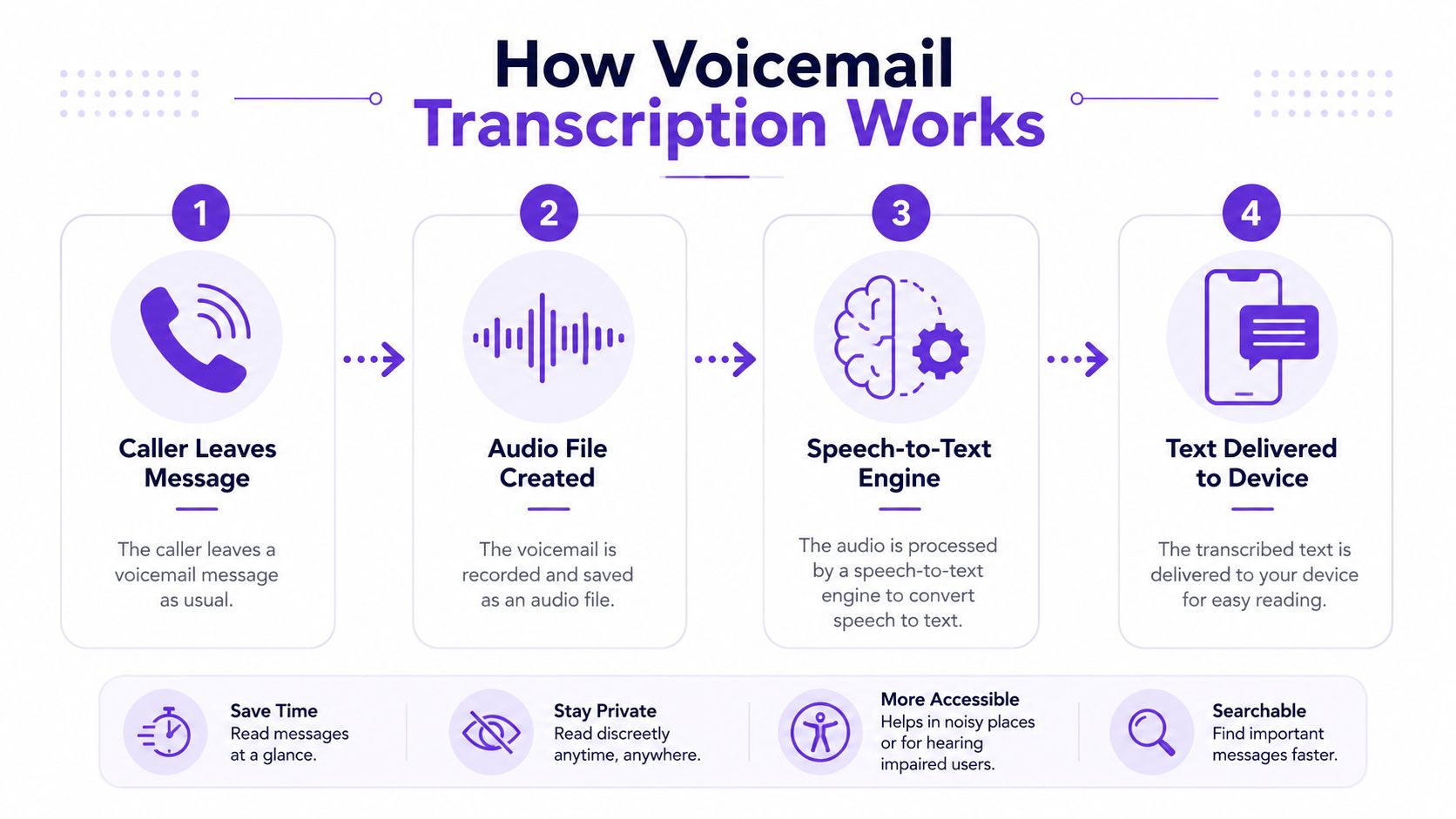
The process begins when a caller reaches your voicemail box, either because you're unavailable, declined the call, or have auto-routing enabled. The caller speaks their message, which is recorded and stored by the phone system. For business users, missed calls with voicemails represent real revenue risk, making fast retrieval critical. The quality of this recorded audio directly determines how accurate the eventual transcription will be.
Step 2: Audio Is Captured by Carrier, VoIP, or Business Phone System
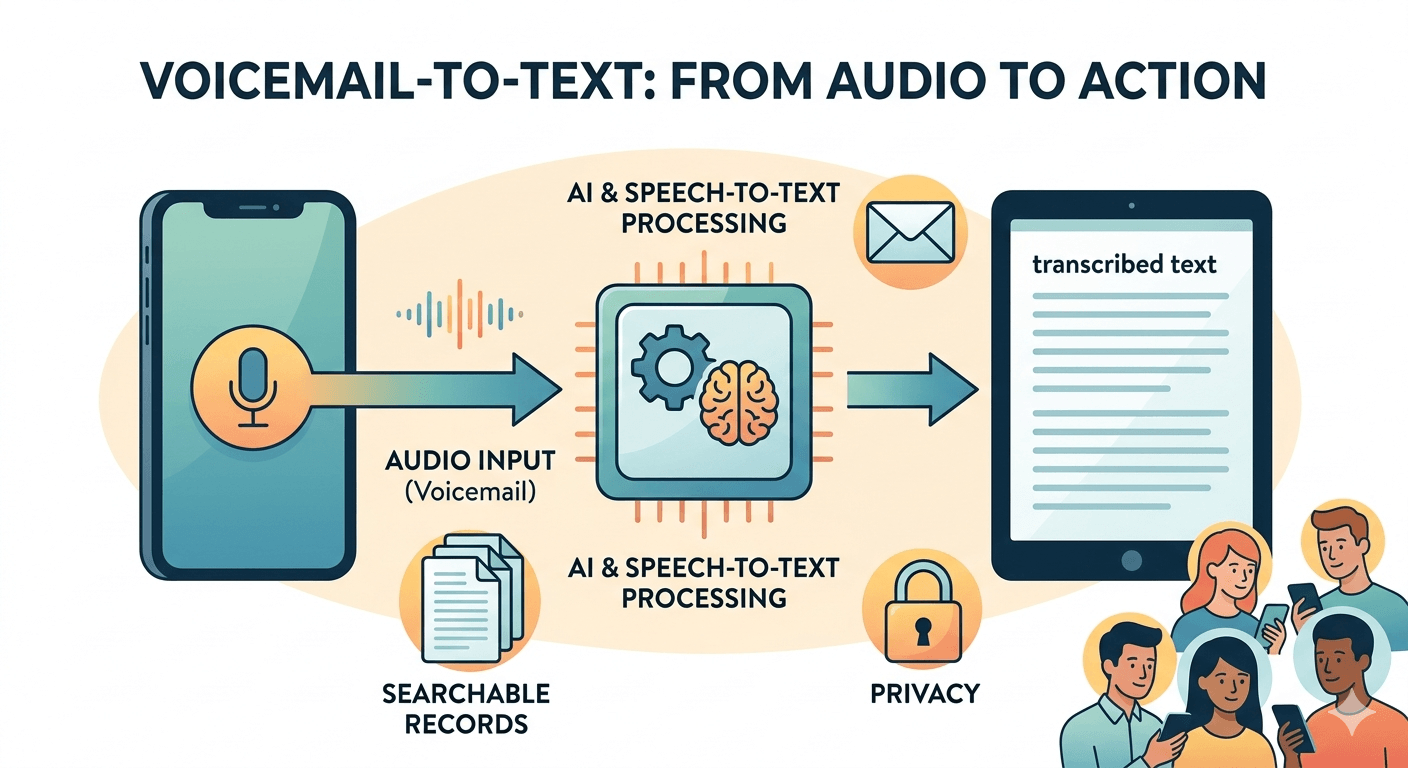
Once the caller hangs up, the voicemail audio file is stored on a server, either your mobile carrier's infrastructure, a VoIP platform like RingCentral or Google Voice, or an on-premise business phone system. The storage format and audio quality vary by platform, which affects downstream transcription accuracy. VoIP systems typically produce cleaner audio files than traditional cellular carriers, giving AI engines more reliable input to work with.
Step 3: AI Speech-to-Text Engine Converts the Audio to Written Text
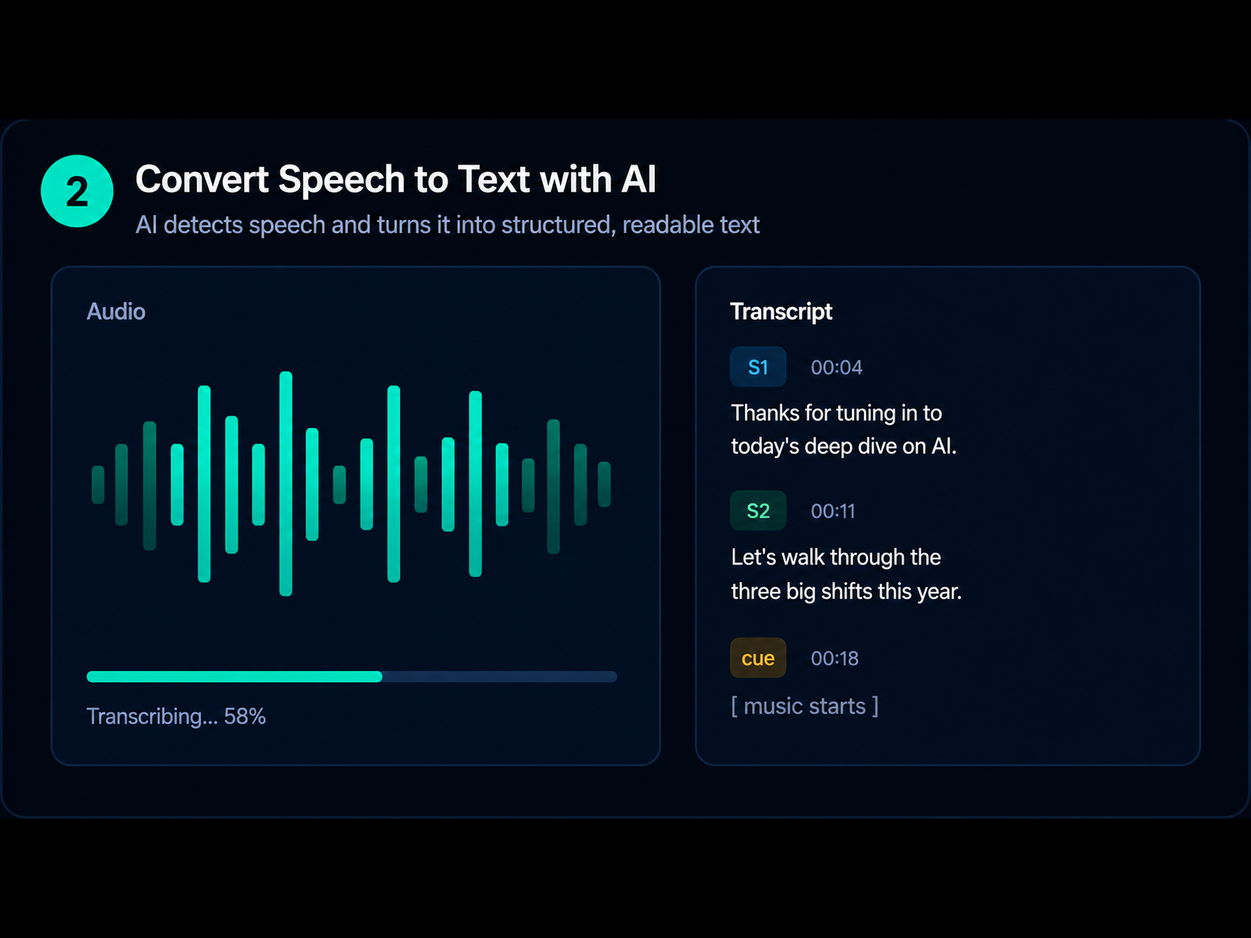
The captured audio is passed to a speech recognition engine, either proprietary AI built into the platform or a third-party service, which analyzes phonemes, context, and language patterns to produce a written transcript. Modern systems use deep learning models that handle accents and background noise reasonably well, but accuracy still drops with poor audio quality, heavy accents, or technical jargon. This step is the core of what voicemail transcription is.
Step 4: Transcript Is Delivered via Screen, Email, or SMS
The finished text is pushed to the user through their preferred channel, displayed directly in a visual voicemail inbox on-screen, forwarded as an email with the audio attached, or sent as an SMS snippet. Delivery method matters for workflow integration: email delivery suits teams that manage voicemails collaboratively, while on-screen display is fastest for individual users. Some platforms support all three simultaneously, though SMS delivery often truncates longer messages.
Related Reading
- Best Voice Transcription App
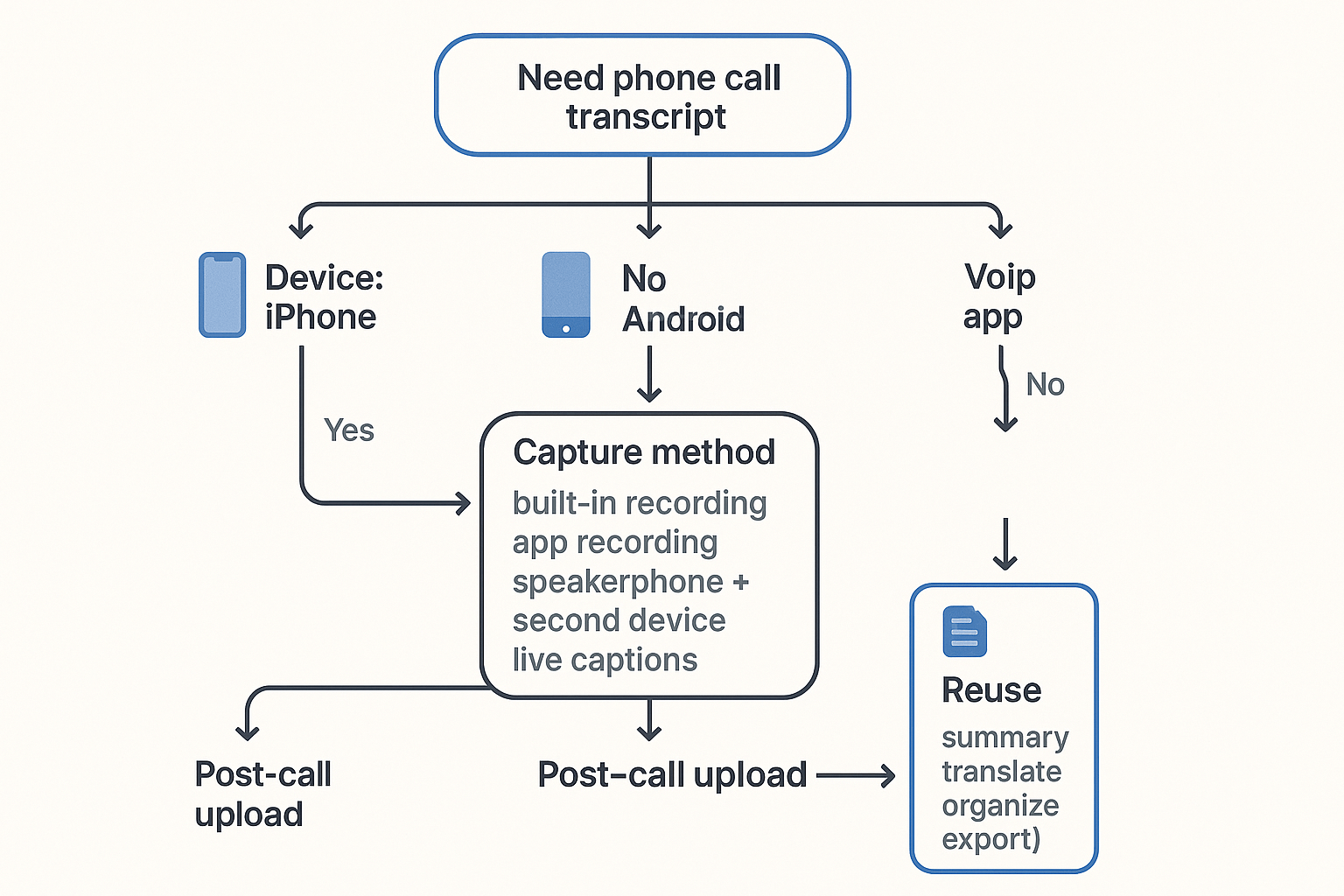
- Can I Get A Transcript Of A Phone Call
- How To Transcribe Interviews
- How To Transcribe Faster
- Transcript Vs Transcription
- Types Of Transcription
- How To Extract Words From Pdf
- Focus Group Transcription
Setting Up Voicemail Transcription on iOS and Android
Switching transcription on is straightforward once you know where to look, but whether the feature is even available to you depends on three separate eligibility layers that exist before a single word reaches your screen:
- Operating system version
- Device manufacturer
- Your specific carrier plan
Two people on identical iPhones can have completely different experiences depending on who their carrier is.
How iOS Visual Voicemail Transcription Works and Which Carriers Actually Enable It
Carrier eligibility is the deciding factor in whether voicemail transcription ever appears on your iPhone, regardless of your iOS version or device. On iPhones running a sufficiently recent version of iOS, Visual Voicemail transcription is built into the Phone app under Settings → Phone → Voicemail. AT&T, Verizon, and T-Mobile postpaid plans are included; prepaid plans from those same carriers frequently are not. Smaller regional carriers and MVNOs often offer no transcription at all, even when the iPhone and iOS version are fully capable.
When a supported carrier does enable the feature, no setup is required on your end. The result is a feature that simply appears one day, often alongside duplicate notifications.
Android Voicemail Transcription on Pixel Devices and Everyone Else
Pixel devices running the Google Phone app receive transcription natively, but that coverage does not extend across Android broadly. On non-Pixel Android phones, the Google Phone app may not be the default dialer at all, and manufacturer-installed dialers from Samsung, OnePlus, or Motorola typically offer no native transcription.
Google Fi and select Visible plans support transcription on compatible devices, but coverage is patchy.
Voicemail to Email as a Carrier-Independent Workaround
Cockatoo transcribes any audio file you upload, on any device, without a carrier agreement required, sidestepping the carrier lottery completely. The free tier includes:
- Up to three files per day (up to 30 minutes each)
- Exports available in all supported formats
- Files kept until you choose to delete them
The Real Benefits of Voicemail Transcription for Business Productivity
Voicemail transcription benefits are real and specific. Users can skim a message in seconds rather than listening to full audio playback, and text transcripts make it easier to capture critical details like phone numbers, names, addresses, and dates without replaying the audio or writing information down manually. That sounds modest until you multiply it across a full workday.
1. Instant Skimming Saves Hours of Audio Playback Every Month
Reading is faster than listening. A typical business voicemail takes considerably longer to listen through than its text version takes to scan. Users can skim a message in seconds rather than sitting through full audio playback. For a small-business operator fielding several messages daily, that ratio turns into meaningful time recovered each week.
Cockatoo's free tier delivers that transcript on the first upload, no account setup beyond an email address, no credit card, so the time saving begins immediately rather than after a trial period expires.
2. Silent, Discreet Reading in Meetings, Libraries, and Noisy Environments
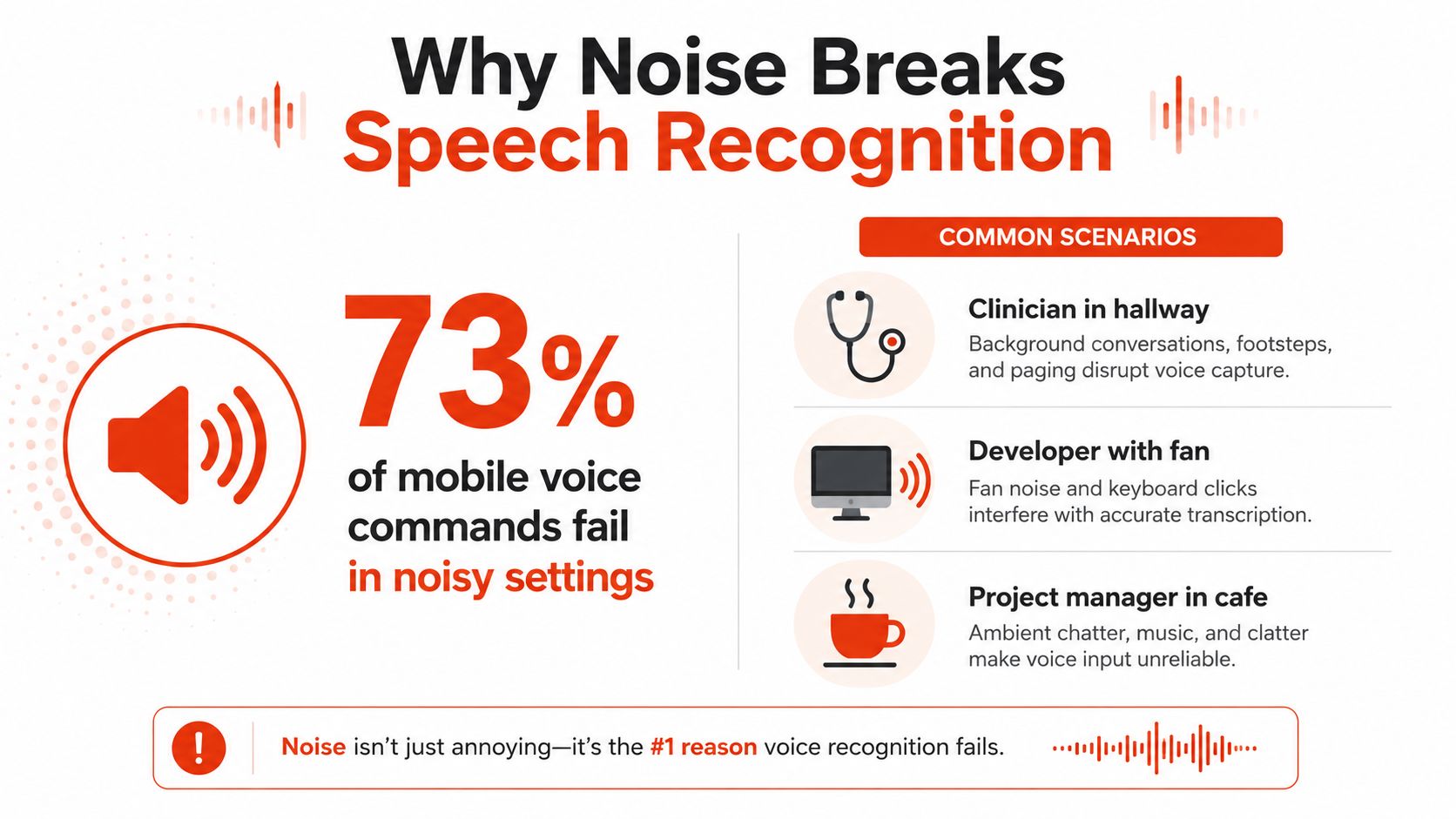
Open-plan offices and back-to-back meeting schedules make audio playback impractical for most of the working day. Playing a voicemail aloud in a shared space exposes client details to the room; playing it through headphones signals disengagement to whoever is presenting. Reading a transcript signals nothing. Transcription enables discreet message review precisely in these settings, whether the constraint is noise, quiet, or the presence of other people.
3. Reliable Detail Capture for Phone Numbers, Names, Dates, and Addresses
Phone numbers, email addresses, appointment times, and quoted prices are the details that force callback loops when missed. A misheard digit means a full second call, an apology, and a delay. The honest limitation here matters: the voicemails most likely to contain these critical details are also the ones most likely to trip up automated transcription, because proper nouns, domain-specific terms, and fast-spoken numbers are precisely where error rates spike.
The fastest mode is built for speed; the highest-accuracy mode is built for the moments when getting every word right matters more than turnaround time, proper nouns, dense technical language, and fast-spoken numbers included. Pro users can choose whichever mode fits the message. Accurate transcription eliminates the callback loop; inaccurate transcription creates a second task on top of the first.
4. Searchable Archives and Audit Trails for Customer Service, Legal, and Medical Teams
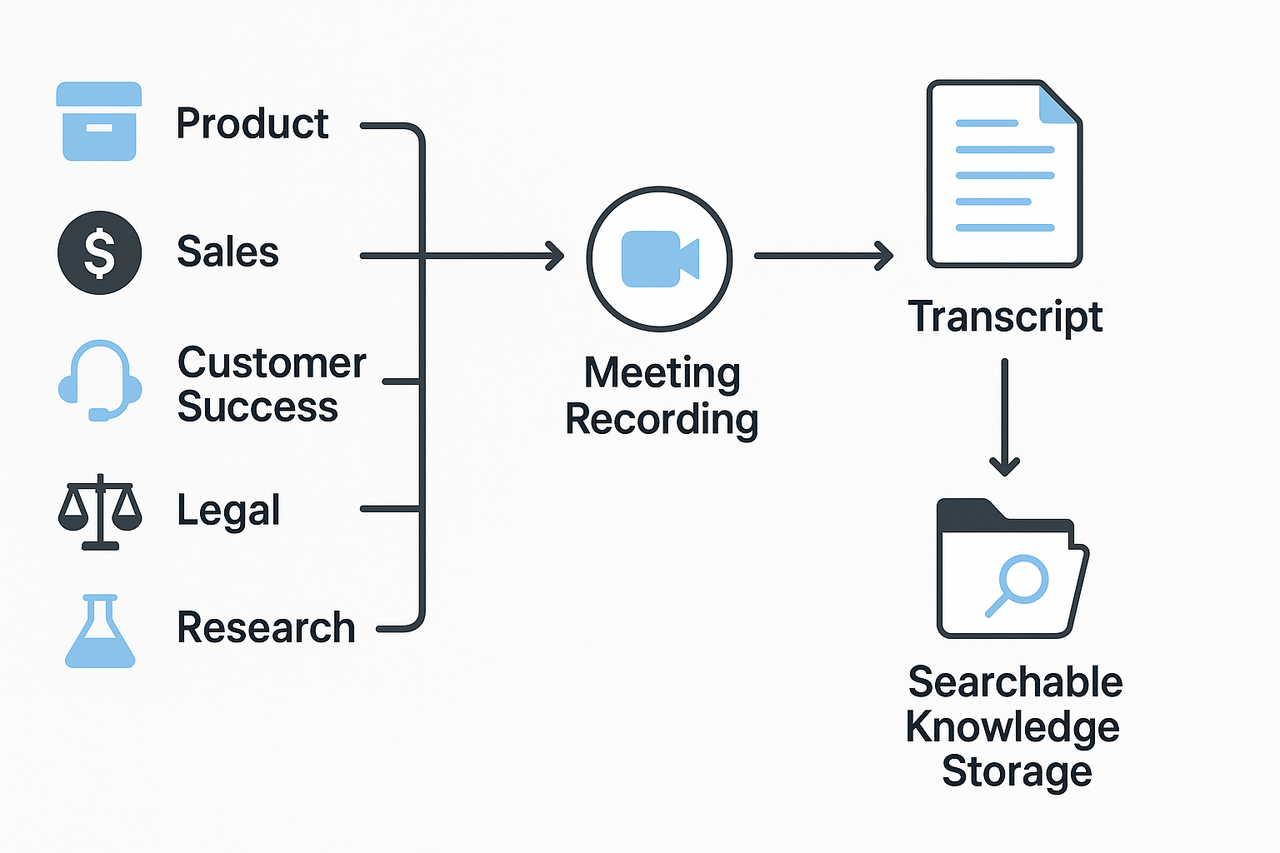
Text transcripts can be indexed, searched by keyword, forwarded to colleagues, and stored in compliance-friendly archives, capabilities that raw audio files simply cannot match. Law firms retrieving client intake calls, medical offices documenting patient inquiries, and support teams tracking complaint histories all benefit directly. The tradeoff is storage and governance overhead: retaining transcripts long-term requires clear data retention policies and secure access controls.
5. Accelerated Triage and Response Workflows Across Business Teams
Knowing a message is urgent before deciding whether to step out of a meeting and call back is a different kind of benefit from the others: it is about decision speed, not just time saved. A transcript lets one person scan, prioritise, and route a voicemail in seconds, or forward it as text to a colleague without requiring anyone to listen to audio.
For teams handling shared inboxes or client queues, Cockatoo's Team tier, covering a minimum of three people, adds shared transcript editing and team-level access so that a voicemail one person receives becomes an actionable record the whole team can search and annotate. For a solo operator with no assistant, the free tier's self-serve model means a transcript is waiting after the first upload, no onboarding call required.
Related Reading
- How To Transcribe Youtube Video
- Market Research Transcription
- Qualitative Research Transcription
- Business Transcription
- Podcast Transcription Software
- Automatic Video Transcription Software
- Meeting Transcription And Summary Ai Tools
- Best Lecture Transcription App
- Best Medical Transcription Software
- Best Closed Captioning Software
- Best Transcription App For Iphone
- Best Transcription Software For Qualitative Research
- Zoom Ai Transcription
- Best Transcription Software For Interviews
Where Voicemail Transcription Accuracy Breaks Down
For a solo operator or a busy team, the triage advantage disappears the moment the transcript cannot be trusted. Spot one wrong word and the instinct is to call it close enough, until the wrong word turns out to be a patient's callback number, a deadline, or a medication name, and close enough means playing the full audio anyway, having already spent time reading a transcript that told you nothing you could act on.
The common assumption is that the voicemail transcription built into your phone or carrier plan is good enough, that if the words are roughly there, you can fill in the gaps. The transcript is rough, but it usually captures the gist. The problem is that "usually" and "gist" are doing a lot of work in that sentence.
1. Accents, Background Noise, and Rapid Speech Corrupt Transcripts at the Source
The limitations of voicemail transcription start at the recording itself. According to AssemblyAI's analysis of transcription accuracy on hard audio, word error rates spike to 25-40% on audio with heavy background noise, strong accents, or overlapping speakers, far above the sub-5% rates seen on clean, studio-quality recordings. Carrier pipelines process millions of messages at scale; they are not tuned for the caller who speaks quickly, has a regional accent, or is ringing from a noisy street. The result is a transcript that looks plausible but is wrong on the specifics.
An error rate that high is a structural failure.
There is a subtler failure mode that compounds this: voicemail transcription systems routinely generate phantom text from the silence after a message has ended, producing fabricated output that was never spoken. A transcript that invents words from dead air is actively misleading, and there is no visual signal in the text to tell you which sentences were real and which were noise.
2. Industry Jargon and Unfamiliar Proper Nouns Get Mangled Into Nonsense

The same AssemblyAI analysis identifies domain-specific vocabulary as a second major failure point: product names, medical terms, legal jargon, and proper nouns get substituted with phonetically similar but meaningless words because the underlying model has little prior exposure to them. A medical receptionist receiving a voicemail about a patient's callback number and a medication name is exactly the reader this failure hits hardest. The transcript reads fluently. The details are wrong. Transcription errors on proper nouns and numbers are the failures that force a full replay, because there is no way to guess a phone number from context.
This pattern holds even when everything else goes right. Names, numbers, addresses, and domain-specific terms are the consistent failure points; the gist survives, the actionable specifics do not. Industry research on speech recognition error distribution confirms that low-frequency, out-of-vocabulary terms carry disproportionately high error rates relative to common vocabulary, which is precisely why built-in carrier transcription underperforms on the details that matter most to your actual work.
3. Tone, Sarcasm, and Emotional Inflection Are Invisible in Automated Transcripts

Speech carries information that words alone do not. A hesitation before a deadline signals uncertainty. Sarcasm changes the meaning of a sentence entirely. Urgency in a caller's voice tells you whether to act now or tomorrow. As AssemblyAI notes, automated transcription discards paralinguistic information completely: tone, hesitation, and emotional inflection are lost, and punctuation is often absent or misplaced. For a small-business operator reading a transcript from a client they have never met, that lost context is not recoverable from text alone.
There is also a consent and visibility problem worth naming. Voicemail transcription is sometimes silently activated during a plan or account migration, enabled without deliberate setup, producing output users did not know they were getting and had no reason to trust. When a transcript appears without a clear account of where it came from or what model produced it, it is difficult to calibrate how much weight to place on its accuracy.
4. Inaccurate Transcripts Force Users to Listen to the Full Audio Anyway, Erasing the Time Benefit
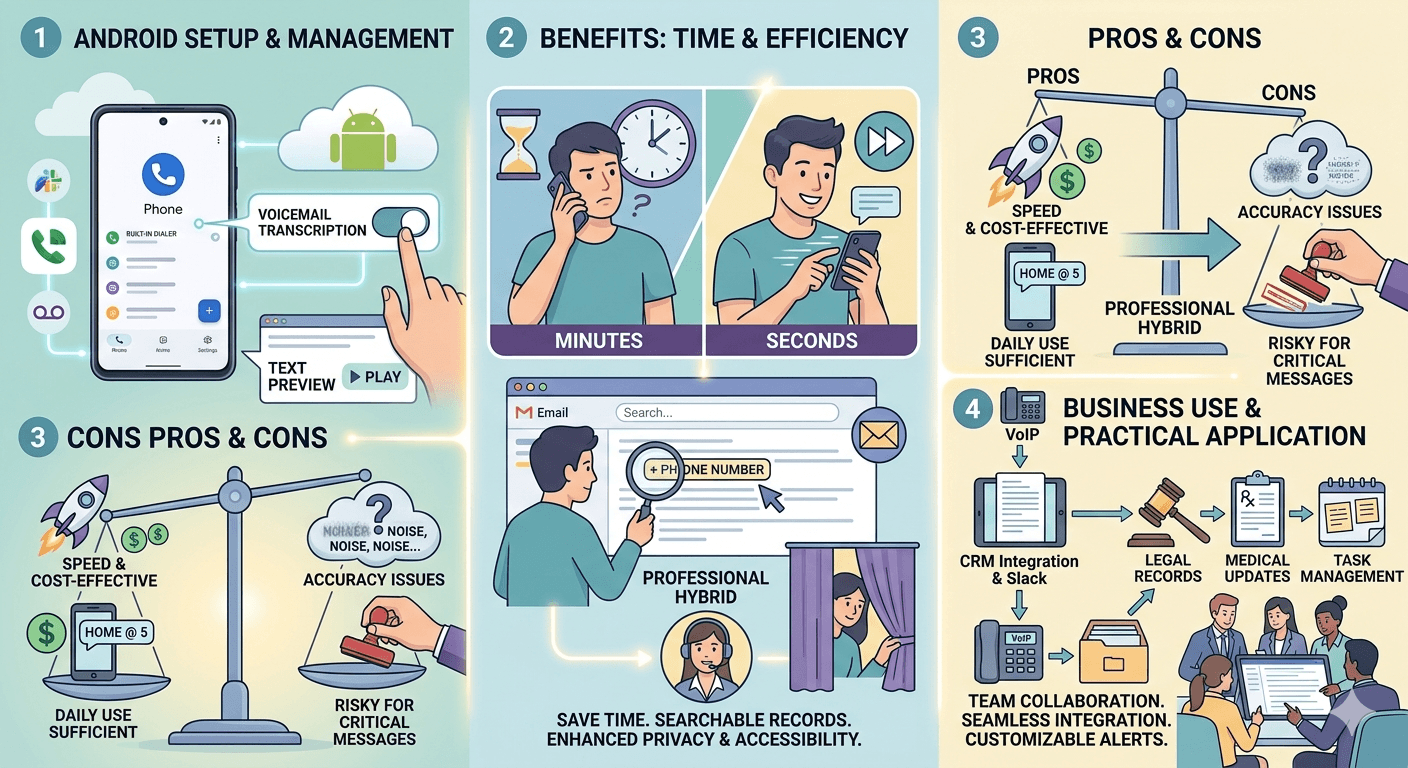
The core promise of voicemail transcription is speed, read instead of listen. But when the transcript is garbled enough to raise doubt, users must play the original audio to verify, spending more total time than if they had simply listened first. This self-defeating loop is the feature's most damaging practical limitation and explains why many users abandon transcription reliance after a few costly misreadings.
5. Core Message Usually Survives, But Names, Numbers, and Instructions Always Need Verification
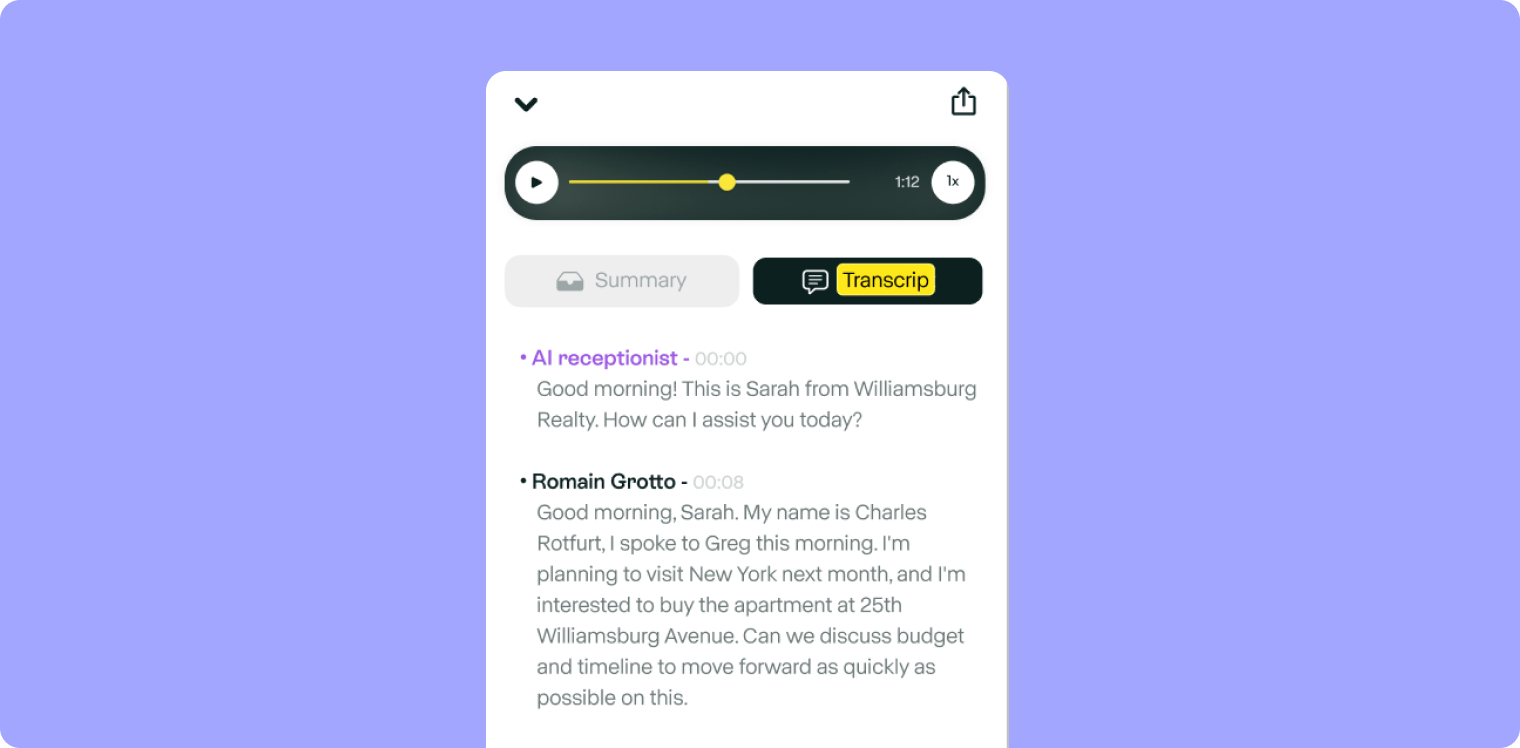
To be fair: the core message usually does survive. A caller saying they want to reschedule will generally read as someone wanting to reschedule. But names, numbers, addresses, and instructions, the details that require action, are exactly what voicemail transcription accuracy fails on most often. The gist comes through; the specifics do not. A transcript that gets the sentiment right but garbles the phone number is a complete loss for anyone who needs to call back.
This is where a dedicated transcription tool changes the outcome. Upload the voicemail file to Cockatoo, no setup, no credit card, and a transcript comes back on the first upload, built specifically to handle acoustic variability and real-world audio rather than optimised for scale at the cost of precision. The Free tier handles up to three files per day at no cost, which covers most voicemail workflows without a subscription. For higher volumes or longer recordings, Pro removes the daily file cap entirely and supports multi-hour files with no hard length limit. Beyond the transcript itself, Cockatoo's Canvas editor lets you summarise a long recording down to what actually needs acting on, so the callback number, the deadline, and the medication name are never buried again.
Built-in voicemail transcription is engineered for convenience at scale, not accuracy at the detail level that matters to your work. The next section shows why uploading that same voicemail file to a standalone transcription tool, one built specifically to handle acoustic variability, domain vocabulary, and high-stakes specifics, closes that gap in a single step.
Why a Standalone Voice Transcription App Handles Voicemail Files Better
Clicking a file does nothing, which completely blocks the core use case. | what we hear from transcription app users

Why Carrier Pipelines Fail the Moment Audio Gets Messy
As broader transcription benchmarks make clear, Word Error Rate (WER) is the standard benchmark for transcription accuracy, and embedded or legacy systems produce materially higher WERs than purpose-built engines on real-world audio. On difficult voicemails, error rates can climb to 25-40%, and a single critical error, a wrong phone number or garbled name, sends you back to full audio playback.
Key takeaway: On difficult voicemails, carrier transcription error rates can climb to 25-40%, meaning one wrong phone number or garbled name sends you straight back to listening to the full audio anyway.
The root cause is that carrier speech models are built for a controlled, narrow audio profile and never update for the full range of accents, speaking speeds, and background conditions real callers produce.
Format Freedom When Uploading Any Voicemail File
Forward a voicemail to email, save it as an MP3 or M4A, or receive an AMR file from a colleague on a different network, and the built-in pipeline can't touch it.
What most teams report holds true across the market: dedicated transcription engines are format-agnostic and carrier-agnostic by design, ingesting audio from any source without conversion steps.
Transcription Accuracy and Cost Compared - Carrier vs. Dedicated Tools
Most small-business users accept carrier errors because they assume a better tool means team-seat pricing they can't approve alone, but that assumption rarely holds up against what dedicated tools actually charge.
| Carrier Transcription | Dedicated Tool (e.g. Cockatoo) | |
|---|---|---|
| Accuracy on difficult audio | Error rates up to 25-40% | Purpose-built engine trained on wide, real-world corpus |
| Audio sources supported | Only audio the carrier captured itself | Any file from any source, MP3, M4A, AMR, cloud storage |
| Pricing model | Bundled with plan; no individual choice | Single-user price; free tier available (3 files/day, up to 30 min each) |
| IT sign-off required | Carrier-controlled; no user override | No; individual can start immediately |
| Daily/hour caps | N/A (feature on/off) | Free: 3 files/day up to 30 min; Pro: unlimited, no hour cap |
Related Reading
- Notta Alternatives
- Rev Alternatives
- Happy Scribe Vs Trint
- Happy Scribe Vs Otter
- Rev Vs Scribie
- Rev Vs Otter
- Rev Vs Gotranscript
- Trint Vs Temi
- Best Asr Transcription Software
Next steps
If your voicemail transcripts are forcing you to replay the full audio just to verify what you already read, the path forward starts with treating transcription accuracy as a non-negotiable requirement, not a nice-to-have. Start with our voice transcription app.
Carrier pipelines climb to 25-40% word error rates on accented, fast, or noisy audio, which means the transcript adds a reading step before the listening step you were always going to take anyway. And the voicemails most likely to contain critical details, a callback number, a prescription instruction, a contract deadline, are precisely the ones most likely to be mistranscribed, because proper nouns and domain-specific terms are where error rates spike highest. Together, those two patterns point to one practical action: stop relying on the carrier to convert the message and start uploading the audio file to a tool built specifically for difficult, real-world audio.
Start with Cockatoo. Upload the saved voicemail file, get a transcript back in seconds, and export it as a PDF or DOCX your team can actually use. No credit card required on the free tier, no carrier integration, no setup. The accuracy difference shows up on the first file.
Frequently Asked Questions
Why does my voicemail transcript come back as garbled nonsense?
Most carrier-grade transcription engines are built for speed and volume, not precision, so they struggle with accents, fast speech, noisy environments, and industry-specific terms. The engine outputs its best guess regardless, and many users encounter a "Low confidence" result without any clear signal about which words to distrust, which forces you to replay the original audio and defeats the purpose of having a transcript at all.
Can I get voicemail transcription if my carrier or phone doesn't support it natively?
Yes. If your carrier offers voicemail-to-email forwarding, which AT&T, Verizon, and T-Mobile do on qualifying plans, you can receive the voicemail as an audio file attachment in your inbox and then upload it directly to a file-based transcription tool like Cockatoo. This approach sidesteps carrier eligibility entirely and works on any device without a carrier agreement.
How do I turn on voicemail transcription on my iPhone or Android?
On iPhone, go to Settings → Phone → Voicemail, if your carrier supports it, transcriptions will appear automatically beneath each voicemail in the Phone app. On Android, it depends on your device: Pixel phones with the Google Phone app support transcription on select carriers, but non-Pixel devices with manufacturer-installed dialers typically offer no native transcription path at all, regardless of your Android version.
Why did I suddenly start getting voicemail transcripts as text messages, and how do I stop it?
Some carriers automatically enroll customers in voicemail transcription during a plan migration without an explicit opt-in, and the result can be a duplicate notification, one transcript in the Phone app and a second arriving as an SMS that looks like a real text from an unknown sender. To stop it, contact your carrier directly, because it is a carrier-side configuration choice, not an iPhone settings issue.
Is voicemail transcription accurate enough to trust for important details like phone numbers and names?
Not always with carrier-grade engines, proper nouns, fast-spoken numbers, and domain-specific terms are precisely where error rates spike, which is why a single wrong digit can trigger a full callback loop. Purpose-built transcription engines trained on a wider range of real-world audio conditions consistently outperform carrier-grade pipelines on difficult input, and choosing a higher-accuracy mode over a speed-optimised one matters most when getting every word right is more important than turnaround time.