AI dictation app

AI Dictation App: Turn Voice Notes Into Text in Seconds

Record & TranscribeTurn your spoken thoughts into a first draft, ready to review and edit.
Illustrative recording view Open recorder
Less typing. More useful text.

Quick Answer

You Need Interview, Call, Podcast or Lecture Audio Turned Into Quotable Text

Manual transcription burns hours per recording. Free auto-captions need so much cleanup the time saved disappears.

You need a transcript you can quote, search and share. Not another hour of typing or a rough draft that still needs line-by-line fixes.


Upload, Get Text in Seconds, Export Where You Need It

No configuration, no installation, no learning curve. Drop your file in the browser, wait a few seconds, download the transcript.

Built on deep learning

Why Cockatoo for Voice-to-Text

State-of-the-Art Speech AI, Human Support

Cockatoo turns your voice into text with state-of-the-art deep learning, engineered for speed and accuracy.

When you need help, you talk to a human.

No Daily Limit on V4-Flash

No daily limit on V4-Flash, even on the free plan.

Models Versioned Like LLM Products, Modes for Speed or Accuracy

Cockatoo's speech recognition models are versioned and improved like modern AI products. Choose the fastest mode for speed or the highest-accuracy mode for precision.

Choose your transcription mode

Designed for the fastest turnaround, at up to 120× real time.

Mode preview · Select your mode when uploading.
Three steps to something useful

From Voice Note to Finished Transcript in Three Steps

  1. Step 1

    Import from YouTube, Auto-Detect Language, RTL Display

    Paste a YouTube link or upload a file. Cockatoo detects the language automatically and displays right-to-left scripts correctly.

  2. Step 2

    In-Browser Editor, One-Click AI Summaries, AI Notes on Pro

    Edit your transcript in the browser, generate a summary with one click, or open Canvas to turn the transcript into meeting notes, blog drafts or study guides. Canvas is included on Pro, and free accounts can try it.

  3. Step 3

    Video Audio Extracted Automatically, Export Transcript as SRT Subtitle File

    Upload a video and Cockatoo extracts the audio for you. Export the transcript as an SRT subtitle file for your video, or download plain text, DOCX or PDF.

YouTubeGoogle DriveDropboxiCloudFile linkYour device
Sofia00:02

Note for tomorrow's presentation: open with the problem we're trying to solve, then explain why it matters.

Sofia00:10

Add an example from the customer interviews. Keep it specific, and leave time for questions at the end.

Sofia00:18

Before sharing the draft, check the names, review the key points, and turn these notes into a short outline.

Voice note · Illustrative transcript
DOCXPDFTXTSRTVTTCSVJSON
Made for your next task

Who Uses Cockatoo and What They Get Done

Adding Subtitles to Marketing or Training Video

Upload your video, export the transcript as an SRT subtitle file, import it into your video editor. No need to type timestamps or captions by hand.

Translating PDFs, Slide Decks, Spreadsheets Without Rebuilding Them

Cockatoo translates PDF, DOCX, PPTX, XLSX and TXT files between languages. The document stays usable. You don't have to rebuild the layout or copy text into a separate translation tool.

Fixing Names and Terms the Model Got Wrong

Open the transcript in the in-browser editor and correct any names, technical terms or jargon the model missed. Your edits stay in the file.

At your desk. On your phone.

Works on iPhone

iOS App Available Now

Cockatoo works on iPhone and web today.

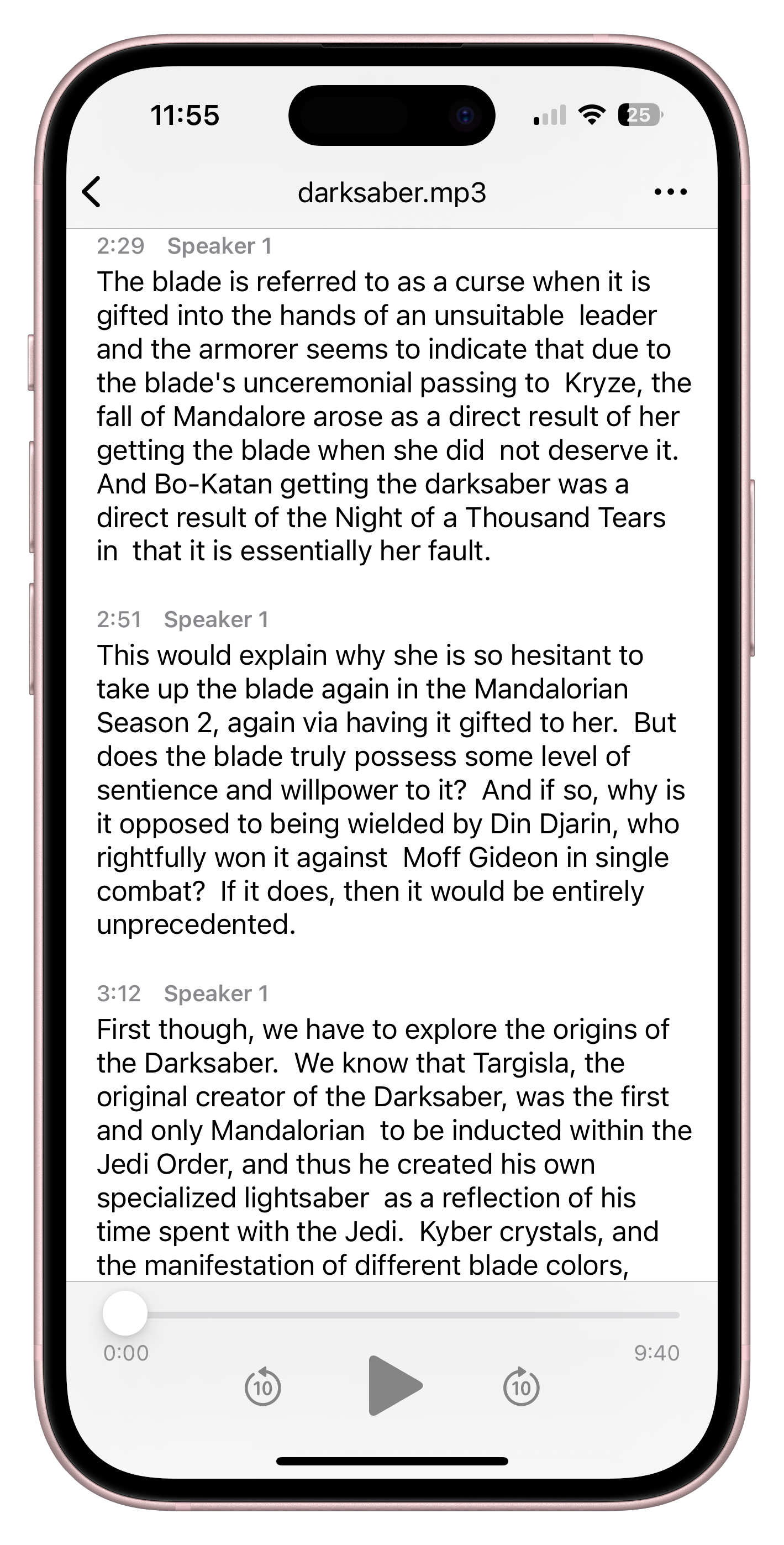
Cockatoo iPhone transcript with speaker labels, timestamps, and playback controls

Encrypted Cloud Storage Bundled

Store your recordings, transcripts and documents in one place.

Library
Research interview.mp3
Interview transcript
Research notes
Your files, together
iPhoneAvailable nowWebAvailable now
Real recordings. Real feedback.

Trusted by Professionals Who Check Every Word

Trustpilot review
“It works fast and the quality and accuracy are spot on. Love the service!”
Al · United States · Read review

Users Rate the Tool on Real Work, Not Demo Files

Users rate the tool after using it on real work, not demo files.

Accuracy on Difficult Accents and Dialects, Raw Speed, Ease of Use

Users highlight three themes: accuracy on difficult accents and regional dialects, the raw speed of transcription, and how easy the tool is to use from the first upload.

United StatesEuropean Union (Finland)

Support Engineers Access Your Files Only With Your Explicit Permission

Support engineers access your files only with your explicit permission, not by default.

“The app has simplified my dissertation work by trascribing the interviews I am working with currently.”
Guillermo B.TaiwanRead review
“This transcriber is incredibly accurate, and not bothered by all the different accents i present it with. Highly recommended.”
Ian A.AustraliaRead review
Questions, answered

Common Questions About Voice-to-Text Transcription

See All FAQs

Yes. Cockatoo supports mixed-language files and code-switching within a single recording. The engine detects and transcribes multiple languages in the same file without requiring you to split the audio or choose a single language.

Turn your next recording into text

Start transcribing free
Drag and drop
MP3MP4M4AMOVAACWAVOGGOPUSMPEGWMV
OR

Get your full transcript free. No credit card required.