Keep the thought. Get the words.

M4a Transcription: Turn Apple Voice Memos Into Text in Seconds

Upload Your M4A Recording and Get a Transcript Before You Finish Your Coffee

No app to install, no per-minute charges, no waiting. Upload, transcribe, export.

voice-memo.m4aYour voice memo, as it is
TranscriptSpeaker labels and timestamps
.docx
CaptionsTimed to your recording
.srt
NotesReady to review and share
.txt
Illustrative workflow
Quick answer

Quick Answer

Interview Recordings Become Usable Transcripts in Seconds

Upload an M4A interview file and Cockatoo returns a timestamped, speaker-labeled transcript while you're still closing the Voice Memos app. Edit, search, and quote directly from the text instead of scrubbing through audio.

Fast Turnaround

A 60-minute recording usually finishes transcription in seconds.

One Tool for Both Halves of the Job

Get the words out of the audio, then get them into another language. Cockatoo covers both transcription and translation, so you can transcribe an M4A interview and translate the transcript without switching tools or paying for two subscriptions.

Drag and drop
MP3MP4M4AMOVAACWAVOGGOPUSMPEGWMV
OR

Get your full transcript free. No credit card required.

A simpler home for your voice notes

Why Cockatoo for M4A Files

Choose the mode that fits your work
ModeWhat you get
V4-FlashUnlimited full-length transcripts on every plan, including Free
V4-ProWeekly previews on Free, whole recordings on paid plans
Max5× or 10× the Pro allowance for big backlogs
View plan limits

Free With No Daily Limit

Free accounts get unlimited full-length transcripts in V4-Flash, with no daily limit and no credit card.
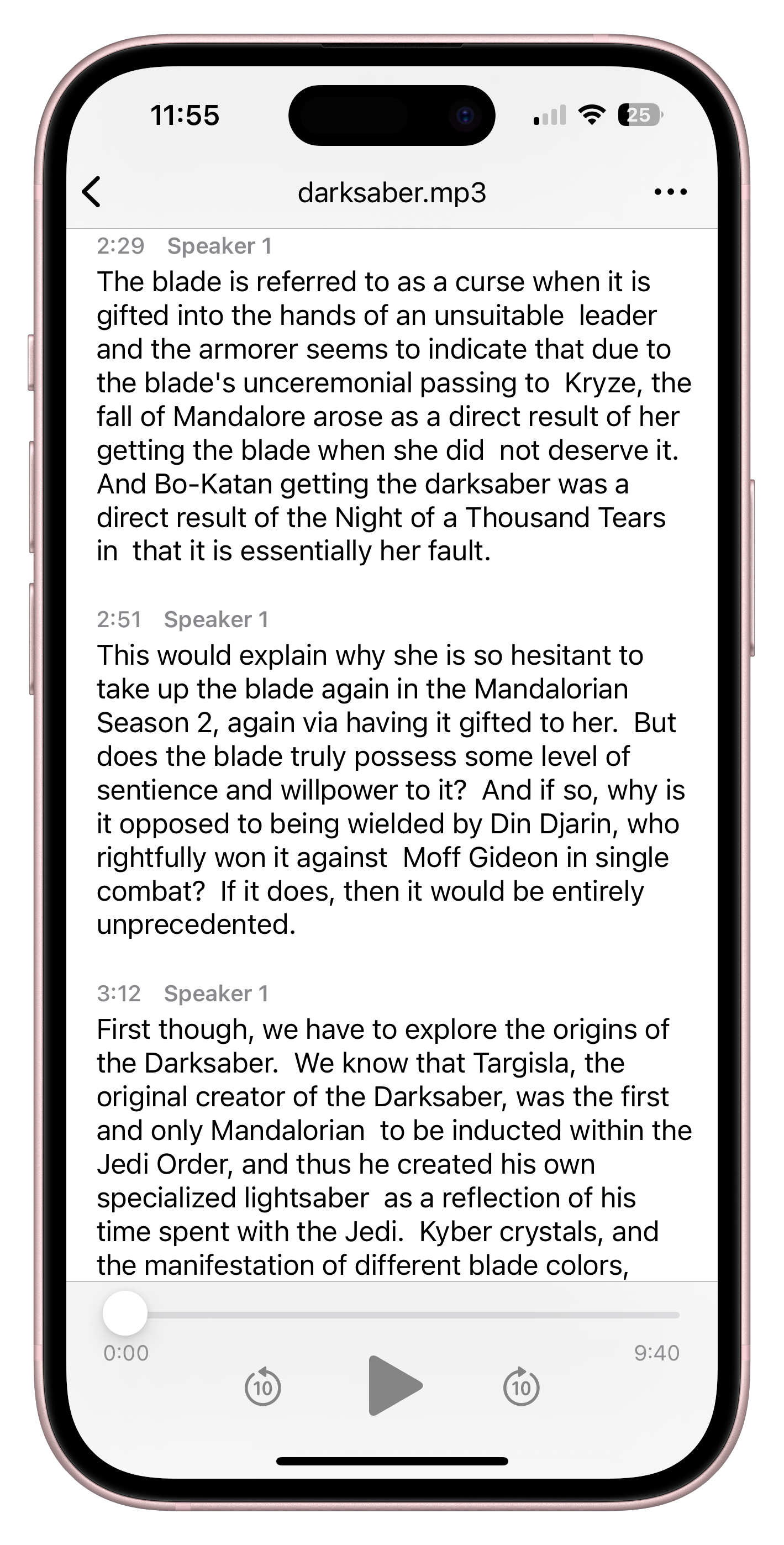

Cockatoo iPhone transcript with speaker labels, timestamps, and playback controls

Latest Speech Recognition Models, Human Support

Cockatoo runs on the latest speech recognition models, engineered for speed and accuracy and improved with every release.

Cockatoo V4-Pro · FLEURS
LanguageWord error rate
English3.9%
Spanish1.0%
French7.8%
German2.4%

Lower is better. Selected per-language results from the public benchmark. Updated October 27, 2026.

Explore the full accuracy report

Published Accuracy Tests

Cockatoo shows you the test, the score, and the recording so you can check the claim yourself.

Human Support

No chatbot, no outsourced queue, no waiting days for a reply.

“The app has simplified my dissertation work by trascribing the interviews I am working with currently.”
Guillermo B.TaiwanRead review
“This transcriber is incredibly accurate, and not bothered by all the different accents i present it with. Highly recommended.”
Ian A.AustraliaRead review
From voice memo to something useful

What You Can Do With M4A Transcription

Export M4A Transcript as SRT Subtitle File

Download your M4A transcript as an SRT subtitle file with timestamps intact. Drop the SRT into your video editor, upload it to YouTube, or use it anywhere timed captions are needed.

Welcome to the training session.

training-session.srt

Illustrative subtitle preview

In-Browser Editor and One-Click AI Summaries

Edit the transcript directly in Cockatoo's browser editor, then generate a summary, extract action items, or rewrite sections with Canvas, the built-in AI notes tool.

No need to copy and paste into another app. The transcript, the editor, and the AI tools live in one place.

voice-memo.m4aOne recording
TranscriptSpeaker labels and timestamps
.docx
CaptionsTimed to your recording
.srt
NotesReady to review and share
.txt
Illustrative workflow
Sofia00:02

Note for tomorrow's presentation: open with the problem we're trying to solve, then explain why it matters.

Sofia00:10

Add an example from the customer interviews. Keep it specific, and leave time for questions at the end.

Sofia00:18

Before sharing the draft, check the names, review the key points, and turn these notes into a short outline.

Voice note · Illustrative transcript
Upload the original. Keep moving.

Three Steps From M4A File to Finished Transcript

01Upload
02Transcribe
03Export

Upload M4A Files Directly or Import From YouTube, Dropbox, Drive

Drag an M4A file from your desktop, paste a YouTube link, or import from Dropbox or Google Drive. Cockatoo accepts all three and starts transcription immediately.

Self-Serve From the First Minute

Upload, get a transcript in seconds, export where you need it. No sales call, no setup wizard, no waiting for account approval.

No email, no phone call, no friction.

M4A Recordings From Apple Voice Memos and Audio Exports

Apple Voice Memos commonly shares recordings as M4A files. QuickTime can export audio-only MPEG-4 files, while its movie exports use MOV. GarageBand offers multiple export formats. Cockatoo accepts your M4A audio directly without a manual conversion step.

No need to open an audio editor, export to WAV or MP3, and re-upload. Cockatoo transcribes your M4A file as it is.

YouTubeGoogle DriveDropboxiCloudFile linkYour device

Apple’s guides explain QuickTime audio and movie exports and GarageBand audio conversion. For the format basics, see our M4A to text guide.

Questions, answered

Common Questions About Transcribing M4A Files

Upload your M4A files, store the transcripts, and share them with collaborators without paying for a separate cloud storage subscription.

No daily limit on the free plan, no throttling, no overage charges.

Turn your next voice memo into a finished thought

Start transcribing free