Video to text

Video To Text Converter

Drop an MP4, MOV or MKV here, or paste a YouTube link, and get accurate, editable text back in seconds. Full-length transcripts are free and unlimited in V4-Flash, with no daily limit and no credit card. Need the sharpest result? V4-Pro had the lowest error rate of the tested providers in 25 of 36 languages.

  • Unlimited free in V4-Flash
  • No credit card
  • 19 video formats
  • DOCX, PDF, SRT and more
Drag and drop
MP3MP4M4AMOVAACWAVOGGOPUSMPEGWMV
OR
On every device

What Is a Video To Text Converter?

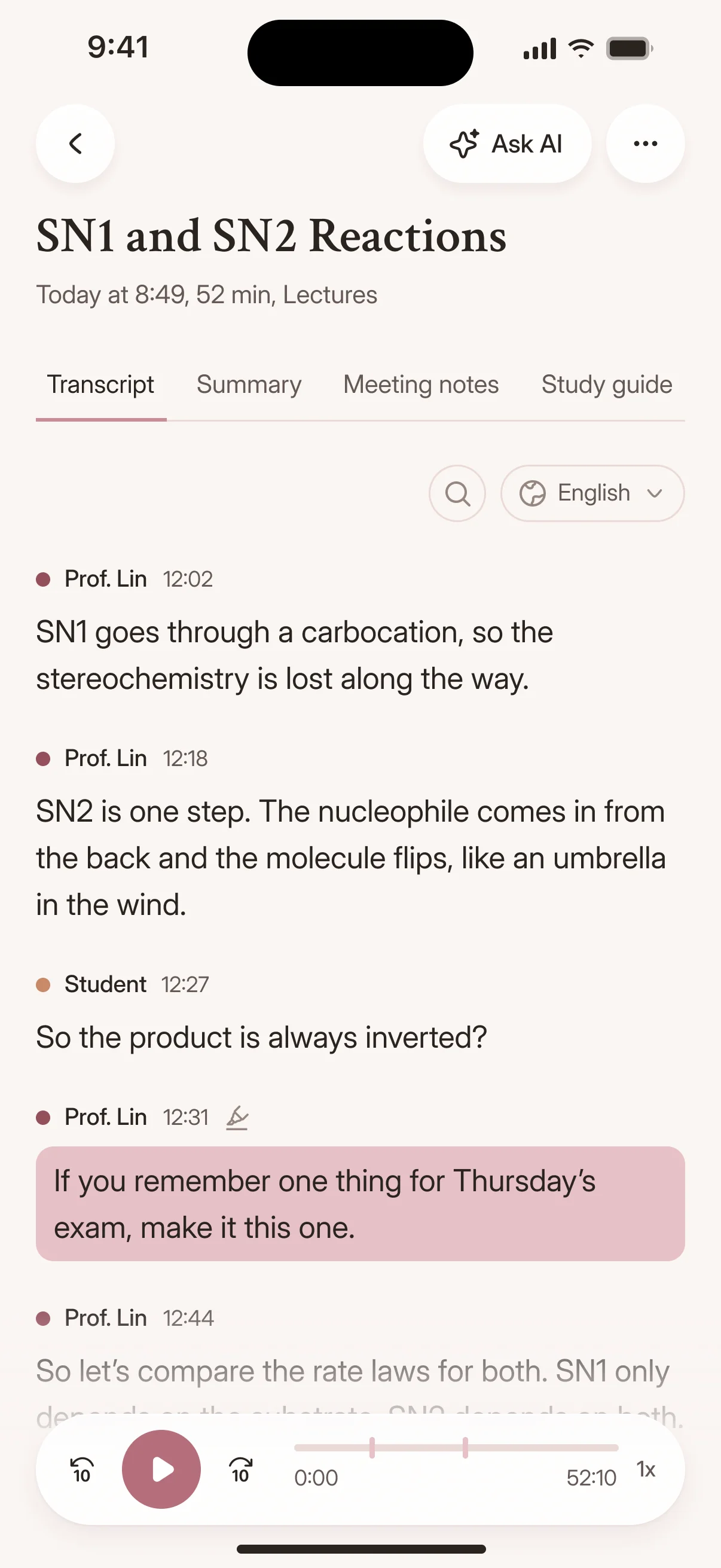
Upload a video in the browser, or record on the Cockatoo iPhone app. Either way, you get editable text in seconds.

Turn Any Video Into Editable Text in Seconds

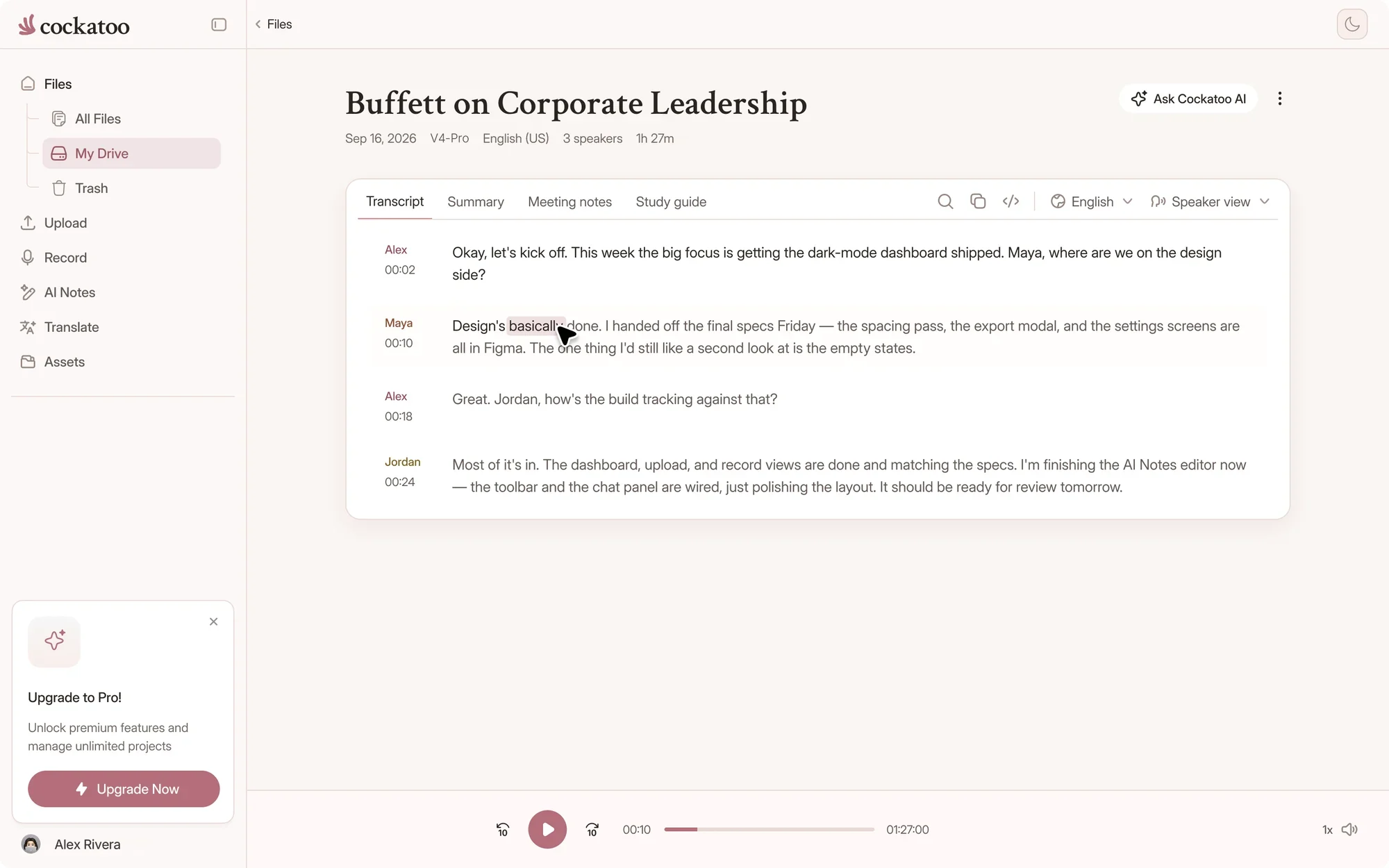
A video to text converter pulls the spoken words out of your video file and turns them into a written transcript you can edit, search, and share. Cockatoo handles MP4, MOV, MKV, WebM and dozens of other formats.

Audio extraction happens automatically. Upload a recording and get an accurate transcript back in seconds, complete with speaker labels and word-level timestamps.

The transcript comes back ready to use, and exports as DOCX, PDF, TXT or SRT. No setup, no credit card, no waiting.
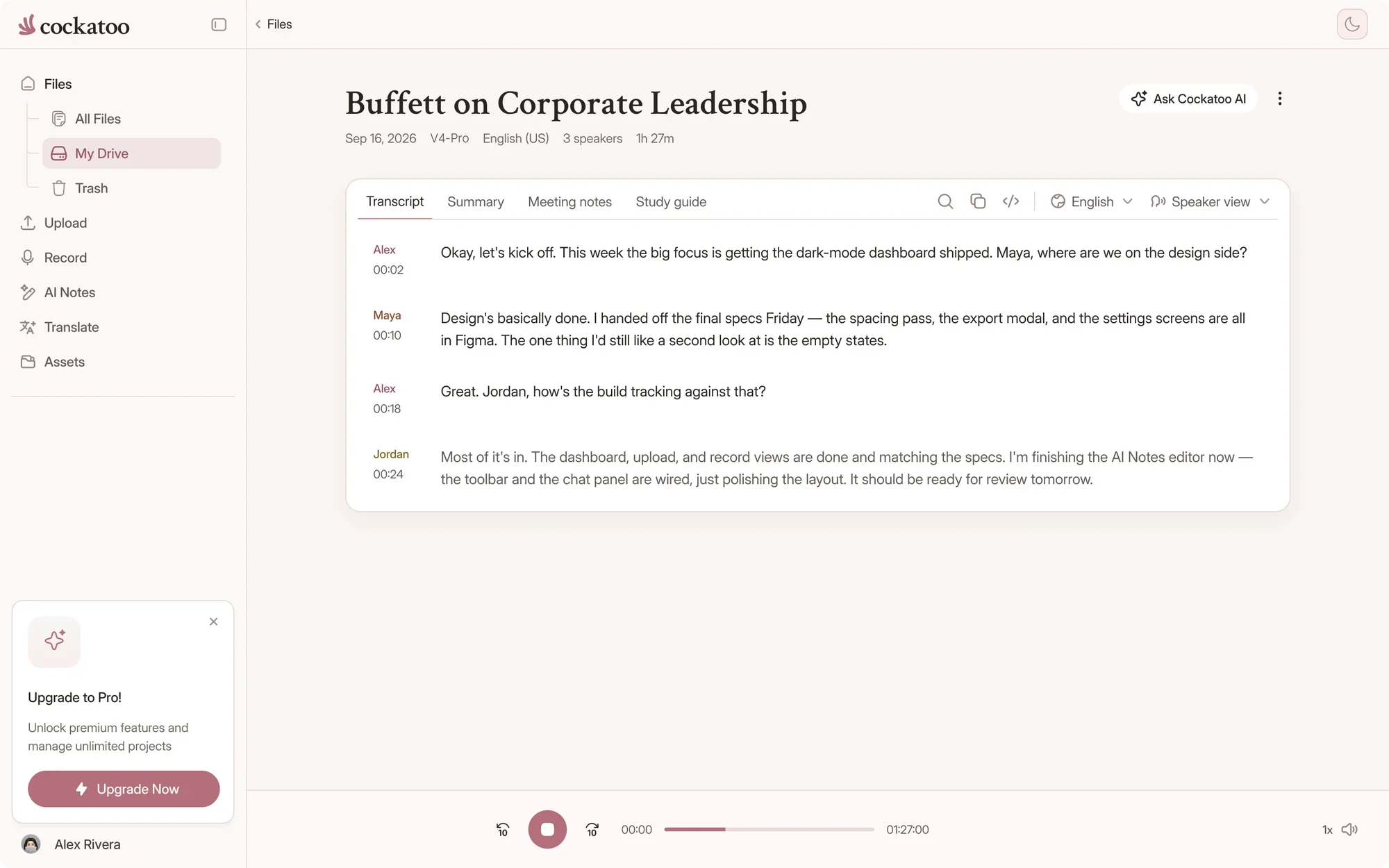
Cockatoo transcript following along as the recording plays
A transcript with timestamps in the Cockatoo iPhone app
Three steps, seconds of processing

How It Works: From Video to Finished Transcript

  1. Upload Your Video File

    Drag and drop any video file into Cockatoo or paste a link from YouTube, Dropbox, or Google Drive. The platform accepts MP4, MOV, AVI, MKV, WebM, and 14 other video formats, plus every major audio format including MP3, WAV, M4A, and OPUS.

    Multi-hour recordings process just as easily as short clips.

  2. Cockatoo Transcribes in Seconds

    The AI extracts audio from your video automatically and transcribes it at up to 120x real-time speed in V4-Flash. A one-hour video becomes a finished transcript in about 30 seconds.

    Speaker recognition runs at the same time in V4-Pro, labeling each person and adding word-level timestamps. Rename speakers in the editor and every line updates instantly.

  3. Edit and Export Your Transcript

    The transcript opens in Cockatoo's built-in editor. Fix names, clean up phrasing, or ask Canvas, the AI workspace beside it, to summarize the whole recording into a short brief.

    Export as DOCX for further editing, PDF for sharing, TXT for plain text, or SRT for video subtitles. Every format includes timestamps and speaker labels when you need them.

Formats

Every Video and Audio Format, One Upload

If your file plays, it uploads. 19 video formats and dozens of audio formats, with no conversion step.

Video Formats: MP4, MOV, AVI, MKV, and More

Cockatoo accepts MP4, WEBM, MOV, AVI, MKV, MXF, TS, MTS, M2TS, VOB, 3GP, 3G2, M4V, MPEG, MPG, WMV, FLV, ASF, and OGV. Upload any video file and the audio is extracted automatically. No conversion step required.

Screen recordings, phone videos, professional footage, and social media exports all work the same way. Drop in the file and get a transcript back.

Audio Formats: MP3, WAV, M4A, OPUS, and Dozens More

MP3, MP2, MP1, MPA, MPGA, WAV, WAVE, BWF, M4A, M4B, M4R, QTA, WMA, AAC, ADTS, AIFF, AIF, AIFC, FLAC, OGG, OGA, OPUS, SPX, WEBA, MKA, AMR, AWB, CAF, AU, SND, AC3, EAC3, EC3, DTS, DTSHD, APE, WV, W64, RF64, TTA, TAK, VOC, DSS, OMA, and QCP all upload directly.

OPUS and OGG support means WhatsApp voice notes work without conversion. Apple Voice Memos (M4A), professional WAV recordings, and podcast MP3s all process the same way.

Import From Links

Paste a YouTube link, Dropbox share URL, or Google Drive file and Cockatoo pulls the video directly. No need to download and re-upload.

The same transcription engine runs on imported links and uploaded files. The source does not change the output quality or speed.

Features

Advanced transcription and editing for accurate, editable text

Correcting a single word in the Cockatoo transcript editor

Fix names and terms in the browser

Correct a misheard name or term right in the transcript, with the video beside it. Click any word to jump to that moment in the recording.

“The combination of speed, simplicity, and clear language options makes Cockatoo a practical and reliable solution for transcription.”
Dimitri F.Caribbean NetherlandsRead review

Trusted by leading teams

Researchers, journalists, podcasters and teams use Cockatoo to turn recordings into text they can rely on. More of what they said is further down this page.

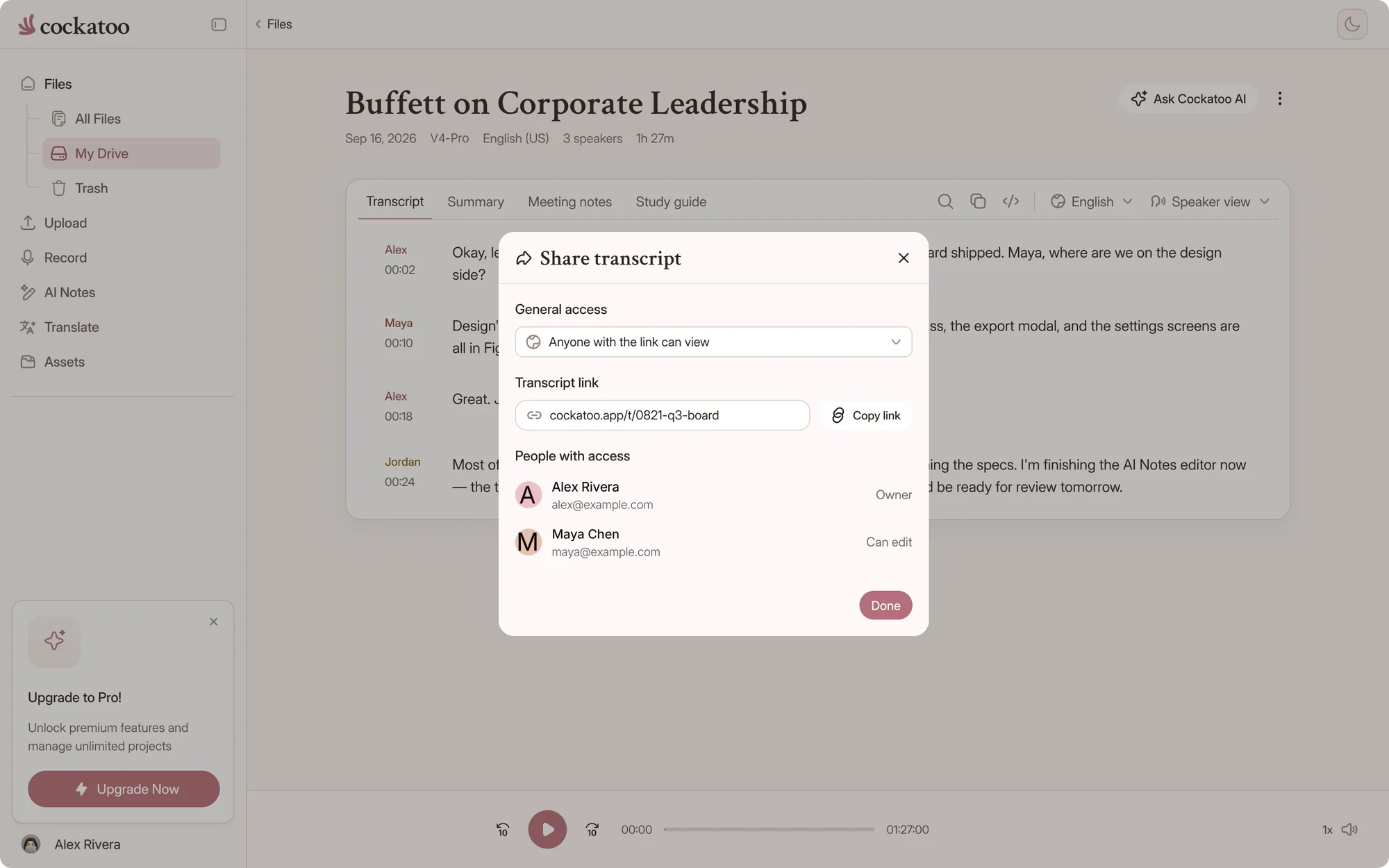
Sharing a Cockatoo transcript with a link

Store and Share Your Transcripts

Every account keeps your transcripts and source files in one place until you delete them. Share a transcript with collaborators or clients by link or invitation.

Files stay available as long as your account is active. Delete individual files or your entire account anytime, and the data is removed.

United States European Union (Finland)

Where your files are stored and processed

Speed, Translation, Privacy, and True Unlimited

The platform handles both transcription and document translation in one subscription, so you can transcribe a recording and translate the output into another language without paying for two separate tools.

Files stay private: they're stored and processed in the US and the EU (Finland), and support engineers access recordings only with your explicit permission. V4-Flash is unlimited on every plan, including Free.

Use cases

When You Need a Video to Text Converter

One upload turns a recording into quotes, captions, notes and drafts.

Turn Interviews and Calls Into Quotable Transcripts

Record a Zoom call, phone interview, or in-person conversation and get a transcript you can quote, search, and share. Speaker labels keep track of who said what. Timestamps let you jump back to the exact moment.

Podcasters transcribe whole back catalogs the same way. The transcript comes back clean enough to publish with minimal editing.

Add Subtitles to Videos for Social Media and Accessibility

Upload a marketing video, training recording, or social media clip and export an SRT subtitle file in seconds. The subtitles include timestamps and speaker labels, ready to drop into your video editor.

Subtitles make videos accessible to viewers who are deaf or hard of hearing. They improve engagement on platforms where videos autoplay without sound.

Transcribe Lectures, Meetings, and Training Sessions

Turn a recorded lecture, team meeting, or training session into searchable notes. Students use Cockatoo to review class recordings without rewatching the whole video. Teams transcribe standups and planning calls so everyone has a written record.

The AI summarizes long recordings into short briefs. Scan the key points quickly instead of listening to an hour of audio.

Translate Transcripts Into Other Languages

Transcribe a video in one language, then translate the transcript into another without leaving the platform or paying for a second tool. The same subscription covers both halves of the job.

Upload a training video in English, get the transcript, and translate it into Spanish, French, or any of the supported languages. The output is ready to use as subtitles or documentation.

Document Legal Proceedings and Professional Recordings

Lawyers, consultants, and researchers transcribe depositions, client calls, and field recordings where accuracy matters. Word-level timestamps and speaker labels make it easy to cite specific statements and verify details.

Repurpose Videos Into Articles and Posts

A transcript is the first draft of a blog post, newsletter or show notes. Export DOCX, edit the text in Word or Google Docs, and publish what your video already said.

Industry-leading accuracy

Accuracy on Real-World Audio

V4-Pro had the lowest error rate of the tested providers in 25 of 36 languages. Accuracy varies by language and recording quality, so see the benchmarks.

Background Noise, Accents, and Crosstalk

Background noise, heavy accents, and crosstalk lower accuracy, just like they do for human transcribers. The built-in editor makes fixes quick. Even imperfect transcripts save hours compared to typing from scratch.

For the best result, record in a quiet space with a decent microphone close to the speakers.

Cockatoo V4-Pro on FLEURSError rate ¡ lower is better
  • English3.9% WER
  • Spanish1.0% WER
  • German2.4% WER
  • French7.8% WER
  • Japanese6.5% CER

Accuracy varies by language and recording quality. Updated October 27, 2026. Full results and method

Accuracy Results for 36 Languages on a Public Benchmark

Cockatoo publishes accuracy results for 36 individual languages, tested on the same public benchmark researchers use to compare transcription engines, plus real-world recordings with background noise and accents. The methodology and audio examples are public. You can verify the claims yourself.

Many tools state a single accuracy percentage with no evidence. Cockatoo shows the work, language by language, and accuracy varies by language and recording quality. You know what to expect on your own audio.

Transcription mode

V4-FlashUp to 120x real timeFree, unlimited
V4-ProIndustry-leading accuracyAbout 20x real time
focus-group-2.mp3Transcribe

Multiple Transcription Modes for Different Needs

Cockatoo offers multiple transcription modes, each optimized for different accuracy and speed tradeoffs. The platform versions its transcription engine and modes over time, so you can choose the best fit for your audio.

V4-Flash is unlimited, including on Free. V4-Pro, the most accurate mode, transcribes whole recordings on paid plans, and free accounts get weekly V4-Pro previews.

The usage model mirrors ChatGPT, Claude, and Gemini: an unlimited standard mode, with the top mode on paid plans.

“This transcriber is incredibly accurate, and not bothered by all the different accents i present it with. Highly recommended.”
Ian A.AustraliaRead review
“The transcription accuracy is impressive, and the export options make it simple to work with transcripts in various formats.”
Bill N.United StatesRead review
“Need to do very little editing to make transcripts perfect”
Mick S.AustraliaRead review
FAQ

Frequently asked questions

Quick answers about converting video to text.

Visit the help center

Upload your video file or paste a link, and Cockatoo returns an editable transcript in seconds. You can upload on the homepage before you sign up, then create a free account to open the transcript.

Convert your first video to text

Get your full transcript free, with no daily limit. Try industry-leading accuracy with V4-Pro.

Start Transcribing Free