How to Do Qualitative Research Transcription Accurately

Your transcript is your data. One missed word corrupts a code, a theme, and a finding, so choosing a transcription tool is a methodological decision, not a convenience one.
Qualitative research transcription converts spoken audio from interviews and focus groups into written text for analysis. The common assumption is that high accuracy is either obvious from a tool's reputation or impossible to verify before you try it, so just pick the most popular option and clean up whatever it misses. The reality is that the transcript is the primary data source; every code, theme, and finding rests directly on the words captured on the page. See our voice transcription app for how this works in practice.
The transcript is the complete record, with no parallel dataset to cross-reference. When a researcher begins tagging responses in a coding tool, they are working entirely from the words on the page. A voice transcription app that returns a polished-looking file with hidden word-level errors does not save time; it transfers risk downstream, where it compounds.
The transcript is the complete record, with no parallel dataset to cross-reference. Consider a participant whose words are captured incorrectly at the transcription stage.
A researcher codes that line according to what the transcript says. The code feeds a theme. The theme shapes a finding. The finding goes into the report. Not one of those steps flags the original error, because none of them return to the audio.

Transcription accuracy directly affects the credibility of findings and the audit trail that allows others to verify how conclusions were reached. Peer reviewers, dissertation committees, and ethics boards all ask the same question: can this finding be traced back to the data? If the data is wrong, the answer is no, regardless of how rigorous the coding was. Accepting that risk because a tool was free, fast, or already on the laptop is not a neutral choice.
Key takeaways
- The transcript is the primary data source in qualitative research, a misheard word doesn't just look wrong, it corrupts the code built on top of it.
- Manual transcription runs four to six hours of work per hour of audio, meaning a single 90-minute focus group can consume a full workday before analysis even starts.
- Transcription level, clean verbatim, naturalistic, or full notation, is a methodological commitment; choosing the wrong one for your analytic approach means the transcript cannot support your findings.
- Your IRB protocol and consent form have already decided which transcription tools are legally available to you, often before you've thought about which tool to use.
- Recording conditions set a hard accuracy ceiling before any tool is selected, a researcher who picks the best transcription engine and then records on a laptop mic in a café has made that comparison irrelevant.
- AI transcription clears 95% accuracy on clean speech, but that number drops sharply on accented speakers, overlapping turns, and field recordings, treat the AI-versus-human decision as a per-file triage call, not a one-time project stance.
- A vendor's stated accuracy percentage is almost never tied to a specific language, a named test set, or audio that resembles real fieldwork, for multilingual research, that gap is a direct threat to data quality.
- Cockatoo closes that gap with published accuracy tests covering 30 languages, run on the same public benchmark set researchers use to compare transcription engines, plus real-world recordings with background noise and accents, so you can audit the numbers before you trust the data, not after a corrupted codebook forces you to go back.
The Hidden Cost of Tolerating Bad Transcription Tools in Qualitative Research
That is what manual transcription actually costs, according to Fireflies.ai's 2024 analysis, so a single 90-minute focus group can swallow most of a researcher's working day before a single code is written. For anyone managing 25 or more hours of dissertation interviews, that arithmetic compounds fast, with human transcription services typically pushing total costs toward $3,000 for a standard qualitative study.
$3,000
typical cost for a standard qualitative study

Free Auto-Captions Are a False Economy The Cleanup Erases the Time Saved
In practice, the cleanup erases the time saved, often so completely that the researcher would have been faster starting from scratch.
Three hours of corrections on a 90-minute focus group is not unusual.
An Unverifiable Accuracy Claim Is a Research Liability, Not a Marketing Footnote
An unverifiable accuracy claim is a research liability. Most transcription tools advertise a headline accuracy figure with no published methodology, no test conditions, and no third-party validation. "99% accurate" on a marketing page tells you nothing about performance on accented speech, overlapping voices, or the specialist vocabulary your participants actually use.
Cockatoo's published accuracy tests, run against the same public benchmark set researchers use to compare transcription engines, give you something a bare percentage claim never can: evidence you can check before a single sensitive file leaves your hands.
What Are the Three Main Transcription Levels in Qualitative Research and When Should Each Be Used
Transcription level is a methodological commitment, not a formatting preference. If you record an interview for conversation analysis and transcribe it clean, the pauses, false starts, and overlapping speech are gone permanently. No amount of re-listening reconstructs what was never written down. That means the level must be locked in before you choose a tool, because the tool has to be capable of delivering that format reliably.
Three levels exist in qualitative research practice, and each serves a distinct analytical purpose.
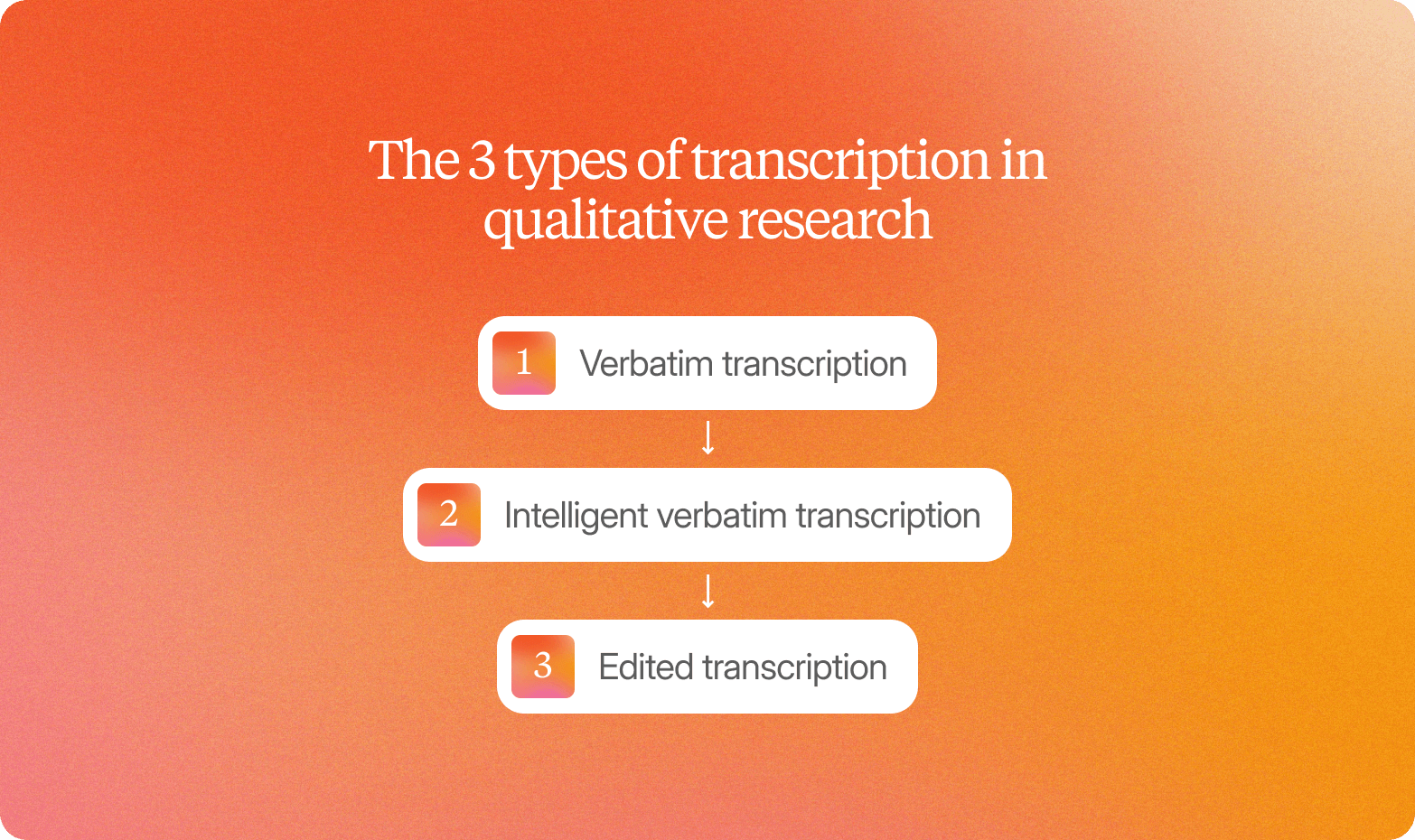
1. Verbatim Transcription - Every Utterance Captured for Conversation and Discourse Analysis
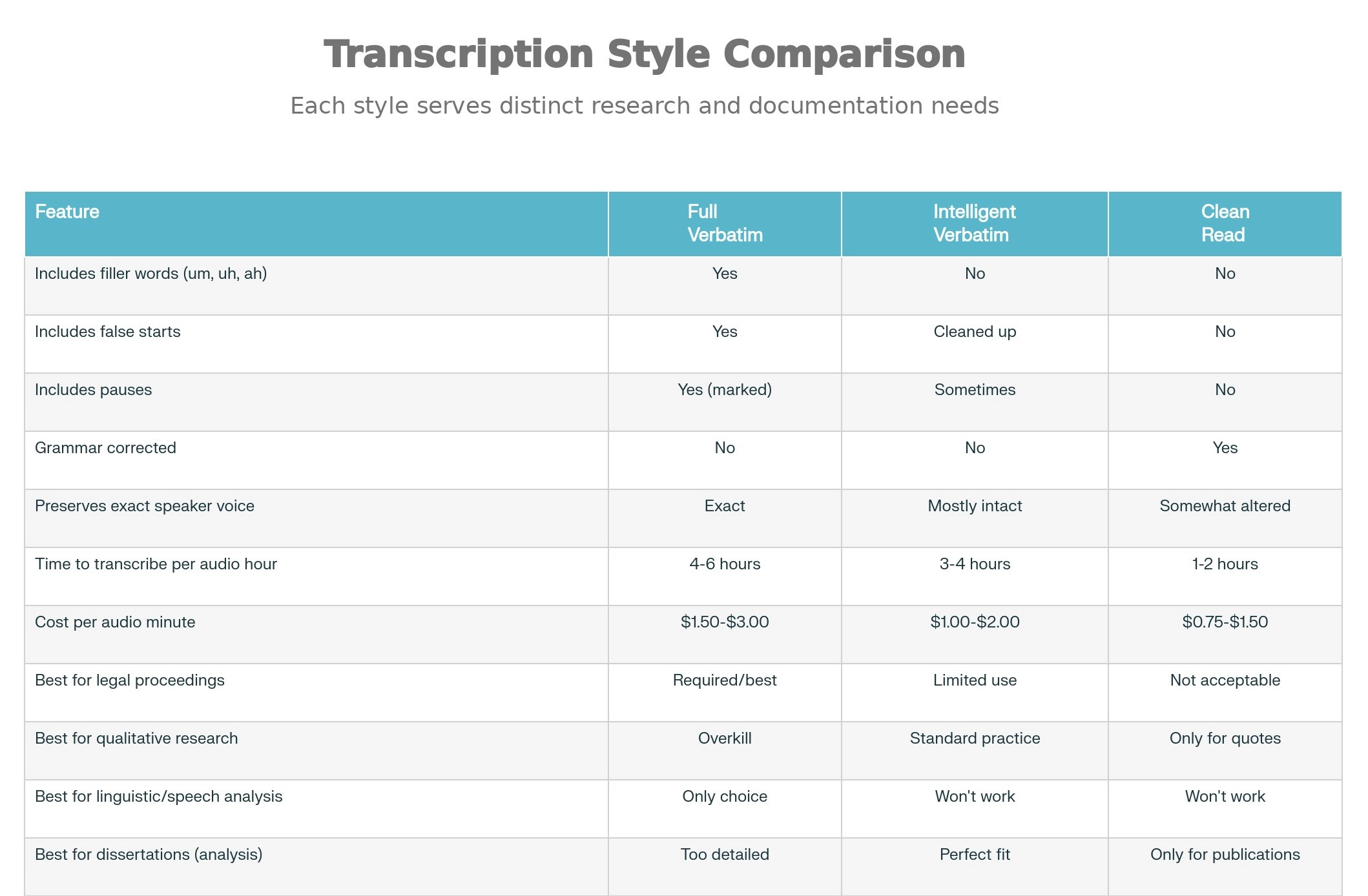
Full verbatim captures every utterance: false starts, filler words (um, uh, you know), laughter, audible pauses, and overlapping speech, typically marked with Jefferson notation. It is the only acceptable format for conversation analysis and discourse analysis, where the how of speech carries as much meaning as the what. The real tradeoff is production time: full verbatim runs significantly longer to produce than clean verbatim, and most thematic-analysis projects do not need it. Choosing it unnecessarily adds hours with no analytical return.
2. Clean Verbatim Transcription - Meaning-Preserving Format for Thematic and Phenomenological Analysis
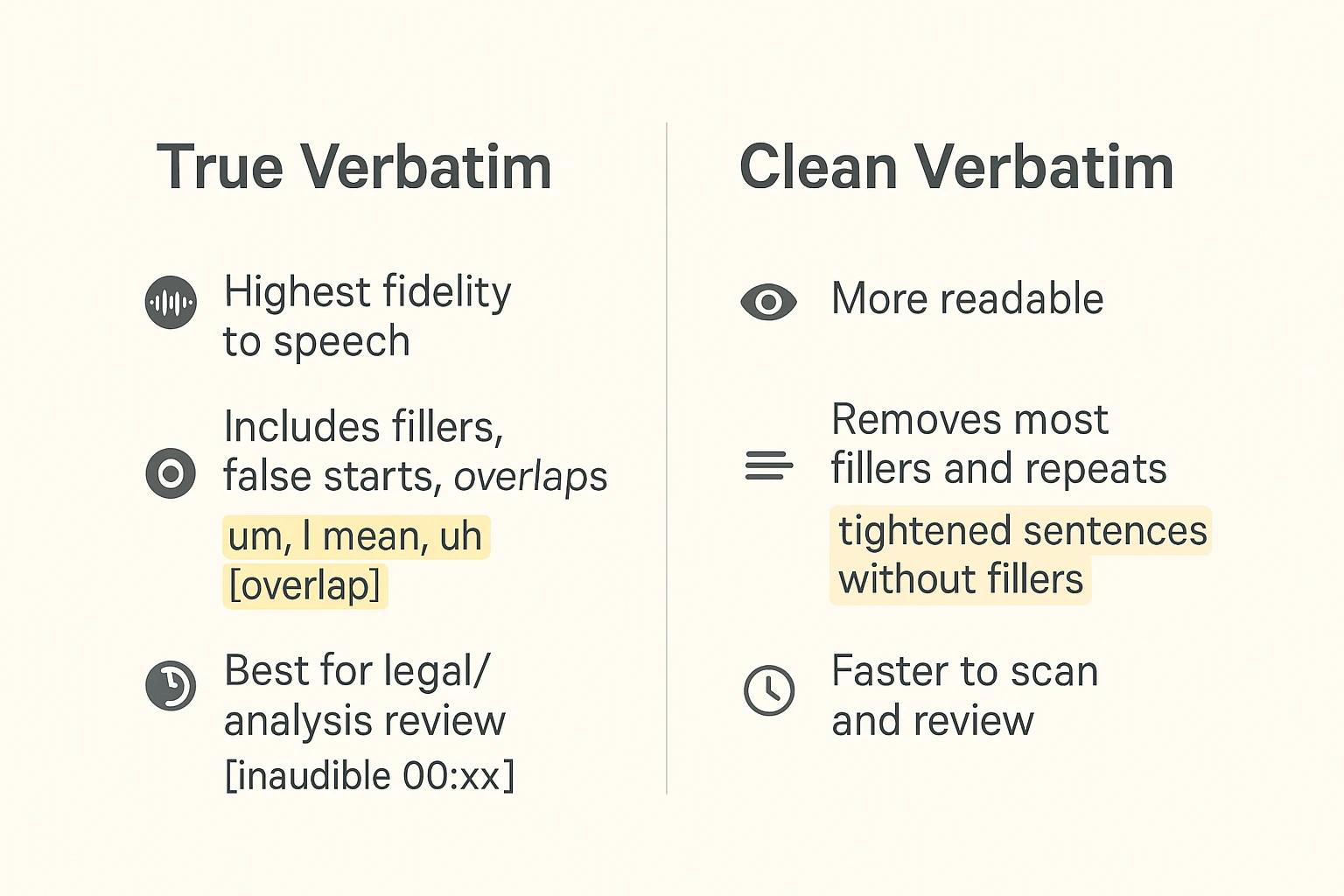
Clean verbatim removes fillers, false starts, and stutters while preserving the speaker's exact words, meaning, and tone. It is the right format for thematic analysis, phenomenology, and grounded theory, which represent the large majority of qualitative research in practice. A voice transcription app that defaults to clean verbatim and publishes per-language accuracy tests gives researchers an auditable baseline before a single file is uploaded, which matters because even small transcription errors, a misheard phrase, a dropped clause, can corrupt a code during analysis. This is the level most researchers need most of the time.
3. Intelligent Transcription - Generally Discouraged for Primary Qualitative Research Due to Researcher Bias Risk

Intelligent transcription (also called summarized or paraphrase transcription) condenses and rephrases speech rather than preserving it word for word. The core problem is that interpretive choices are embedded in the transcript before analysis begins, and those choices are unauditable. A researcher coding from a paraphrased transcript is effectively coding someone else's summary, not the participant's voice. Industry research on how qualitative data is used in practice identifies summarized transcription as a consistent source of undetectable bias. Reserve intelligent transcription for internal notes and meeting summaries, never for primary research data.
Locking in the right transcription level is the first methodological gate, but it is not the last one. Before any audio file leaves your device and enters a cloud transcription service, there is a second gate many researchers miss entirely: ethics clearance and IRB compliance, which in some institutions determines not just how you transcribe, but which tools you are legally permitted to use at all.
What IRB and Ethics Considerations Must Be Checked Before Using Cloud Transcription Services

Your Consent Form Already Decided Which Transcription Tools Are Legal for Your Study
Check the data-handling clauses in your IRB protocol before you upload a single file. Many approved protocols contain explicit restrictions on where audio and transcripts can travel, including prohibitions on third-party cloud processing. University IRB templates from institutions such as Michigan and Cornell include data-storage language that limits processing to institutional servers or approved vendors. Confirming which tools fall within those boundaries before testing saves the time and paperwork of a retroactive amendment.
Cockatoo's self-serve free tier requires no credit card and no institutional IT request to test: a transcript comes back on the first upload, with no setup, so you can verify accuracy and workflow fit against your actual interview audio before committing to a plan or citing the tool in your IRB amendment.
De-Identification Must Happen Before the First Upload, Not After
De-identification is a procedural step, not an afterthought. Replace participant names, locations, employer names, and any other direct identifiers with bracketed pseudonyms before audio or transcripts leave your institution's infrastructure. Treating this as a prerequisite rather than a post-processing task keeps your protocol compliant at every stage of the workflow.
Cockatoo's multilingual handling and document translation (supporting PDF, DOCX, PPTX, XLSX, and TXT formats) mean that once audio has been de-identified and cleared for cloud processing under your protocol, translated transcripts and documents can be produced within the same environment rather than passed to a separate, unapproved vendor.
At a glance
| Compliant Path | Best For | Key Requirement/Feature | Compliance Standard |
|---|---|---|---|
| Local offline pipeline using OpenAI's Whisper | IRB-restricted data that cannot leave the institution | Deployed entirely on institutional hardware | , |
| Amberscript (cloud, EU jurisdiction) | EU-regulated data where cloud processing is permitted but must stay within EU jurisdiction | Holds ISO 27001 certification and operates under EU data-residency terms | GDPR Article 28 Data Processing Agreement |
Vendor selection for EU-regulated data carries its own contractual obligations. Under GDPR Article 28, any cloud vendor processing personal data on your behalf must sign a Data Processing Agreement. Amberscript, which holds ISO 27001 certification and operates under EU data-residency terms, satisfies that requirement for researchers whose consent forms permit compliant third-party processing.
For researchers who have completed the consent-form audit and de-identified their audio, Cockatoo's published per-language accuracy benchmarks give IRB committees an auditable evidence trail, a concrete artifact to attach to a protocol amendment or data-management plan. The Pro plan, marked "Most Popular" and priced at $11.99 USD/month billed annually during the current sale, supports truly unlimited transcription on standard modes, file translation, and bulk export to PDF, DOCX, TXT, and SRT, covering the range of formats most institutional repositories and qualitative analysis tools accept. Where a study produces video data that requires published captions or subtitles, common in disability research or public-facing dissemination, Cockatoo's video captioning and subtitle export handles that output within the same workflow.
What Audio Format and Quality You Need Before Transcribing Qualitative Interviews

Why Your Microphone Placement Determines the Accuracy Ceiling Before Any Tool Enters the Picture
Research evaluating ASR systems on clean versus noisy audio found that engines performing near state-of-the-art on clean recordings showed substantially higher word error rates on noisy recordings, confirming that background noise degrades accuracy regardless of which engine processes the file.
The issue is signal ambiguity: when two voices occupy the same frequency space simultaneously, the recording becomes harder to parse. Research on speech perception confirms that competing talkers elevate cognitive and acoustic processing demands, and ASR engines face an analogous challenge at the signal level.
File Formats and Sample Rates AI Transcription Tools Accept
Most tools accept WAV, MP3, MP4, and M4A; the format matters less than the sample rate embedded in the file.
An 8 kHz telephone-quality recording will not transcribe well, because the upper frequencies that distinguish similar consonants are already gone before the engine sees the file.
Cockatoo supports multilingual transcription, and language coverage varies by transcription mode. The benchmarks page measures Cockatoo V4-Pro across 36 languages on FLEURS (the standard public benchmark researchers use to compare speech recognition systems; named here because it is the same test used to evaluate Whisper, Deepgram, and AssemblyAI on the same page) and on an internal real-world benchmark of human-labeled recordings with accents and background noise.
Published results as of October 27, 2026: Cockatoo V4-Pro achieved the lowest error rate in 25 of 36 languages on both tests, with 12 languages under 5% word error rate on FLEURS.
How to Strip and Compress Audio From Video Before Upload Without Losing Transcription-Grade Quality
Tools like FFmpeg handle this in a single command: `ffmpeg -i interview.mp4 -ac 1 -ar 16000 -q:a 4 output.mp3`.
Cockatoo Pro carries no hard file length or size cap, and the tool strips audio from video in-browser before upload, so a multi-hour interview or a long podcast episode uploads reliably without manual pre-processing on your end.
Once the transcript exists, the practical challenge shifts from accuracy to usability: a 96-minute interview produces a wall of text, and finding the passages that actually need acting on takes time. Cockatoo's Canvas AI notes editor, included on every plan, including the free tier, lets you work directly inside the transcript to surface and act on what matters, turning a long recording into something you can actually use without retyping a word. For video content specifically, Cockatoo also exports SRT subtitle files (available on Pro), so the same upload that produces your transcript can also produce publish-ready captions.
When Researchers Should Use Human Transcription Instead of AI Transcription
AI transcription handles clean, controlled recordings well, but accuracy drops sharply when recording conditions get difficult, and the cost gap between methods becomes significant at scale.
At a glance
Treat the AI-versus-human transcription decision as a per-file triage call, not a one-time project stance, and you immediately cut unnecessary spend while protecting data quality where it matters. AI transcription achieves over 95% accuracy on clear speech, but that number drops sharply when recording conditions get difficult.
The Three Audio Conditions That Should Automatically Trigger Human Transcription
- Heavy accents: AI models are trained disproportionately on standard dialect speech, so error rates climb well past the point where coding becomes unreliable.
- Overlapping speakers: Crosstalk in focus groups or paired interviews causes AI to drop entire turns or merge speakers.
- Poor audio quality: The upstream ceiling no engine can break through.
According to Cekura Bench's comparison of 19 speech-to-text models, accuracy degrades significantly on heavy accents, overlapping speakers, and difficult audio conditions, making human transcription the appropriate escalation for those specific failure modes, not a blanket replacement.
With Cockatoo's free tier, that starts with no setup and no credit card: a transcript comes back on your first upload, so you can run a quick triage test on any file before committing a method to your whole corpus.
What Human Transcription Actually Costs and When That Cost Is Justified
Rev charges $1.99 per audio minute for human transcription and is HIPAA and SOC 2 compliant, making it $119.40 for a one-hour interview. The practical answer is not to verify every AI transcript line by line, but to reserve that scrutiny for files where the conditions make errors likely, and to use Cockatoo's in-browser transcript editing and AI Notes editor to resolve ambiguities in the files you do run through AI, without re-uploading or switching tools.
Legally Sensitive and IRB-Flagged Recordings
Recordings involving minors, clinical disclosures, or legally protected testimony may fall under IRB data-handling clauses that restrict third-party cloud processing entirely. Rev's HIPAA and SOC 2 compliance makes it one of the few human transcription services that qualifies for sensitive research data under many institutional protocols.
What Are the Best Transcription Tools for Multilingual Qualitative Research
A vendor's stated accuracy percentage is almost never tied to a specific language, a named test set, or audio that resembles real fieldwork. For multilingual qualitative research, that matters enormously: a figure averaged across a handful of clean studio recordings tells you nothing about how a tool will perform on a field interview recorded in a second language, with background noise, and an accented speaker. That is exactly the audio that matters most.
The best tools for this work are distinguished by three things: verified language coverage, per-language accuracy benchmarks run on a shared public test set, and speaker-identification capability. A single headline percentage with no published methodology cannot be audited, cannot be compared across languages, and cannot be trusted for a specific fieldwork context. For researchers working across 30 or more languages, the absence of per-language benchmark data from a vendor is itself the signal: the accuracy claim was not designed to survive scrutiny.
Here is how the leading tools compare on those criteria.
At a glance
1. Cockatoo - Best Accuracy Evidence Across 30 Languages with Real-World Audio Testing
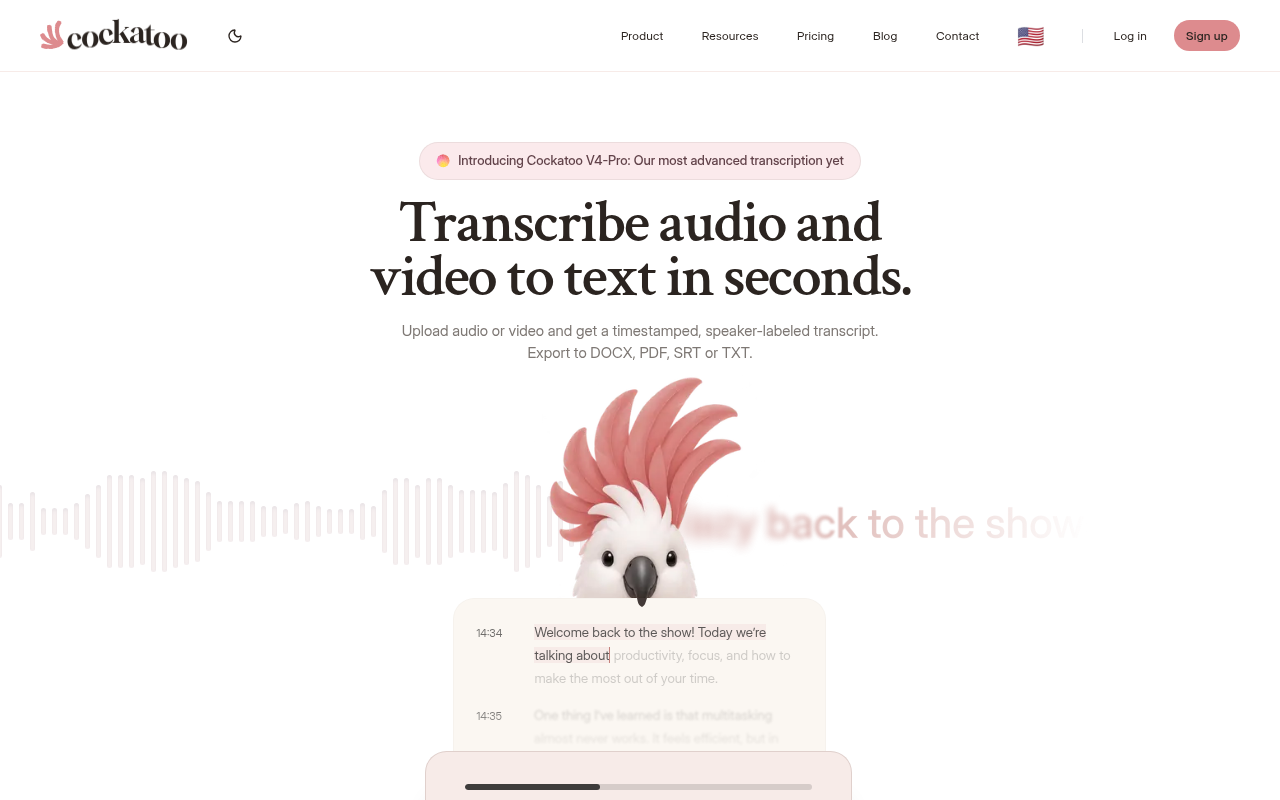
Cockatoo publishes per-language accuracy tests run on the same public test set researchers use to compare transcription engines, plus real-world recordings with background noise and accents, so you can audit performance for your specific language before uploading a single file. Upload any audio or video file and get an editable transcript back. Speaker recognition comes with a settable speaker count, renaming a speaker updates every line.
Word-level timestamps are available, with paragraph, sentence, and speaker-turn export options; punctuation and capitalisation are applied automatically. The tool uses a clean-verbatim style by default, with no noise reduction applied to uploads. Accuracy evidence lives on the published benchmarks page, published accuracy tests for 30 languages run on the same public test set researchers use to compare transcription engines, with testing that includes real-world recordings with background noise and accents.
According to State of Digital Publishing, 2024, the Pro plan carries no monthly hour cap. Cockatoo attributes this to running in-house inference rather than reselling a third-party API, a structural cost difference, though researchers should verify current plan terms directly on the pricing page before committing. The highest-accuracy modes carry a weekly usage limit shown in Settings, which matters for researchers processing very large corpora in a short window.
2. HappyScribe - Best for Broad Multilingual Coverage with Human Verification
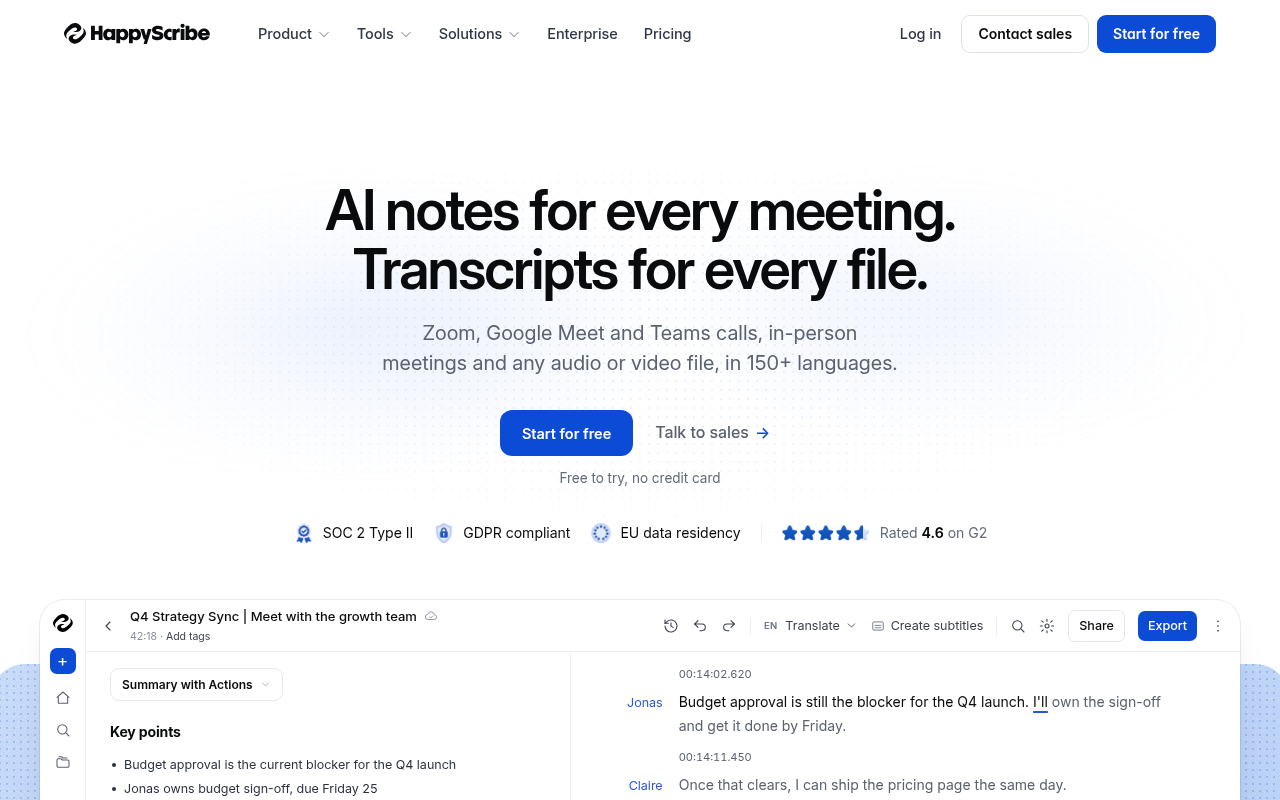
According to State of Digital Publishing, HappyScribe supports 150+ languages and dialects and offers a human-verified transcription option advertised at 99% accuracy. Human verification adds an additional review layer that can reduce uncorrected errors on sensitive or legally significant recordings, though, as with any vendor accuracy claim, researchers should request methodology details if the figure will appear in a methods section. The real trade-off is cost: human verification is priced per minute, and that compounds quickly across a large qualitative corpus. Best suited for researchers who need broad language coverage and can budget for human review on a subset of critical files, rather than across an entire dataset.
3. Otter.ai - Best for English-Only US-Based Research Team Workflows
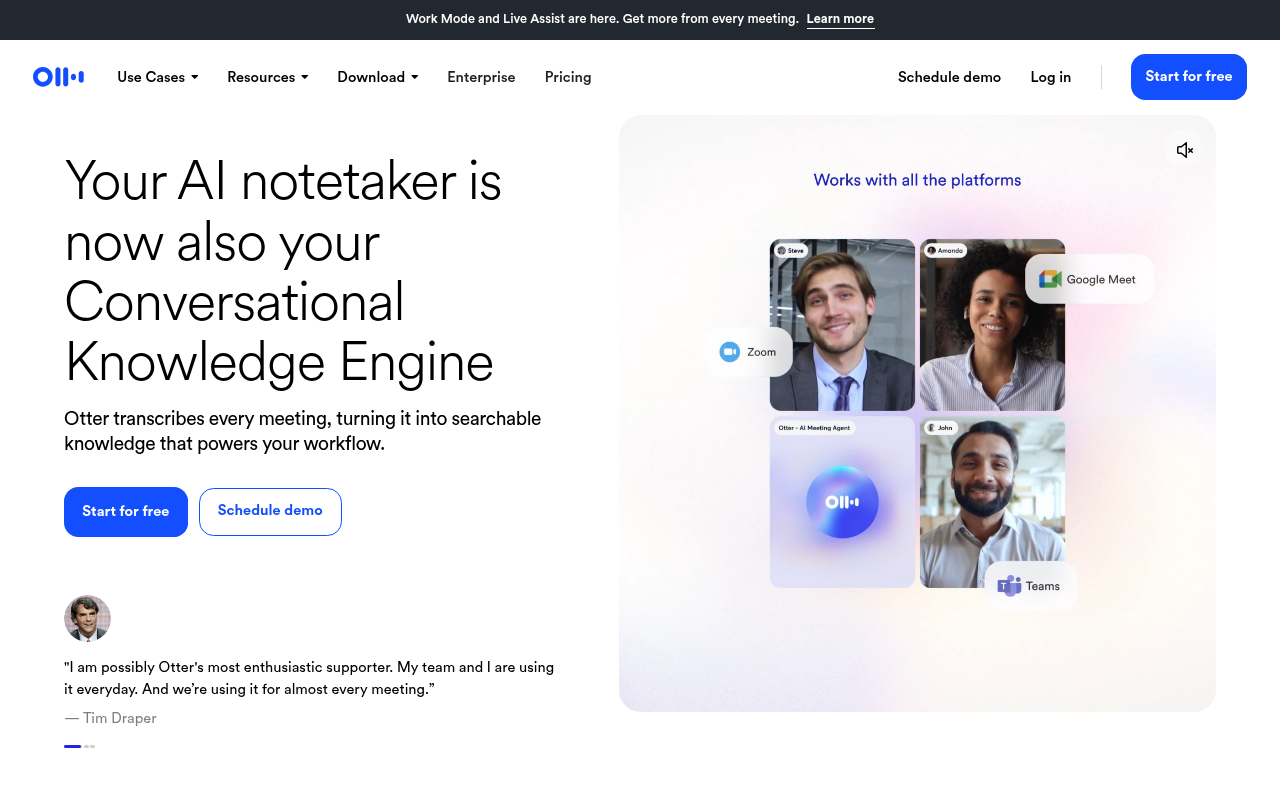
Otter.ai's own page advertises live transcription in multiple languages, directly contradicting the claim that it has a limited language range making it less suitable for multilingual research. If your fieldwork is conducted entirely in English and your team needs shared access and live-meeting workflows, it performs well within that narrow scope. For any project that includes interviews in a second language, its language ceiling is a hard constraint.
Choosing the right tool for multilingual transcription is only half the workflow decision. The next section maps which of these tools connect directly into the qualitative data analysis software where your coding actually happens, so you can evaluate the full chain before committing to any one platform.
Related Reading
- How To Transcribe Youtube Video
- Best Transcription Software For Qualitative Research
- Meeting Transcription And Summary Ai Tools
- Best Lecture Transcription App
- Best Transcription App For Iphone
- Best Closed Captioning Software
- Market Research Transcription
- Business Transcription
- Podcast Transcription Software
- Automatic Video Transcription Software
- Best Medical Transcription Software
- Zoom Ai Transcription
- Best Transcription Software For Interviews
Which Transcription Tools Integrate Directly with Qualitative Data Analysis Software
Three of the most widely used QDA platforms, NVivo, ATLAS.ti, and MAXQDA, each support transcript import, but the format your transcription tool exports determines whether that import takes thirty seconds or thirty minutes of manual cleanup. A less obvious pressure point: transcription is often only available as an expensive add-on inside QDA software itself, making a fully integrated transcription-to-analysis pipeline cost-prohibitive for students and independent researchers. That cost gap is part of why keeping transcription and analysis in separate, well-matched tools is increasingly the practical choice, rather than paying for a bundled feature inside a platform like MAXQDA.
"None of the transcription tools discussed integrate directly with qualitative data analysis (QDA) software, people talk about output formats (e.g. TextGrids, ELAN formats) but not direct QDA integration pipelines."
— what we hear from qualitative researchers
1. NVivo - Direct Audio-Linked Transcript Import via .docx or .txt
NVivo preserves the connection between transcript text and the source media file, so researchers can click a coded segment and hear the audio play back from that exact point. That listen-back workflow only holds when the imported file meets NVivo's format requirements: a compatible.docx or.txt file added as a project item before coding begins, a process documented in Lumivero's own NVivo 14 Mac support library. If speaker labels are inconsistent or paragraph breaks are missing, the audio linkage breaks and the researcher loses the ability to verify a code against the original recording.
Cockatoo exports both.docx and.txt directly from its transcript editor, with consistent speaker-turn labels already applied, so the file that lands in NVivo is the file NVivo expects. That matters especially for multilingual interview projects: Cockatoo's language support extends across multiple languages (per-language accuracy is published on the benchmarks page), so non-English fieldwork does not require a separate tool or a manual translation step before the transcript is ready to import.
2. MAXQDA - Structured Transcript Import with Speaker-Turn Recognition
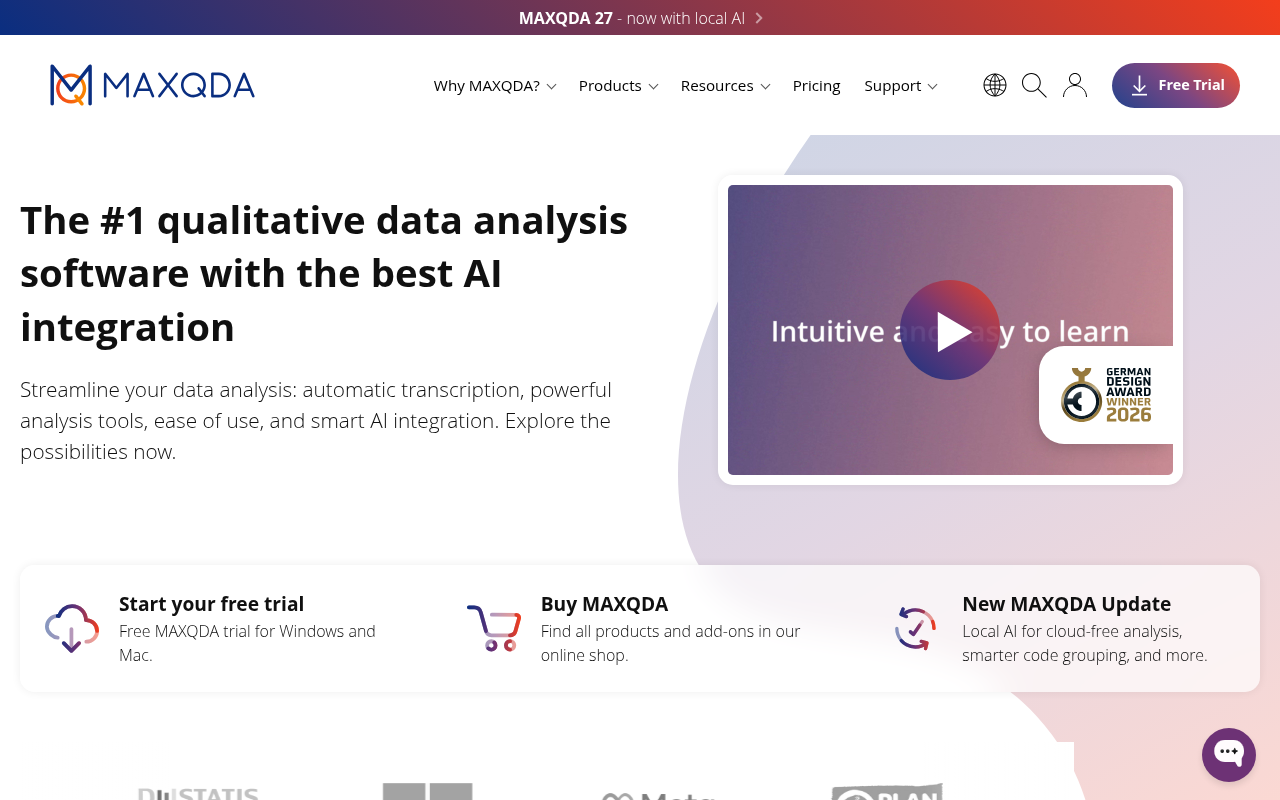
MAXQDA parses speaker turns automatically on import, but only when the transcript follows a consistent speaker-label convention. A researcher who receives a transcript with irregular labels, merged speaker blocks, or no paragraph breaks will find that MAXQDA's auto-segmentation fails silently: the file imports, but every turn lands as a single undivided block. That forces manual re-segmentation before a single code can be applied. The feature works best when the upstream transcription tool applies uniform speaker labels at export.
Researchers who reach for MAXQDA's built-in transcription module to avoid this problem typically encounter it as a paid add-on, a real friction point for students on tight budgets. Running Cockatoo alongside MAXQDA sidesteps that cost entirely. Cockatoo's free tier allows up to three transcripts per day at no cost and with no credit card required, which covers the rhythm of most interview-based fieldwork. When project volume grows, Cockatoo Pro adds unlimited transcription on its default modes with no monthly hour cap, exports to.docx,.txt,.pdf, and.srt, and supports batch uploads of up to twenty files at once, none of which requires touching MAXQDA's transcription add-on pricing.
3. ATLAS.ti - Multimedia Transcript Import with Timestamp-Anchored Quotations
ATLAS.ti supports linking imported transcripts to their corresponding media files for listen-back during coding. The practical tradeoff: ATLAS.ti can derive timing from the linked media file, but a transcript that arrives with no paragraph structure or speaker demarcation still requires manual segmentation before quotations can be anchored. Timestamp-anchored quotation is the feature; a clean transcript structure is the prerequisite.
4. Microsoft Word .docx as the Universal QDA Import Intermediate Format
The.docx file is the lowest-friction import path across NVivo, ATLAS.ti, and MAXQDA, which makes it the format researchers should demand from any AI transcription tool. The catch is that not every.docx is equal: a Word file stripped of consistent paragraph breaks and speaker labels is structurally identical to a blank document from the QDA platform's perspective. Format carries the structure that QDA software reads.
Cockatoo exports.docx natively, and because the tool is not English-only, its interface and transcription output support multiple languages. Researchers conducting interviews in a language other than English receive a structurally clean, speaker-labelled.docx in the source language, ready to import without an intermediate reformatting pass.
5. Speaker-Turn Export and Word-Level Timestamps - The Two Features That Determine QDA Workflow Fit
These two export features decide whether a transcript slots into QDA software or requires a reformatting pass first. Speaker-turn labels enable auto-segmentation in MAXQDA and clean node-coding in NVivo, as Lumivero's NVivo 14 Mac support documentation confirms. Word-level timestamps enable audio anchoring in ATLAS.ti and NVivo listen-back. A transcription tool that exports clean.docx files with consistent speaker-turn labels and paragraph breaks already applied gives researchers both conditions at once, so the handoff into QDA software does not require a manual reformatting pass before coding can begin.
Cockatoo's exports meet both conditions out of the box. For teams running multi-site or multilingual projects, the Team plan, minimum three people, adds shared transcript editing and centralised billing on top of everything in Pro, with 2 TB of encrypted cloud storage per person. That combination covers the full pipeline from raw audio to coded QDA project without routing budget through a QDA platform's own transcription add-on.
Getting the transcript into your QDA software is only the beginning. What happens next determines whether your data trail will survive scrutiny from a thesis committee or peer reviewer. The next section covers exactly how to verify and clean an AI-generated transcript before a single code is applied, including the convention sheet that makes your transcription decisions auditable.
How to Verify and Clean AI-Generated Qualitative Transcripts Before Coding
A clean-looking AI transcript is the most dangerous document in a qualitative research workflow. Not because errors are frequent, but because the errors AI makes are precisely the ones a fluency-based review will not catch: a substituted hedge ("might" for "will"), a smoothed-over dialect term, a collapsed speaker turn. The transcript reads well. The code it produces is wrong.
Way With Words notes that accuracy in transcription cannot be inferred from a tool's reputation alone; quality must be verified through deliberate review workflows, not assumed based on a service's popularity. That is the methodological gap a thesis committee or peer reviewer will probe directly.
What a Transcription Convention Sheet Must Include
Consistent transcription conventions are essential for ensuring a research team codes from a shared, reliable standard rather than individually interpreted text. Your convention sheet should document at minimum: the bracket format for inaudible passages (with timestamps), the symbol for overlapping speech, how pauses are marked (timed or untimed), how non-verbal sounds like laughter are noted, and whether false starts are retained or removed. One researcher writing `[unclear]` and another writing `(?)` creates inter-rater reliability problems that surface mid-analysis, not before it.
When the Correction Propagates Automatically
Researchers who find a speaker mislabel or a `[unclear]` on a key passage often assume they face a full re-transcription. A voice transcription app that offers word-level timestamps and bulk speaker-renaming, such as Cockatoo, means a single label correction propagates to every line carrying that label, turning the listen-back into a targeted edit pass. Confirm this behaviour in your chosen tool's editor before relying on it for a large corpus. This is most beneficial when you are working with multi-speaker recordings where diarization errors cluster around overlapping turns.
Verification and convention documentation turn a machine output into a defensible primary source, but they are still just one stage in a larger chain. The next section delivers the complete checklist: from hitting record, through upload and verification, to the exact export steps that drop a clean, coded-ready transcript into your QDA software.
1. Never Trust AI Transcripts Blindly - Always Listen Back to the Original Audio
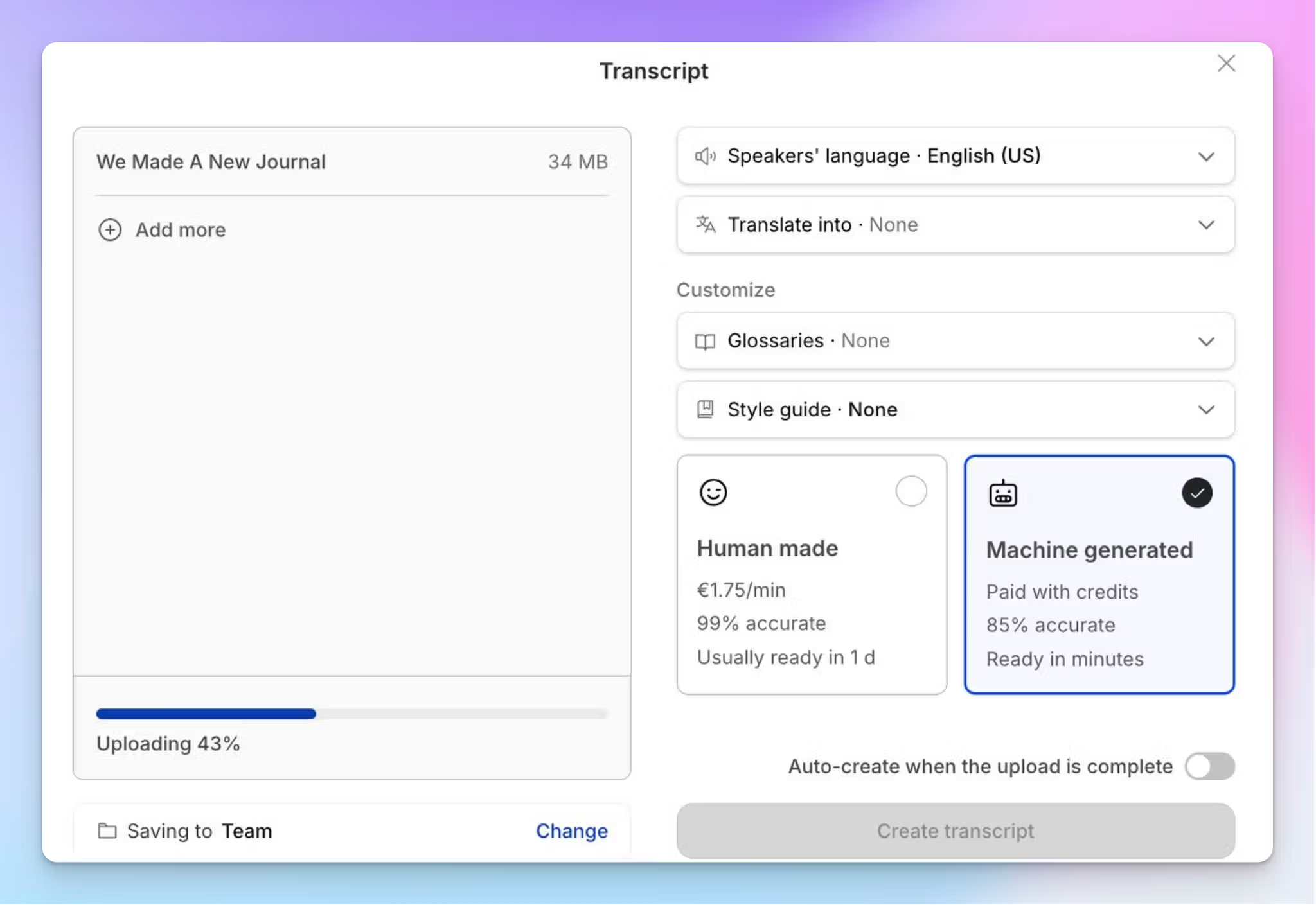
Never trust an AI transcript without listening back to the original audio. Even a fluent, well-punctuated output can hide substituted hedges, removed false starts, and smoothed-over dialect terms that a read-through will not catch. Way With Words confirms that accuracy cannot be inferred from a tool's reputation; quality requires deliberate review against the source recording, not a post-hoc proofread of the transcript in isolation. If the passage anchors a code, listen to it.
2. Build a Transcription Convention Sheet Before Your Team Starts Coding

Build your transcription convention sheet before anyone opens the transcript, not after disagreements surface mid-analysis. The sheet must document at minimum: the bracket format for inaudible passages with timestamps (for example, `[inaudible 00:14:32]`), the symbol for overlapping speech, how timed and untimed pauses are marked, how non-verbal sounds are noted, and whether false starts are retained. Way With Words identifies consistent conventions as essential for coding from a shared standard rather than individually interpreted text. One researcher writing `[unclear]` while another writes `(?)` creates inter-rater reliability problems that are expensive to fix once coding has begun.
3. Step-by-Step Listen-Back Workflow at 75% Playback Speed
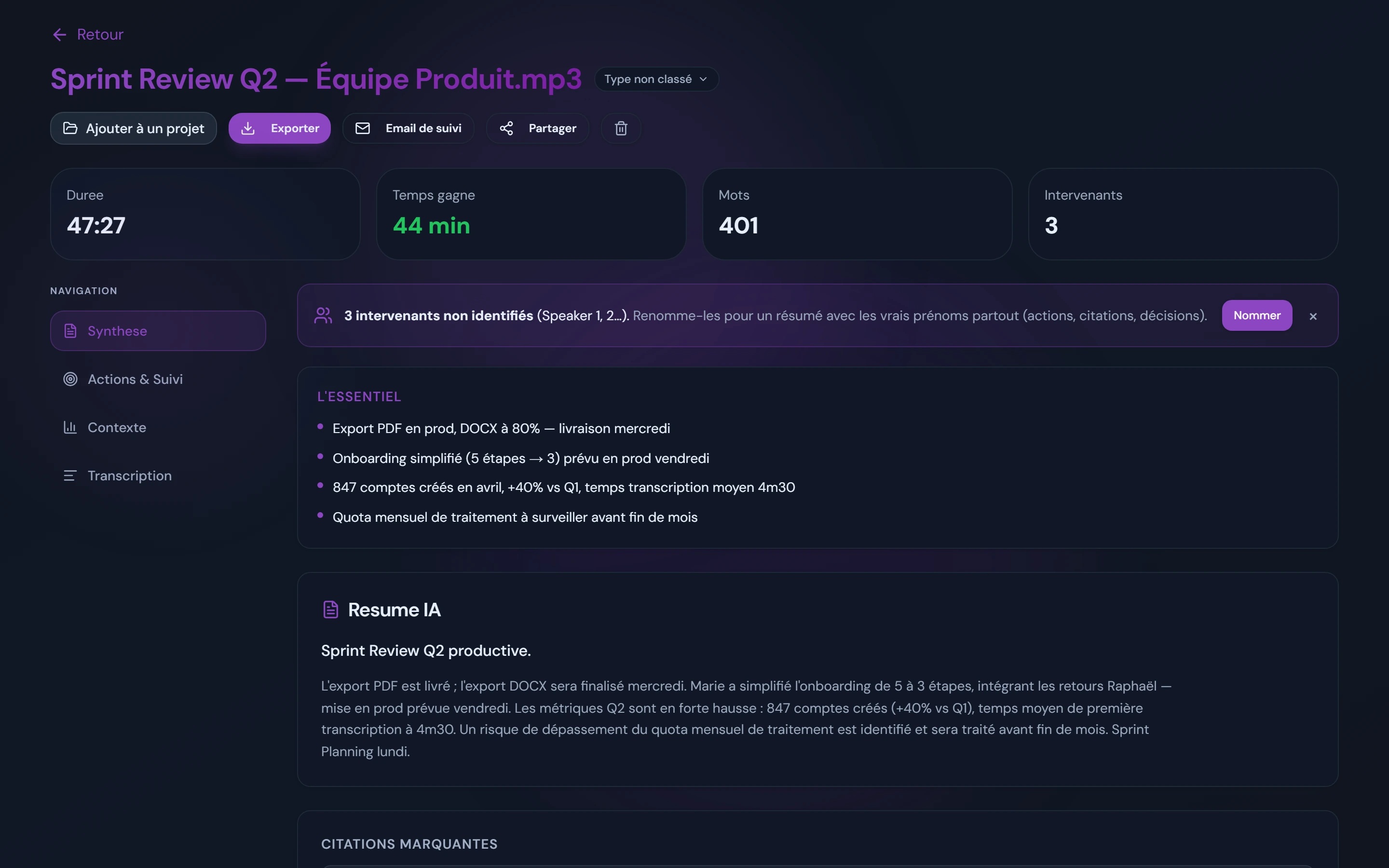
Play the audio at 75% speed while reading the transcript in parallel, treating the audio as the primary source and the transcript as the reference. Do not read first and listen second; that order reverses the check and lets fluent-sounding errors survive. Flag every proper noun, technical term, and emotionally loaded phrase for a closer pass, since these are the documented failure points in AI-generated transcripts. Resolve each flag immediately: correct it with confidence, or apply bracket notation. A single misheard negation can corrupt an entire theme; a missed filler almost never will.
4. Speaker Recognition and Renaming Workflow for Multi-Voice Transcripts

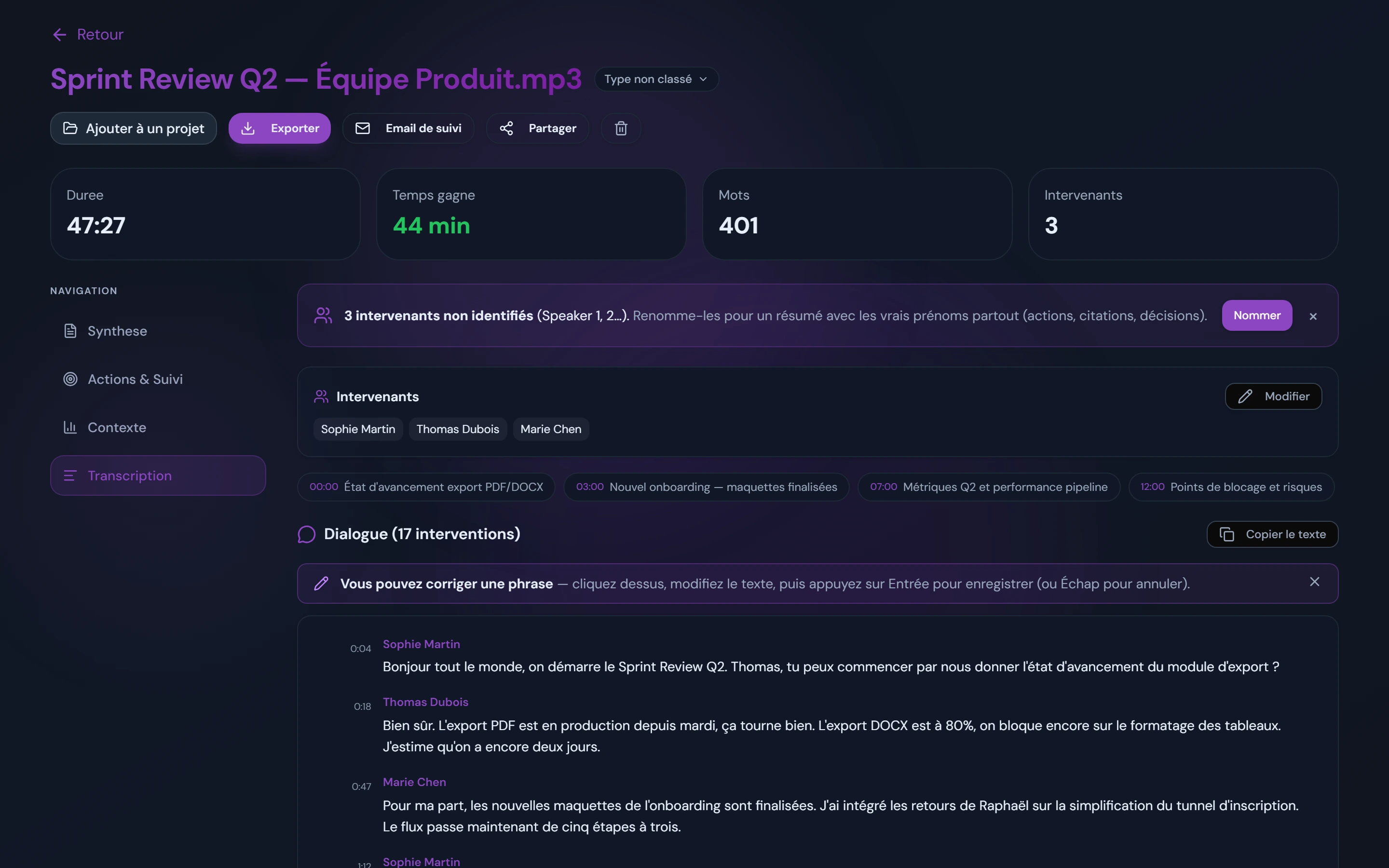
Before reading any content, audit every speaker-turn boundary against the audio. AI diarization fails most on overlapping speech, which is precisely where focus groups and dyadic interviews carry the most analytical weight. A misattributed turn does not just create an attribution error; it collapses the relational dynamic your analysis depends on. Set the speaker count correctly at upload, confirm labels against the audio during your listen-back pass, then bulk-rename once. Correcting a label at the source propagates the fix to every line, so the audit stays targeted rather than sprawling.
5. Accuracy and Quality Standards That Define an Acceptable Qualitative Transcript
Not every error carries equal weight, and treating them as equivalent wastes correction time on low-stakes passages. A missed filler, a slightly off punctuation mark, or a generic noun substitution is tolerable in most thematic analysis workflows. A misheard negation, a wrong speaker label on a pivotal turn, or a removed hedge that changes a participant's expressed certainty is disqualifying because it can corrupt an entire code. Triage corrections around the tokens that anchor your codes, not around surface fluency, and document your threshold decision in your methods section so reviewers can assess it.
6. Flagging and Resolving Uncertain Passages With Bracket Notation Before Finalizing

Every uncertain passage needs a binary decision before the transcript is finalized: correct it with documented confidence, or bracket it honestly. The bracket is not a weakness in your data record; it is the audit trail that makes the transcript citable as a primary source. An entry reading `[inaudible 00:14:32]` is methodologically defensible to a thesis committee. A guessed word that passes a spell-check is not, because there is no record that uncertainty existed. Resolve every flag before export; an unresolved `[unclear]` inside a coded segment is an open validity question, not a minor formatting issue.
The Step-by-Step Workflow From Recording to Importing Into QDA Software
Those six gates, from raw audio to a transcript your QDA software can actually use, must all hold. Bypass any one of them and the cost surfaces later, inside the software itself, where repairing broken structure consumes far more time than preventing it ever would have.
Pre-Upload Readiness Checklist
Use this checklist before any file leaves your device:
- IRB protocol reviewed, third-party cloud processing explicitly permitted
- Informed consent form confirms AI processing is covered
- Transcription level decided (clean verbatim / full verbatim / intelligent) and documented in methods
- Audio recorded at ≥16 kHz; microphone placed 15-30 cm from speaker
- Background noise eliminated or minimised at source
- Video stripped to audio-only file (mono MP3 ≥128 kbps) if applicable
- Participants and locations de-identified in filename and metadata before upload
- Speaker count confirmed and noted for diarisation settings
- Target QDA export format confirmed (.docx or.srt) before choosing tool
- Transcription convention sheet drafted and shared with all team members
Before any file moves anywhere, confirm two things: your IRB approval covers the specific third-party tool you plan to use, and your informed consent form explicitly permits AI processing of the recording. Then decide your transcription level. Clean verbatim suits thematic analysis; full verbatim, capturing every filler and pause, is required for conversation analysis. That decision shapes every downstream formatting choice, so make it before you upload, not after.
Step 1-3 - Record the Interview, Confirm IRB Approval, and Choose Your Transcription Level
Before a single audio file is uploaded, qualitative researchers must verify that recording consent is documented and IRB-approved, then decide on transcription level, verbatim, clean-verbatim, or denaturalized. Skipping the consent check at this stage can invalidate data for publication. The tradeoff: choosing the wrong transcription level here forces costly re-transcription later, so the decision must align with the analytic method before proceeding.
Step 4: Prepare Your Audio File for Optimal AI Transcription Accuracy
ASR accuracy drops sharply on low-quality recordings, overlapping speakers, and strong accents. Record at 16 kHz or above, place microphones close to each speaker, and reduce background noise at the source. If you are uploading video, strip the audio track first; smaller files process faster and more reliably. Fifteen minutes of preparation here can eliminate an hour of correction later.
Step 5: Check Per-Language Accuracy Benchmarks Before Uploading to Any AI Tool
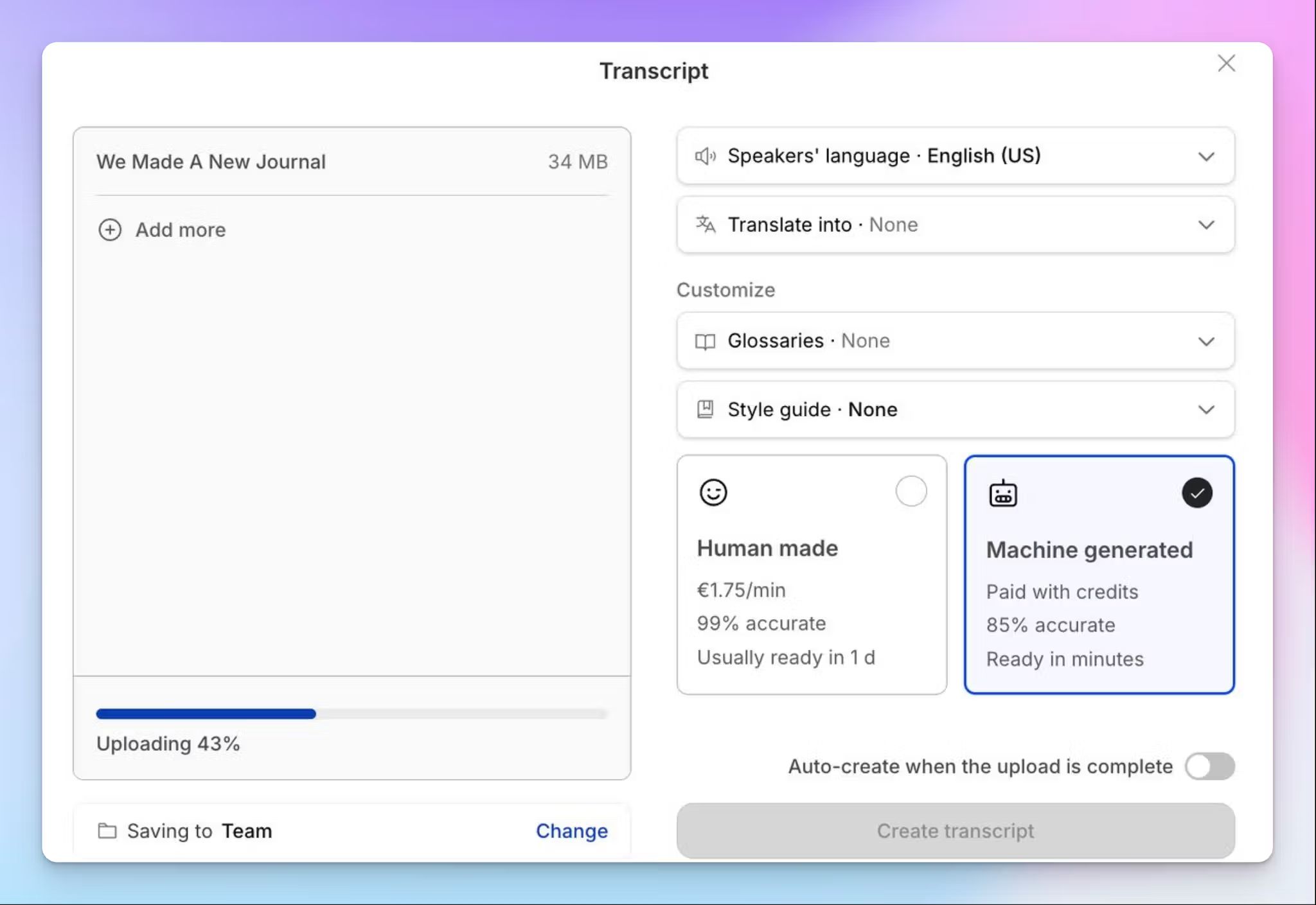
Before committing to an AI transcription platform, researchers should review published word-error-rate benchmarks for their specific interview language. Cockatoo publishes per-language accuracy data on its benchmarks page, giving researchers verifiable evidence rather than marketing claims. This is especially critical for multilingual or non-English qualitative studies. The limitation: benchmarks reflect clean studio audio, so real-world field recordings may perform below published figures.
4. Step 5b - Upload to Cockatoo - Set Speaker Count, Receive Word-Level Timestamps, Rename Speakers
Cockatoo's workflow is purpose-built for qualitative research transcription: upload audio or video, specify the number of speakers for diarization, and receive a transcript with word-level timestamps attached to each speaker turn. Researchers then rename speaker labels to pseudonyms before export. The key tradeoff is that speaker count must be set accurately upfront, underestimating speakers in a focus group degrades diarization quality and requires manual correction.
Step 6: Listen-Back Verify Using Clean-Verbatim as Your Default Output Style
Clean-verbatim is the standard output style for AI transcription tools and the format most thematic analysis workflows require, it removes filler words and false starts while preserving meaning, unlike full verbatim which retains every utterance. During listen-back verification, researchers play the audio against the transcript to catch proper nouns, technical terms, and speaker misattributions. The tradeoff: clean-verbatim is unsuitable for conversation analysis, which demands full verbatim with paralinguistic notation.
Step 7-8 - Apply a Convention Sheet, Then Export as .docx or .srt and Import Into QDA Software
A convention sheet standardizes formatting decisions, speaker label format, timestamp placement, ellipsis use, before the transcript is exported. Cockatoo supports export as.docx or.srt, both of which import cleanly into NVivo, ATLAS.ti, and MAXQDA. Applying the convention sheet before export, not after import, prevents reformatting inside the QDA software. The limitation:.srt imports preserve timestamps but may require manual paragraph merging inside some QDA platforms.
Start Transcribing Your Qualitative Research With Accuracy You Can Actually Verify
Researchers who have built their workflow around a tool's claimed accuracy number are making a bet they cannot verify until it is too late. A 2023 study published in the International Journal of Qualitative Methods found that qualitative researchers spend an average of 30 to 45 minutes correcting AI transcript errors for every hour of audio before coding can begin, and the corrections that get missed corrupt codes, not just formatting.
Why a Bare Accuracy Percentage Is a Research Liability
A percentage with no method behind it tells you nothing useful. It names no language, speaker count, recording conditions, or test set. The real risk is inaccuracy on your specific language and audio type, discovered only after thematic coding is underway. Recoding a data set from scratch can invalidate weeks of analysis.
How to Audit a Transcription Tool's Published Benchmarks Before You Upload Your First File
Cockatoo's benchmarks page publishes per-language accuracy scores run on FLEURS, the same public test set the academic speech-recognition community uses to compare engines across 30 languages. The scores sit next to competing engines on identical recordings. If the published error rate for your interview language meets your study's tolerance, you have an auditable basis for your methods section. This matters most for multilingual or non-English research, where bare percentage claims are almost always derived from English-only test sets.
Related Reading
- Happy Scribe Vs Otter
- Rev Alternatives
- Notta Alternatives
- Happy Scribe Vs Trint
- Rev Vs Scribie
- Rev Vs Otter
- Rev Vs Gotranscript
- Trint Vs Temi
- Best Asr Transcription Software
Next steps
If your interviews are producing transcripts you cannot fully trust before coding begins, the path forward starts with treating accuracy as something auditable before you commit, not a claim you accept on faith. Start with our voice transcription app.
Published per-language benchmarks, run against a shared public test set, mean you can verify error rates for your specific language and audio conditions before a single sensitive file leaves your hands. The per-file triage principle means you are not locked into one method across your entire corpus: clear audio routes to AI, genuinely difficult recordings route to human review. Together, they point to selecting a tool whose accuracy evidence survives scrutiny and whose exports land cleanly in your QDA software without a reformatting pass.
Start with Cockatoo, where your first transcript comes back with no credit card and no setup. From there, check the published benchmarks page for your interview language, set your speaker count, and export a speaker-labeled.docx your QDA platform can import directly.
Frequently Asked Questions
What is the difference between verbatim and non-verbatim transcription in qualitative research?
Full verbatim captures every utterance, false starts, filler words, laughter, audible pauses, and overlapping speech, and is required for conversation analysis and discourse analysis where how something is said matters as much as what is said. Clean verbatim removes those fillers and false starts while preserving the speaker's exact words, meaning, and tone, making it the right format for thematic analysis, phenomenology, and grounded theory, which represent the large majority of qualitative research in practice.
Can I just use a free auto-caption tool to transcribe my research interviews?
Free auto-captions are a false economy: the cleanup they require, correcting speaker confusion, missed domain terms, and garbled overlapping speech, often erases all the time saved, and three hours of corrections on a 90-minute focus group is not unusual. More critically, errors that look plausible on a fast read survive into your coded transcript, and every theme, quote, and finding built on that passage inherits the error, which is a data-integrity failure at the source.
What should I check in my IRB consent form before uploading audio to a cloud transcription service?
Audit three specific clauses before uploading any file: data-storage location, data-retention period, and whether the consent language covers automated processing by a third party. Many approved protocols explicitly prohibit third-party cloud processing, so uploading to a consumer tool that falls outside those terms puts the study in violation of its own approved protocol.
What transcript format should I use for a dissertation using thematic analysis?
Clean verbatim is the appropriate format for thematic analysis, phenomenology, and grounded theory, the methods most commonly used in dissertation research. It preserves the participant's exact words and meaning while removing fillers and false starts, giving you an auditable record that peer reviewers, dissertation committees, and ethics boards can trace back to the original data.
Do I need to de-identify my audio before sending it to a transcription service?
Yes, de-identification is a precondition, not a cleanup step. Replace participant names, locations, employer names, and any other direct identifiers with bracketed pseudonyms before audio or transcripts leave your institution's infrastructure, and this applies to every language version equally in multilingual studies. This matters especially for health, legal, or immigration research, where a single unredacted name carries real risk.