Transcript vs Transcription: What's the Real Difference?
Both words share the same Latin root and describe the same event. One names the doing, the other names the done. Here is the one-rule test that settles every sentence in seconds.
The common assumption is that if you just figure out whether you need a "transcript" or a "transcription," you'll know what to do next, that this is a terminology problem you can think your way out of. It rarely is. The moment you pause over "transcript" versus "transcription" in a subject line or a client brief, you have already lost a minute to a question that should take five seconds.
The real cost is time. The confusion is not yours to own.

Both words share the same Latin root, appear in the same sentences, and describe the same event from two angles. Once you see the process-versus-product split, the mix-up dissolves. A voice transcription app makes that split concrete the moment you use it: you run a transcription, you receive a transcript.
"Users (including teachers) frequently misuse the word 'transcript' when they actually mean 'script', causing frustration among those who know the correct terminology."
— what we hear from educators and language professionals
See our voice transcription app for how this works in practice.
: Transcription comes from the Latin transcriptio, meaning the act of copying. Transcript comes from transcriptum, the thing that has been copied. Merriam-Webster traces both words to the verb transcribere, to write across. Same root, same verb, two different grammatical destinations: one names the doing, the other names the done. The court reporter completed the transcription over two hours. The judge reviewed the transcript before the hearing.
Swap the words and both sentences break. That is the test. Replace the word in question with either "the act of converting audio to text" or "the finished text document."
Whichever substitution keeps the sentence intact is the correct word. "She uploaded the audio for transcription" becomes "she uploaded the audio for the act of converting audio to text." That holds. "She downloaded the transcript to share with her team" becomes "she downloaded the finished text document to share with her team."
Try them in reverse and both sentences fall apart. Knowing that transcript and transcription describe a product and its process is the foundation. But the part of speech each word belongs to turns out to be a one-rule test you can apply to any sentence, which is exactly where the next section picks up.
Key takeaways
- "Transcript" is a noun, the finished document. "Transcription" is a noun too, but it names the process or act of converting speech to text. Swapping them isn't a style choice; it's a grammatical error that signals something different to a court clerk, a professor, or an editor.
- The terminology confusion is almost never the real problem. The real problem is that turning a recording into clean, usable text takes far longer than most people budget for, roughly four to six hours of manual work per hour of audio.
- Field-specific usage matters more than general grammar rules. Courts, academic labs, and music publishers each attach precise meaning to these terms, and submitting the wrong one can trigger a rejection that has nothing to do with the quality of your text.
- The old cost structure, pay a professional transcriptionist for accuracy, or fix broken auto-captions yourself, has collapsed. AI transcription now delivers accuracy close to human-rate quality at a fraction of the price, without an approval process or a per-minute invoice.
- Cockatoo closes the gap directly: upload audio or video, get a transcript back fast, then edit it in the built-in AI Notes editor or store and share files through Cockatoo Drive, no transcriptionist queue, no per-project budget approval, no afternoon lost to cleanup.
What the part of speech difference between transcript and transcription tells you about correct usage
Swapping "transcript" for "transcription" feels like a stylistic call, the way you might choose "reply" over "respond." It is not. Each word occupies a different grammatical slot, and putting the wrong one in a sentence does not just sound off; it points at the wrong thing entirely. The terminology question is itself a decoy: knowing the correct word resolves nothing about the real decision in front of you, because every actual choice, format, turnaround, cost, vendor, is determined entirely by your use case, not by which noun you reach for.

The One-Rule Test That Settles Every Sentence
"Transcript" is a pure noun. It names a finished object, a document that exists, can be printed, emailed, or filed. "Transcription" is what linguists call a verbal noun: a verb turned into a noun that keeps the sense of an action happening or having happened. That distinction is what the substitution test below makes concrete.
Key takeaway: Substitute "document" or "record" into your sentence; if it holds, use transcript. If the sentence needs "process" or "conversion," use transcription.
Apply it once and you never have to guess again.
Example Sentences Showing the Noun vs. Gerund Split
Podcast show notes frequently get this wrong. A page that reads "Full transcript below" is precise, while reaching for "transcription" in that slot announces a process rather than a product. A voice transcription tool like Cockatoo makes this concrete.
The platform performs the transcription; its engine converts your audio or video recording to text, with a fastest mode built for speed and a highest-accuracy mode for when precision is non-negotiable, and then delivers a transcript: the clean document you download, share, or edit. One tool, both steps, and you can experience the difference without any setup: Cockatoo's free tier requires no credit card, and a transcript comes back on your very first upload. That immediacy turns an abstract grammatical distinction into something you feel rather than memorise.
The uncertainty most beginners hit is whether a tool will actually work before they commit to it. Starting with a free upload that returns a finished transcript within minutes removes that friction, and it reframes the word "transcription" from theory into lived experience: you watched the process happen, and now you are holding the product.
Why a Transcript Is Not the Same as a Recording
A recording captures sound. A transcript captures meaning in text, and the conversion between the two is precisely what transcription describes. The same process-versus-product logic shows up in courtrooms, genetics labs, and recording studios, each with its own stakes for getting the term exactly right.
That logic also scales with the work. A single creator who needs published captions or subtitles on a video is using the transcription engine to produce a transcript, specifically an SRT file they can attach to the upload. A multilingual team handling a document that has to be read or sent in another language is running transcription and translation in sequence, ending up with a translated transcript.
The noun you reach for at the end of each workflow is always "transcript," while the word for everything that led to it is "transcription." Getting that straight determines whether a file request, a brief, or a client deliverable says exactly what you mean.
Specialized uses of these terms across fields where the distinction really matters
Knowing the grammatically correct word is a starting point. The same document produced from a recording can be correctly called either a "transcript" or a "transcription" depending on the sentence it sits in, yet that grammar answer still leaves you stranded the moment a court clerk, a biology professor, or a music editor asks for something specific by name.
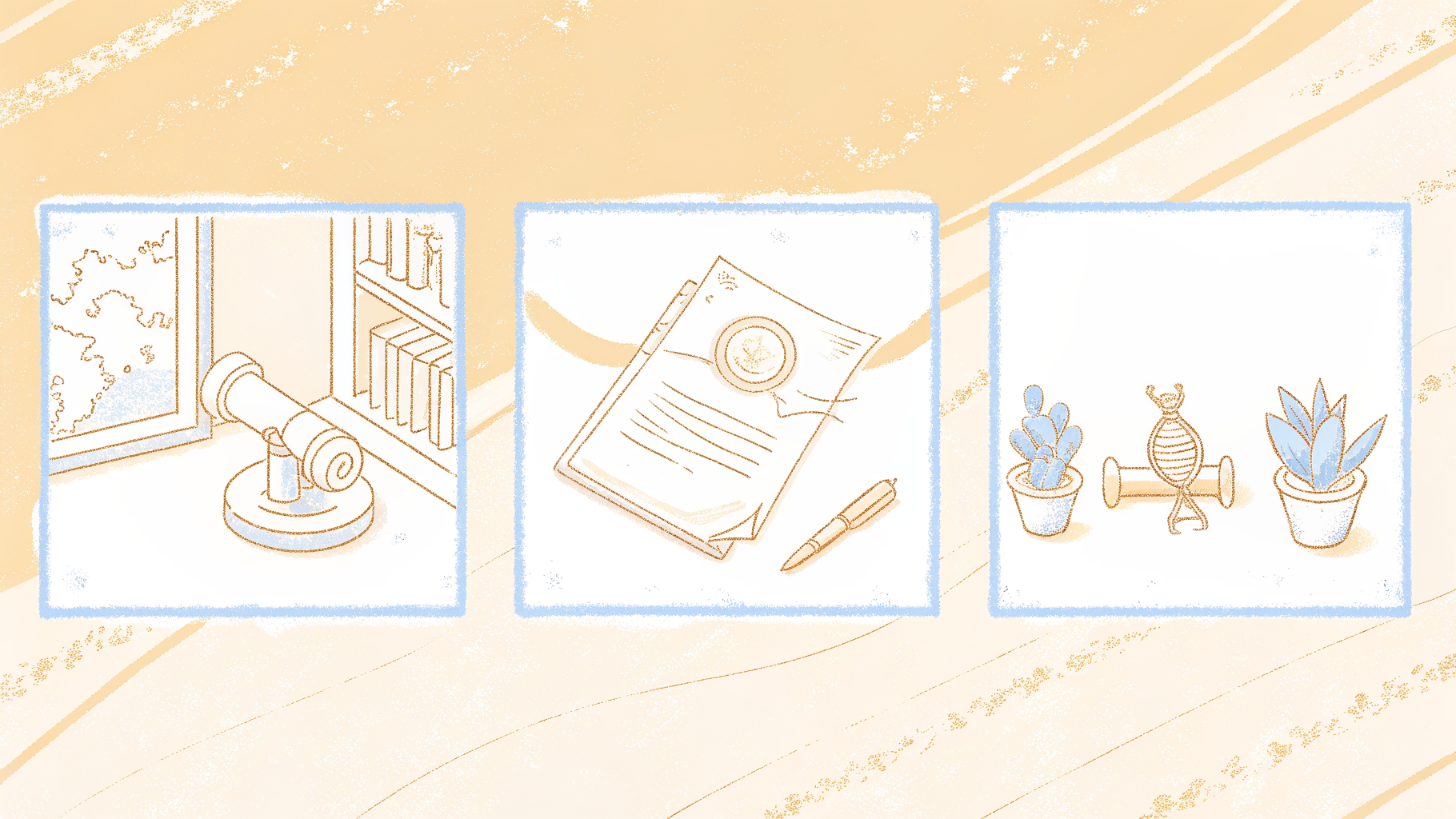
How Courts and Universities Turned Transcript into an Official Record with Legal Weight
In legal and academic contexts, "transcript" names a document that carries formal authority, not just a written record of words. The distinction matters because the object itself has procedural consequences. Federal courts produce transcripts through certified court reporters whose output is the official record of proceedings.
Under Federal Rule of Appellate Procedure 10, an appeal cannot proceed without the transcript of the lower court record. A document labeled "my transcription of the hearing" carries zero standing.
Academic transcripts follow the same logic. A university transcript is an institution's official certification of your academic history, bearing a registrar's seal. Graduate admissions offices, employers, and visa authorities all specify "official transcript" because the word names a verified artifact. In both fields, transcript names the authoritative output of a formal process, and the wrong word signals outsider status before the conversation even begins.
The Same Process-vs-Product Logic in Genetics, Music, and Linguistics
Specialized fields use these terms in ways that grammar rules cannot predict. The table below maps each domain using only source-backed definitions.
| Field | The process (transcription) | The product (transcript) | What makes it "transcription" and not just "copying" |
|---|---|---|---|
| Biology/Genetics | DNA is copied into messenger RNA (mRNA) inside the cell nucleus | The mRNA molecule produced | Information moves from one molecular "language" (DNA) to another (RNA), preserving the message in a new form |
| Music | A composer or arranger rewrites a piece for a different instrument or ensemble | The resulting score | Musical content crosses from one sonic medium to another without changing the underlying composition |
| Linguistics | Speech sounds are rendered into another script or symbol system, typically the International Phonetic Alphabet | The phonetic rendering, e.g. [tehrɑn] | Sounds move from one representational system to another, not merely from spoken to written form |
The Four Transcription Styles Used in Audio and Media Work
Audio and media work relies on four distinct transcription styles, each suited to a different purpose:
- Verbatim transcription captures every word, filler sound, false start, and repetition exactly as spoken.
- It is the right call for legal depositions, qualitative research interviews, and any context where the speaker's exact phrasing is itself the evidence.
- Clean (or edited) transcription removes fillers and repetitions while preserving meaning. It is the standard for published interviews, podcast show notes, video captions, and internal meeting summaries.
- Phonetic transcription, using IPA, serves language documentation, linguistics research, and language learning materials. It answers a different question about how something was said rather than what was said.
- Time-coded transcription attaches a timestamp to each line or segment. Video editors, subtitle producers, and accessibility teams depend on it; without accurate time codes, a subtitle file is unusable regardless of word accuracy.
Choosing the right style is only part of the challenge. The harder problem is what actually happens when you sit down with an hour of audio and need accurate words on a page, and that is where the real friction begins.
Where transcription meets audio and video and why getting the words out is harder than it sounds
How Long Does It Actually Take to Transcribe Audio by Hand?
The common assumption is that if you can just figure out whether you need a "transcript" or a "transcription," you will know what to do next, that this is a terminology problem you can think your way out of. In practice, the real obstacle is time.

Key takeaway: The standard ratio cited by transcription professionals is four to six hours of typing for every one hour of audio, even for a fast, experienced typist working from a clear recording.
For a marketing coordinator transcribing a 45-minute customer interview with two speakers, some crosstalk, and a handful of product names, a realistic estimate is a full afternoon gone. The recording itself took 45 minutes. The transcript takes the rest of the day.
Transcribing by hand means playing a few seconds, pausing, typing, rewinding to catch a word, typing again. That stop-start rhythm is exhausting in a way that continuous typing is not. Anyone who has sat through it knows the specific fatigue of the third hour, when the audio still has 20 minutes left and the cursor is blinking at you.
The burden compounds the moment volume increases. Professionals dealing with dozens of long recordings, say, a batch of hour-long research interviews or lecture captures, quickly discover that most tools demand one-by-one uploads, turning a workflow problem into a stamina problem. Cockatoo's Pro plan lets you upload up to 20 files per batch with no hard file-length cap, so multi-hour recordings move through the queue without the stop-start friction of single-file tools. And if you are not ready to commit, the free tier, no credit card required, gives you a set of transcripts per day, each up to a limited length, to test on your own files before anything costs you a dollar.
How Accurate Are Zoom, YouTube, and Google Meet Auto-Captions?
Platform auto-captions feel like a shortcut, but Zoom, YouTube, and Google Meet captions carry word error rates that turn every transcript into a correction job. Studies of YouTube's automatic captions have found meaningful error rates even on clear audio, rising sharply with accents, domain-specific vocabulary, or background noise. Auto-captions were built for accessibility compliance, not for producing a usable working document. They drop speaker labels, collapse punctuation, and miss proper nouns consistently. Cleaning that output to a publishable standard often takes longer than a careful human pass from the beginning.
Industry research into transcription costs shows that different formats expose different failure modes:
- Podcasts trap on niche terminology.
- Meetings fail on overlapping speakers.
- Lectures reduce dense technical vocabulary to unpunctuated walls of text.
The pattern is consistent. The more specialised the content, the worse platform captions perform, and the more time gets swallowed in cleanup.
The gap widens further when the output has to do more than sit in a folder. Cockatoo handles three common next steps that auto-captions and manual typing both fail to cover without additional tools and additional time:
- Transcription in the speaker's own language, rather than a forced English approximation, for recordings in another language.
- Video captioning with subtitle export for publication or internal sharing.
- Document translation for PDF, DOCX, PPTX, XLSX, and TXT files into or out of English, so a slide deck or PDF distributed across a multilingual team is readable by everyone who receives it.
Most solo operators have already absorbed this cost without naming it, trying hand-typing once, switching to auto-captions, and landing somewhere between two bad options. That is exactly the gap Cockatoo's AI transcription for audio and video is built to close: a transcript comes back on the first upload, with no setup and no credit card, accurate enough to trust on the first pass. Converting audio or video files to text, whether from podcasts, interviews, or meetings, should not require choosing between accuracy and speed.
These workarounds are not failures of effort. They are failures of tooling at the wrong price point.
Related Reading
- Market Research Transcription
- Qualitative Research Transcription
- How To Transcribe Youtube Video
- Business Transcription
- Podcast Transcription Software
- Automatic Video Transcription Software
- Meeting Transcription And Summary Ai Tools
- Best Transcription Software For Interviews
- Best Lecture Transcription App
- Best Medical Transcription Software
- Best Closed Captioning Software
- Best Transcription App For Iphone
- Best Transcription Software For Qualitative Research
- Zoom Ai Transcription
How AI transcription software changed what accurate transcription costs and who can afford it
The old binary felt permanent: pay a professional transcriptionist and get clean text, or use a free auto-caption tool and spend your afternoon fixing it. That gap has closed faster than most people realize. AI transcription has collapsed the cost of converting audio to text so dramatically, from human-rate professional economics to a fraction of that cost at scale, that the real bottleneck is no longer price or even accuracy in the abstract, but knowing which workflow tier matches your specific situation. Choosing the wrong tier can cost significantly more for identical output quality.

How ASR Engines Turn Audio Into a Transcript Without a Human in the Loop
Automated transcription software works by running your audio through an automatic speech recognition (ASR) model, a neural network trained on thousands of hours of speech. The model breaks the audio into tiny slices, predicts the most probable word at each slice, and stitches those predictions into a continuous transcript. Speaker labels come from a separate process called diarization, which clusters audio segments by voice characteristics and assigns each cluster a speaker tag.
Timestamps are anchored to the position in the audio where each word was detected. The practical result: upload a 60-minute interview file, and a modern ASR system returns a speaker-labelled, timestamped transcript in well under a minute. On clear audio, independent research into leading ASR models shows that the best systems now produce highly competitive word error rates compared with professional human transcriptionists for standard speech, a threshold that was out of reach for automated tools just a few years ago.
The Criteria That Actually Separate Accurate Tools From Ones That Only Claim Accuracy
"99% accurate" appears on almost every transcription tool's marketing page. The claim is nearly meaningless without a benchmark. What you want to see is a published word error rate (WER) tested against a named, standard dataset, measured across multiple languages, and compared against at least one other tool. That is verifiable. A marketing headline is not.
Before committing to any tool, check these four things:
- Does it handle your file length? Free tools frequently break on recordings longer than 30 minutes, producing timestamp drift that compounds as the file runs.
- What export formats does it support? A transcript you cannot get into a Word or PDF file creates more work, not less.
- How does it handle multiple speakers? Diarization quality varies widely, and a single-speaker label on a four-person call is nearly useless.
- Does the provider publish verifiable benchmarks, or just a headline claim?
Why Language Coverage and Pricing Matter
Language coverage is the hidden filter most buyers miss. A tool that is excellent in English may produce substantially higher word error rates in Spanish, Portuguese, or Mandarin. The number of languages a tool advertises and the number it actually handles accurately are often very different figures, and checking a provider's published per-language accuracy data before you sign up is not optional if your recordings are not in English.
Many of the most accurate tools still price by team seat, meaning an individual contributor pays for seats she does not need or settles for a less accurate free tier. Cockatoo was built for that gap: self-serve individual pricing, multilingual ASR with published accuracy benchmarks, and export to PDF, DOCX, and SRT. Knowing what to look for is only half the equation. The other half is finding a tool that actually meets those criteria at a price an individual can commit to without a lengthy approval process.
Next steps
If your afternoons keep disappearing into manual typing or auto-caption cleanup, the path forward starts with recognizing that the terminology question was never the real problem. The gap between a recording and a usable document is a tooling gap, not a vocabulary one. Start with our voice transcription app.
AI transcription has collapsed the cost of converting audio to text so dramatically that price is no longer the barrier most people assume it is. At the same time, the hidden cost that no vendor advertises is the labor that happens after raw output is delivered: editing, formatting, adding timestamps, labeling speakers. Together, those two realities point to one practical next step: find a tool accurate enough to trust on the first pass, so the post-delivery cleanup shrinks rather than replaces the manual typing you were trying to escape.
Start with the voice transcription app Cockatoo offers on a no-credit-card free tier. Upload a file, select your language, and a speaker-labeled, timestamped transcript comes back without any setup. If the accuracy holds on your own audio, the case for upgrading makes itself.
Frequently Asked Questions
What does transcript actually mean?
A transcript is the finished text document produced from a transcription process, the thing that has been copied, not the act of copying it. The word comes from the Latin transcriptum, and it names a finished object that can be printed, emailed, or filed. In legal and academic contexts it carries additional formal authority, such as a court's official record of proceedings or a university's certified certification of your academic history.
What is the difference between verbatim and non-verbatim transcripts?
Verbatim transcription captures every word, filler sound, false start, and repetition exactly as spoken, it is the right choice for legal depositions or qualitative research where the speaker's exact phrasing is itself the evidence. Clean (or edited) transcription removes fillers and repetitions while preserving meaning, and is the standard for published interviews, podcast show notes, video captions, and meeting summaries.
Is a transcript the same as a recording?
No. A recording captures sound, a transcript captures words on a page, and transcription is the process that connects them. They are three distinct things: the source audio, the act of converting it to text, and the finished written document.
What makes transcription different from just copying something?
Transcription always involves moving content from one form or medium to another, not simply duplicating it in the same form. In audio work, speech crosses from sound to written text; in genetics, DNA is copied into messenger RNA; in music, a piece is rewritten for a different instrument. The common thread across every field is that the information changes medium while preserving its message.
When do I need transcription and translation together, rather than just one of them?
You need both when a recording in one language has to be delivered as a readable document in another language, transcription converts the audio to text in the speaker's own language first, and translation then renders that text into the target language. A recording that simply needs words on a page in the same language requires only transcription; a finished document being shared across a multilingual team may require only translation.